

Cart
0


Lenovo Ideapad 3 Chromebook, 11.6 Hd, Intel Celeron N4020, 4Gb Ram, 32Gb Emmc, Chromeos, Onyx Black
Free Standard Shipping Across USA
Vendor: Lenovo
Type: Business Laptops
Sku: WBCOMB08KR977Y1
Availability: Sold Out
Couldn't load pickup availability
Guarantee safe checkout

Sold by Electroeshop, an authorized reseller.
Returns accepted within 30 days | support@electroeshop.com
Shipping Information
- Free Standard Shipping — United States only
- Processing Time: 3–5 business days
- Estimated Delivery: 6–10 business days after dispatch
- Double-boxed, fully insured & discreetly packaged
- Tracking number sent via email once dispatched
Returns & Refund
Returns accepted within 30 days of delivery.
Damaged or Defective Item
Free return shipping + replacement or full refund
Wrong Item Received
Free return shipping + replacement or full refund
Change of Mind
Return shipping at customer's expense · 25% restocking fee applies
All returns require a Return Authorization (RA) number before sending.
View Full Return & Refund Policy
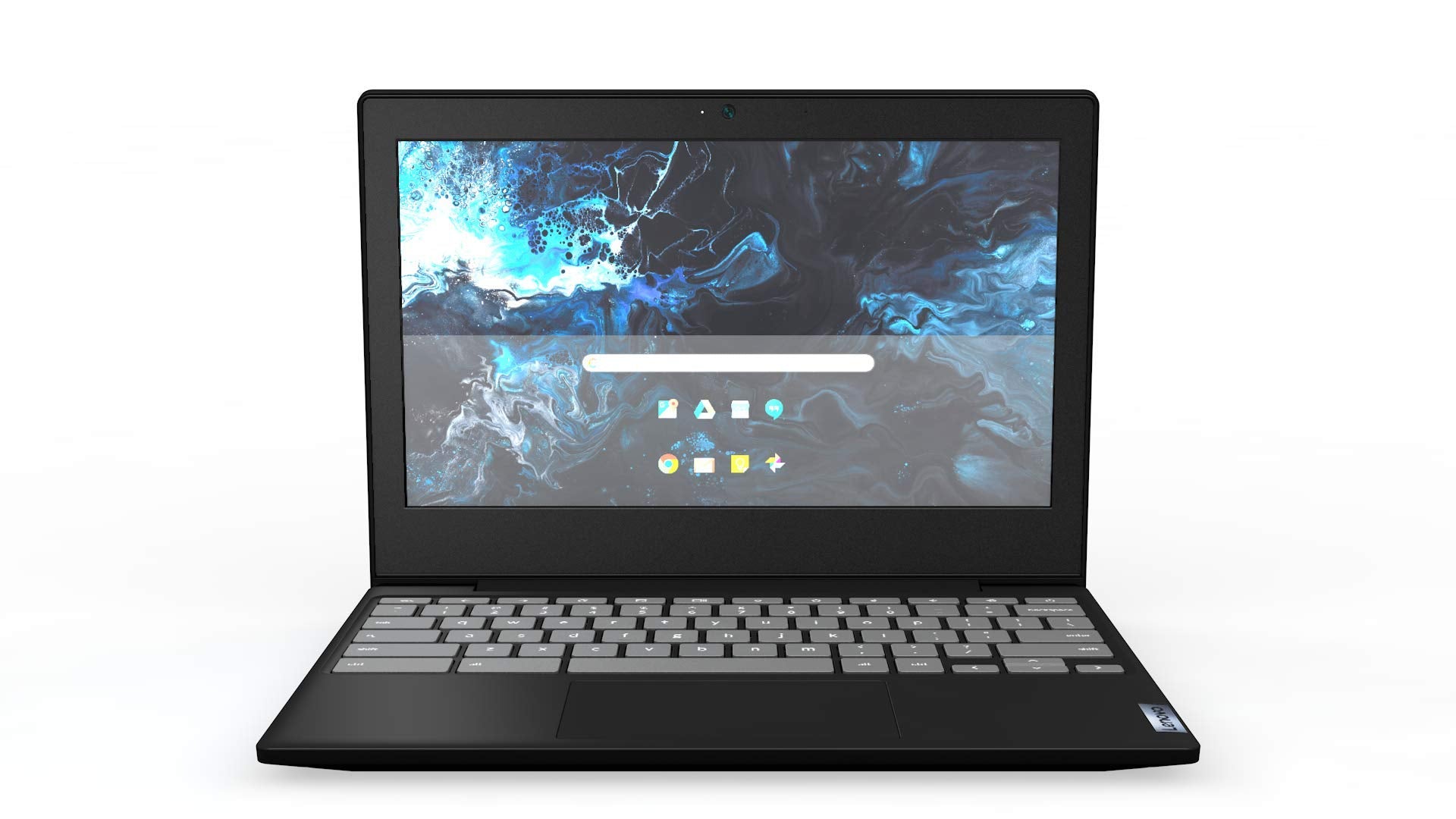
Lenovo Ideapad 3 Chromebook, 11.6 Hd, Intel Celeron N4020, 4Gb Ram, 32Gb Emmc, Chromeos, Onyx Black
$238.16

Frequently Asked Questions
- Q: What are the dimensions of the Lenovo Chromebook 3? A: The dimensions are eight point three inches in length, eleven point eight inches in width, and zero point six eight inches in height.
- Q: What is the weight of the Lenovo Chromebook 3? A: The weight is two point four two pounds, making it lightweight and portable for everyday use.
- Q: What kind of processor does the Lenovo Chromebook 3 use? A: It features an Intel Celeron N4020 dual-core processor that operates at one point one gigahertz and can boost up to two point eight gigahertz.
- Q: How much memory does the Lenovo Chromebook 3 have? A: It comes with four gigabytes of LPDDR4 RAM, which is suitable for running multiple applications simultaneously.
- Q: What type of storage does the Lenovo Chromebook 3 offer? A: The Chromebook has thirty-two gigabytes of eMMC solid-state storage, providing fast access to files and applications.
- Q: What is the display resolution of the Lenovo Chromebook 3? A: The display resolution is one thousand three hundred sixty-six by seven hundred sixty-eight pixels, offering HD clarity.
- Q: How do I connect to the internet with the Lenovo Chromebook 3? A: You can connect using its built-in two by two 802.11AC Wi-Fi and Bluetooth four point one combo for wireless connectivity.
- Q: Can I use educational apps on the Lenovo Chromebook 3? A: Yes, it is Google Classroom compatible, making it ideal for educational purposes and online learning.
- Q: How do I maximize battery life on the Lenovo Chromebook 3? A: To maximize battery life, utilize power-saving settings and avoid running multiple resource-heavy applications simultaneously.
- Q: Is the Lenovo Chromebook 3 suitable for gaming? A: While it can run casual games, it is not designed for high-performance gaming due to its specifications.
- Q: How do I clean the Lenovo Chromebook 3? A: To clean it, use a soft, lint-free cloth and avoid using harsh chemicals on the screen or keyboard.
- Q: Does the Lenovo Chromebook 3 have built-in virus protection? A: Yes, it features built-in virus protection as part of the Chrome OS, ensuring a secure browsing experience.
- Q: What should I do if my Lenovo Chromebook 3 is damaged? A: If damaged, check the warranty policy for repair or replacement options, or contact customer support for assistance.
- Q: How do I install applications on the Lenovo Chromebook 3? A: You can install applications through the Google Play Store or Chrome Web Store, depending on the app's compatibility.
- Q: Can I upgrade the memory on the Lenovo Chromebook 3? A: No, the memory is soldered onto the motherboard and cannot be upgraded after purchase.