

Cart
0


Lenovo Ideapad 15.6 Laptop Newest, 20Gb Ram, 1Tb Ssd, Amd Dual-Core Processor, 15.6 Inch Hd Anti-Glare Display, Wifi6 Bluetooth
Free Standard Shipping Across USA
Vendor: Lenovo
Type: Business Laptops
Sku: WBCOMB0BZV2SYZH
Availability: Sold Out
Couldn't load pickup availability
Guarantee safe checkout

Sold by Electroeshop, an authorized reseller.
Returns accepted within 30 days | support@electroeshop.com
Shipping Information
- Free Standard Shipping — United States only
- Processing Time: 3–5 business days
- Estimated Delivery: 6–10 business days after dispatch
- Double-boxed, fully insured & discreetly packaged
- Tracking number sent via email once dispatched
Returns & Refund
Returns accepted within 30 days of delivery.
Damaged or Defective Item
Free return shipping + replacement or full refund
Wrong Item Received
Free return shipping + replacement or full refund
Change of Mind
Return shipping at customer's expense · 25% restocking fee applies
All returns require a Return Authorization (RA) number before sending.
View Full Return & Refund Policy
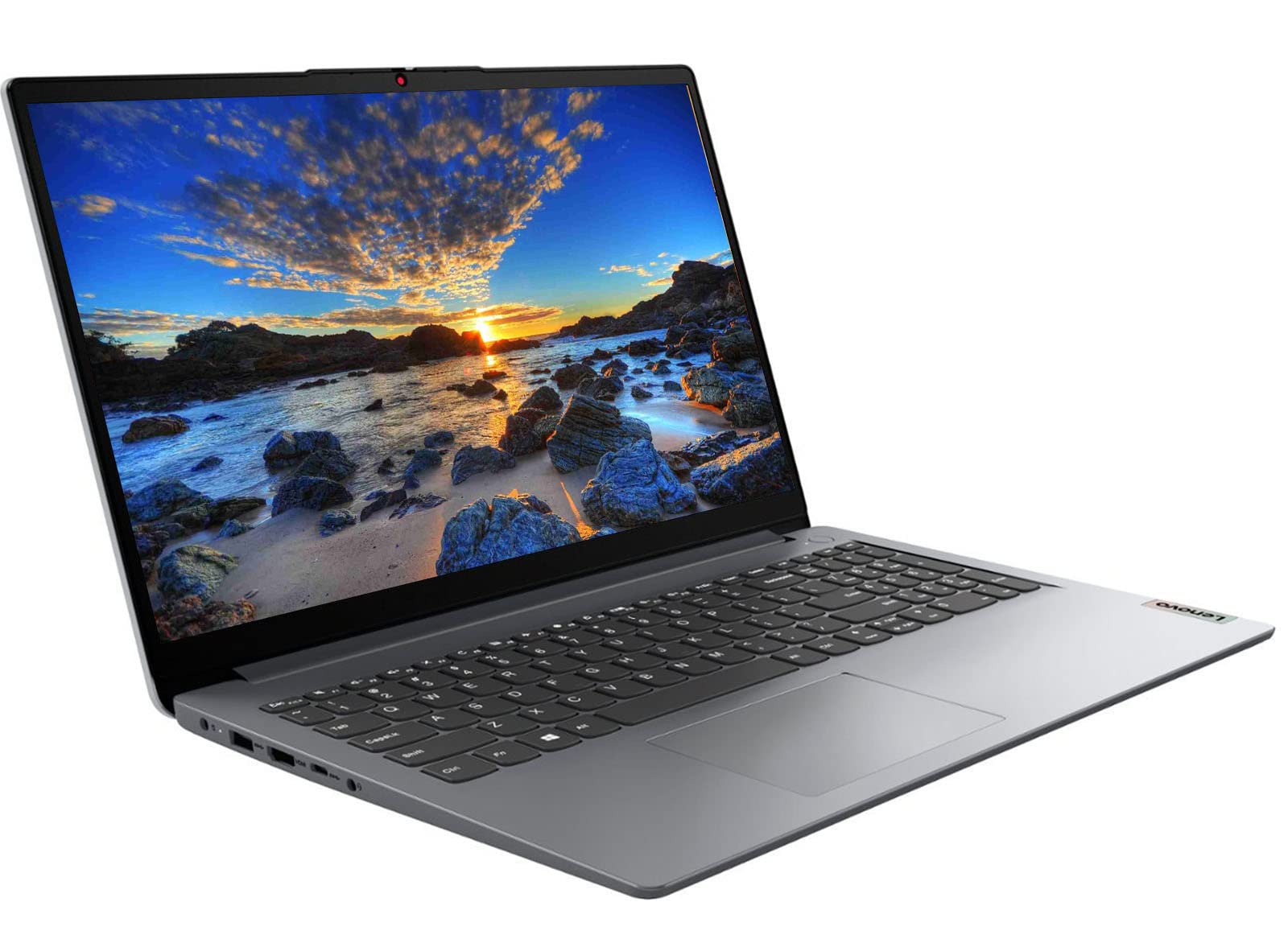
Lenovo Ideapad 15.6 Laptop Newest, 20Gb Ram, 1Tb Ssd, Amd Dual-Core Processor, 15.6 Inch Hd Anti-Glare Display, Wifi6 Bluetooth
$525.00

Frequently Asked Questions
- Q: What is the display size of the Lenovo IdeaPad laptop? A: The display size is fifteen point six inches. It features an HD anti-glare display with a resolution of thirteen sixty-six by seven sixty-eight pixels.
- Q: What are the dimensions of the Lenovo IdeaPad laptop? A: The laptop measures fourteen point eighteen inches in length, nine point twenty-nine inches in width, and zero point seven inches in height.
- Q: What type of processor does the Lenovo IdeaPad use? A: The laptop is equipped with an AMD Athlon Silver thirty zero five U dual-core processor. It operates at a base clock speed of two point three gigahertz and can boost up to three point two gigahertz.
- Q: How do I open Wi-Fi settings on this laptop? A: You can open Wi-Fi settings by using the Command Prompt. Press FN and Shift and F10 or just Shift and F10 together, then type ‘start ms-settings:network-wifi’ and hit Enter.
- Q: How much RAM does the Lenovo IdeaPad have? A: The laptop has twenty gigabytes of RAM. This upgraded memory allows for smooth multitasking and efficient performance when running multiple applications.
- Q: What type of storage is in the Lenovo IdeaPad? A: It features a one terabyte PCIe SSD for system storage and an additional one hundred twenty-eight gigabytes eMMC storage. This setup provides ample space for files and applications.
- Q: How do I switch out of S mode on Windows 11? A: You can switch out of S mode by going to Settings, then Update & Security, and selecting Activation. From there, click 'Go to the Store' and follow the prompts to get the option.
- Q: What type of graphics does the Lenovo IdeaPad support? A: The laptop features integrated AMD Radeon graphics. This provides solid image quality for internet use, movies, and casual gaming.
- Q: How do I take care of the laptop's battery? A: To maintain the battery, avoid letting it completely drain frequently and keep it charged between twenty percent and eighty percent. This helps prolong its lifespan.
- Q: Is the laptop suitable for gaming? A: Yes, the Lenovo IdeaPad is suitable for light gaming. Its AMD Radeon graphics and dual-core processor can handle basic gaming applications.
- Q: What ports are available on the Lenovo IdeaPad? A: The laptop includes one USB three point two type A port, one USB three point two type C port, one USB two point zero type A port, one HDMI port, and a headphone/mic combo jack.
- Q: What type of audio features does the laptop have? A: It includes high-definition audio with stereo speakers rated at one point five watts each and a built-in seven hundred twenty p webcam with a privacy shutter.
- Q: Is the laptop compatible with Wi-Fi six? A: Yes, the Lenovo IdeaPad supports Wi-Fi six, which provides faster internet speeds and improved connectivity.
- Q: What is the operating system of the Lenovo IdeaPad? A: The laptop runs on Windows 11, which offers a user-friendly interface and enhanced features.
- Q: What color is the Lenovo IdeaPad? A: The laptop comes in a grey color. This neutral shade is both stylish and professional.