

Cart
0


Lenovo Ideacentre Aio 3 Amd All-In-One Computer, 24 Fhd Display, Ryzen 5 5500U, 16Gb Ram, 512Gb Ssd, Dvd Rw Drive, Windows 11
Free Standard Shipping Across USA
Vendor: Lenovo
Type: All-in-One Computers
Sku: WBCOMB09F75N1SH
Availability: Sold Out
Couldn't load pickup availability
Guarantee safe checkout

Sold by Electroeshop, an authorized reseller.
Returns accepted within 30 days | support@electroeshop.com
Shipping Information
- Free Standard Shipping — United States only
- Processing Time: 3–5 business days
- Estimated Delivery: 6–10 business days after dispatch
- Double-boxed, fully insured & discreetly packaged
- Tracking number sent via email once dispatched
Returns & Refund
Returns accepted within 30 days of delivery.
Damaged or Defective Item
Free return shipping + replacement or full refund
Wrong Item Received
Free return shipping + replacement or full refund
Change of Mind
Return shipping at customer's expense · 25% restocking fee applies
All returns require a Return Authorization (RA) number before sending.
View Full Return & Refund Policy
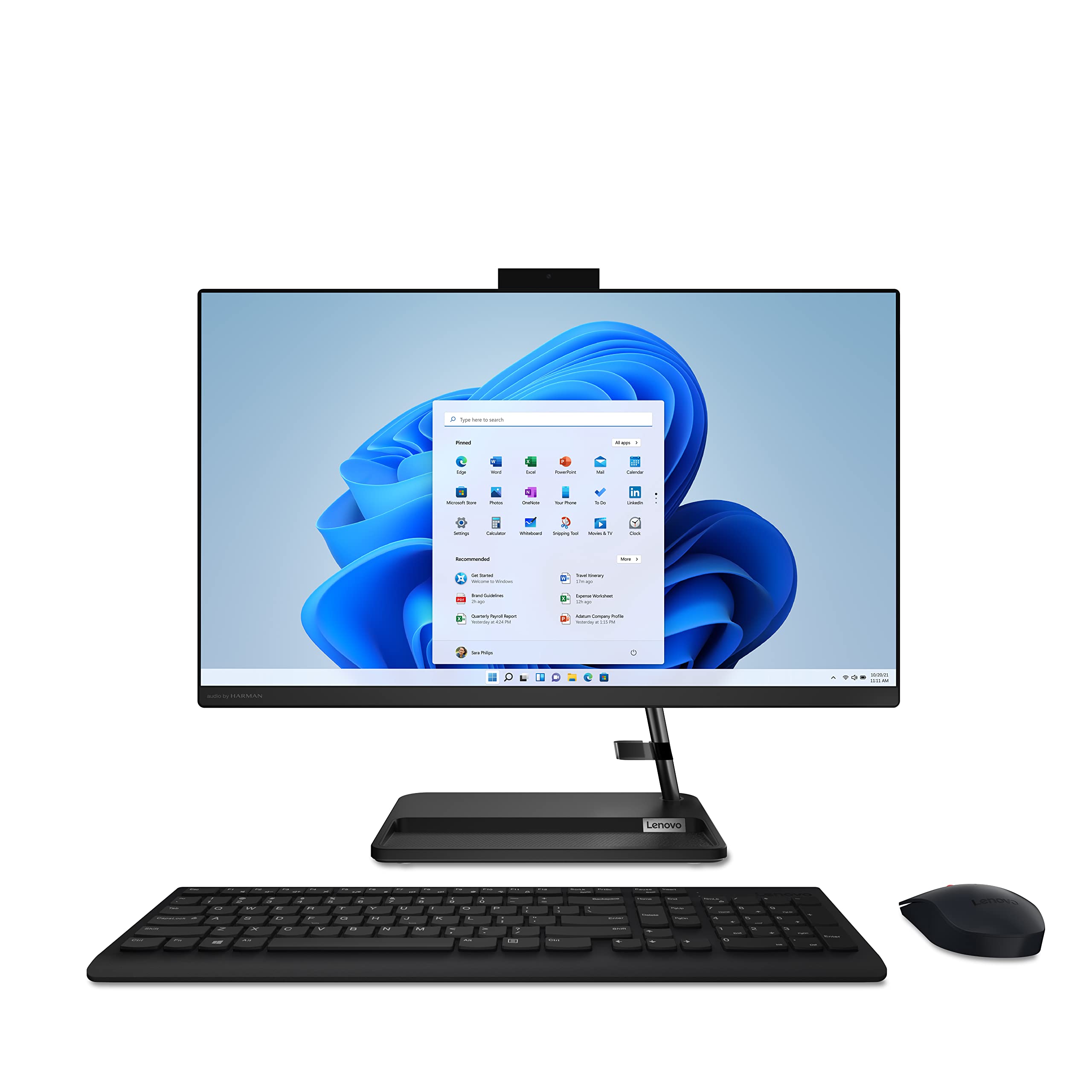
Lenovo Ideacentre Aio 3 Amd All-In-One Computer, 24 Fhd Display, Ryzen 5 5500U, 16Gb Ram, 512Gb Ssd, Dvd Rw Drive, Windows 11
$1,001.30

Frequently Asked Questions
- Q: What are the dimensions of the Lenovo IdeaCentre AIO 3? A: The dimensions are twenty-one point three inches in length, seven point three inches in width, and seventeen point zero seven inches in height.
- Q: What type of processor does the Lenovo IdeaCentre AIO 3 have? A: It has an AMD Ryzen five five thousand U processor, providing powerful performance for demanding tasks.
- Q: How much RAM does the Lenovo IdeaCentre AIO 3 have? A: This all-in-one computer comes with sixteen gigabytes of RAM, allowing for smooth multitasking.
- Q: What storage capacity does the Lenovo IdeaCentre AIO 3 offer? A: It features a five hundred twelve gigabyte solid-state drive for quick access to files and applications.
- Q: What kind of display does the Lenovo IdeaCentre AIO 3 use? A: The all-in-one computer has a twenty-three point eight inch full HD display with a resolution of one thousand nine hundred twenty by one thousand eighty pixels.
- Q: How do I connect my phone to the Lenovo IdeaCentre AIO 3? A: You can use the built-in phone dock to securely hold your mobile device and easily engage in multi-screen activities.
- Q: Is the Lenovo IdeaCentre AIO 3 suitable for gaming? A: Yes, it is equipped with powerful components that can handle light to moderate gaming, especially with its AMD Ryzen processor.
- Q: How do I set up the Lenovo IdeaCentre AIO 3? A: Simply plug it into a power source, connect to the internet, and follow the on-screen instructions to complete the setup.
- Q: Can I upgrade the RAM on the Lenovo IdeaCentre AIO 3? A: No, the RAM is soldered onto the motherboard and cannot be upgraded.
- Q: What is the warranty period for the Lenovo IdeaCentre AIO 3? A: The computer typically comes with a one-year limited warranty for parts and labor.
- Q: How do I clean the Lenovo IdeaCentre AIO 3? A: Use a soft, lint-free cloth dampened with water or a mild cleaning solution to wipe the screen and outer surfaces.
- Q: Are there any safety precautions for the Lenovo IdeaCentre AIO 3? A: Yes, ensure proper ventilation around the unit and avoid exposing it to liquids to maintain safety.
- Q: What should I do if the Lenovo IdeaCentre AIO 3 won't turn on? A: Check the power connection and ensure the outlet is functioning. If the issue persists, consult customer support.
- Q: Does the Lenovo IdeaCentre AIO 3 have a hidden camera? A: Yes, it features a hidden camera that provides up to five megapixels of clarity for video calls.
- Q: What ports are available on the Lenovo IdeaCentre AIO 3? A: It includes two USB two point zero ports, two USB three point two Gen two Type-A ports, one HDMI-out, and a LAN port.