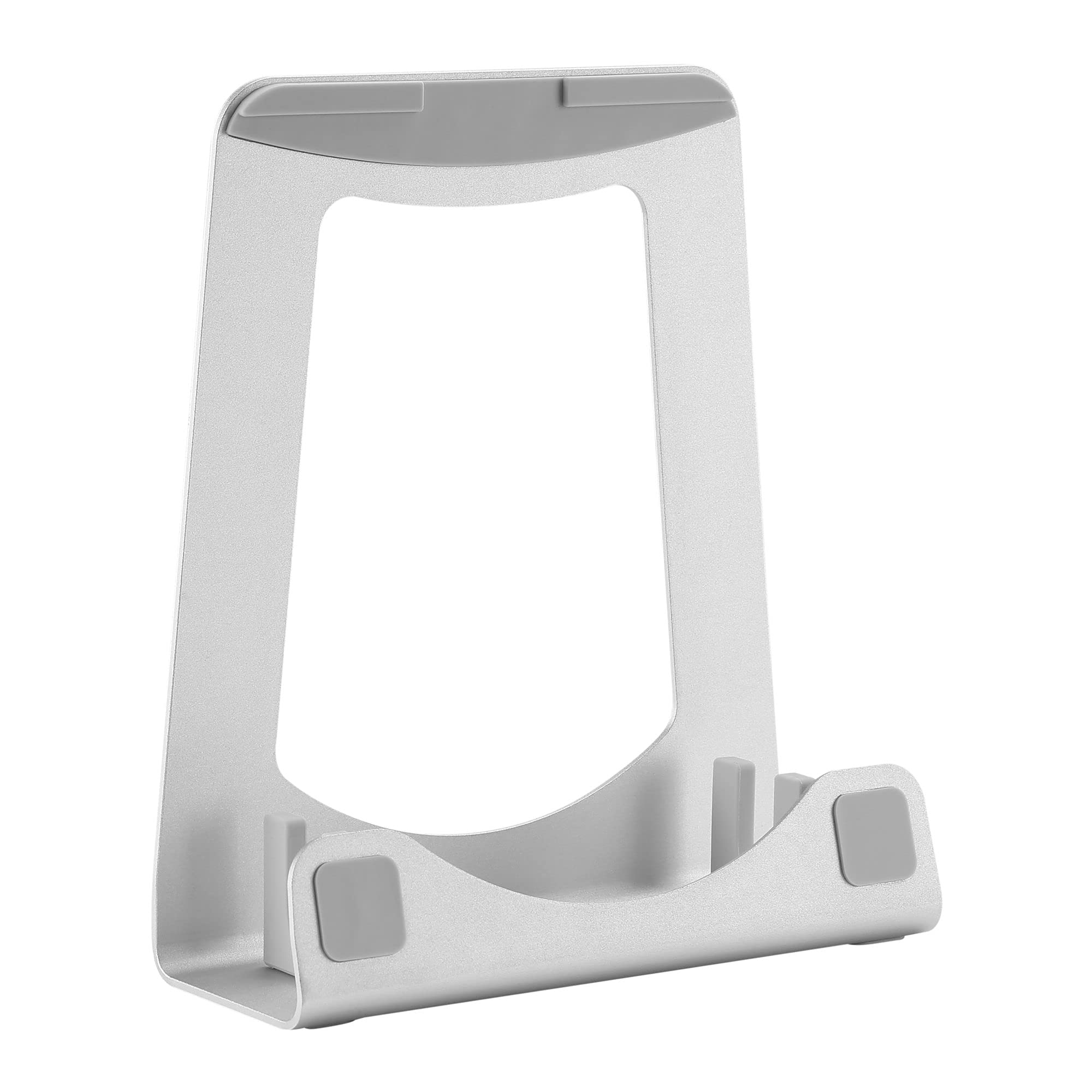
Laptop Riser Stand: This Sleek Silver Aluminum Laptop Stand Has A Surface Ideal For Laptops Up To 15''; Tilted/Raised Design At An Ideal Angle (17) To Help With Ergonomic Posture & Increased Comfort Save Space: Store The Laptop Vertically/Upright When Shut To Maximize Space, Leaving All Ports Accessible For Use With Docking Stations; Extra Stability With An Included Wedge And 8.1''X2.9'' (206Mmx73Mm) Base Versatile: Laptop Stand/Holder With 2 Interchangeable Silicone Cradle Sizes (14Mm & 16Mm) To Vertically Support Ultra-Thin Laptops Like Macbook Air (11''/13''), Macbook Pro (11''/13''/15''), Ultrabook Aesthetic Design: Provides An Elegant Look To Match Your Macbook; Includes Non-Skid Silicone Pads Positioned Throughout To Prevent Sliding And To Protect Office Desk/Tabletop Surface & Laptops From Scratches/Scuffs Startech.Com Advantage: This Angled/Elevated Notebook Computer Stand Is Backed For 5-Years By Startech.Com, Including Free 24/5 North America Based Multi-Lingual Tech Support This 2 In 1 Aluminum Laptop Stand Enables You To Mount Your Laptop In Two Different Positions Depending On Your Application. Its Aesthetic Design Provides Function While Maintaining An Elegant Silver Look That Matches Your Macbook Or Other Ultra-Thin Laptops. The 2 Interchangeable Silicone Holders Allow This Stand To Support Laptops From 11'' To 15'' (14Mm To 16Mm In Thickness) In An Upright Position, While Protecting Them From Scratches And Scuffing. This Laptop Stand Provides You With Two Options For Mounting Your Laptop To Suit Your Desktop Setup. Use It As A Laptop Tilted Stand, Giving You An Ergonomic Tilted Position For Your Laptop (17); Or As A Vertical Laptop Stand, To Save Space And Keep Your Workstation Organized. With The Included Bracket, This Stand Provides Increased Stability And Weight Distribution To Your Vertically Mounted Laptop. With Its Open Frame, This Laptop Riser Stand Offers Increased Airflow Allowing Your Devices To Stay Cooler Than If They Were Laying Flat On Your Desk. The Aluminum Laptop Stand Has Been Designed With An Open Frame Design, So You Can Have All The Ports On Your Laptop Easily Accessed To Use With Docking Stations, And Other Peripherals In Both Mounting Options. The Ltstnd2N1 Is Backed By A Startech.Com 5-Year Warranty And Free Lifetime Technical Support. Mount Your Laptop In A Tilted Position To Help With Ergonomic Posture And Increased Comfort Set Up Your Laptop In An Upright Position To Save Space And Use Your External Display(S) Ideal For Mobile Use, To Setup A Comfortable Workstation Anywhere You Go Specifications Warranty Information Warranty 5 Years Packaging Information Package Height 3,1 In [8,0 Cm] Package Length 9,4 In [23,8 Cm] Shipping (Package) Weight 1,2 Lb [0,5 Kg] Package Width 8,7 In [22,0 Cm] Performance Height Adjustment No Display Tilt 17 Physical Characteristics Color Silver Product Height 2,9 In [7,3 Cm] Product Length 9,2 In [23,3 Cm] Weight Of Product 1,2 Lb [0,5 Kg] Product Width 6,6 In [16,7 Cm] Material Aluminum What'S In The Box 1 - Included In Package Laptop Riser Qsg Stability Bracket 2 - Included In Package Rubber Covers
⚠️ WARNING (California Proposition 65): This product may contain chemicals known to the State of California to cause cancer, birth defects, or other reproductive harm. For more information, please visit www.P65Warnings.ca.gov.
Frequently Asked Questions
Q: What are the dimensions of the StarTech.com Laptop Stand?A: The dimensions of the StarTech.com Laptop Stand are nine point two inches in length, six point six inches in width, and two point nine inches in height.
Q: What material is the StarTech.com Laptop Stand made of?A: The StarTech.com Laptop Stand is made of aluminum, providing durability while maintaining a sleek and elegant design.
Q: How much does the StarTech.com Laptop Stand weigh?A: The stand weighs one point two pounds, making it lightweight and portable for easy transport.
Q: How do I set up the StarTech.com Laptop Stand?A: To set up the stand, place it on a flat surface and either position your laptop tilted at a seventeen-degree angle or vertically for space-saving.
Q: Is the StarTech.com Laptop Stand suitable for all laptop sizes?A: Yes, the stand supports laptops from eleven inches to fifteen inches in size, accommodating various ultrabooks and MacBook models.
Q: Can I use the StarTech.com Laptop Stand for an external monitor?A: Yes, you can use the stand to elevate your laptop for better ergonomics while connecting to an external monitor.
Q: How do I clean the StarTech.com Laptop Stand?A: To clean the stand, use a soft, damp cloth to wipe the aluminum surface, avoiding harsh chemicals that could damage the finish.
Q: Is the StarTech.com Laptop Stand stable for vertical use?A: Yes, the stand includes a stability bracket to ensure your laptop remains secure while in a vertical position.
Q: What should I do if my StarTech.com Laptop Stand arrives damaged?A: If your stand arrives damaged, contact StarTech.com customer support to initiate a return or exchange under their warranty policy.
Q: Does the StarTech.com Laptop Stand come with a warranty?A: Yes, the stand is backed by a five-year warranty from StarTech.com, ensuring support for any manufacturing defects.
Q: Are there silicone pads on the StarTech.com Laptop Stand?A: Yes, the stand features non-skid silicone pads to prevent slipping and protect your laptop and desk surfaces from scratches.
Q: How does the design of the StarTech.com Laptop Stand improve airflow?A: The open frame design of the StarTech.com Laptop Stand allows for increased airflow, helping to keep your laptop cool during use.
Q: Can the StarTech.com Laptop Stand hold thick laptops?A: Yes, the stand can hold laptops with thicknesses ranging from fourteen millimeters to sixteen millimeters.
Q: Is the StarTech.com Laptop Stand easy to transport?A: Yes, its lightweight design and compact dimensions make the stand easy to transport for mobile use.
Q: Can the stand be used with docking stations?A: Yes, the stand allows easy access to all laptop ports, making it compatible with docking stations and other peripherals.