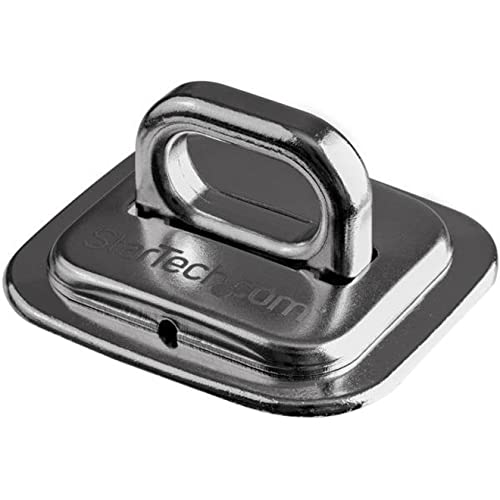
Now You Can Help To Guard Your Laptop, Docking Station Or Other Device Against Theft. This Laptop Cable Lock Anchor Attaches Easily To A Solid Surface, To Provide A Strong And Secure Anchor Point For Your Cable Lock (Sold Separately). A Convenient Way To Secure Your Device Protect Your Device, And Your Investment, By Adding A Secure Lock Anchor Point To A Desk, Counter, Cabinet, Wall Or Other Solid Location. The Computer Security-Cable Anchor Features A Small Footprint And Is Easy To Attach Using Two Screws And The Adhesive Pad(Included). It Gives You The Convenience Of Choosing The Location Of The Anchor Point For Your Cable Lock. Strong And Secure Steel Construction Made Of Stainless Steel, The Ringed Deskmount Cable Anchor Can Withstand A Strong Force From The Cable Lock In All Directions. The Robust Steel Construction Helps To Prevent The Anchor Point From Being Tampered With Or Cut. The Steel Security Plate Prevents Access To The Mounting Screws. Ltanchor Is Backed By A Startech.
⚠️ WARNING (California Proposition 65): This product may contain chemicals known to the State of California to cause cancer, birth defects, or other reproductive harm. For more information, please visit www.P65Warnings.ca.gov.
Frequently Asked Questions
Q: What is the size of the StarTech.com Laptop Cable Lock Anchor?A: The dimensions are one point eight one inches in length, one point seven inches in width, and one point one inches in height.
Q: What material is the StarTech.com Laptop Cable Lock Anchor made of?A: It is constructed from durable zinc alloy and stainless steel, ensuring strong resistance against tampering and theft.
Q: Is the StarTech.com Laptop Cable Lock Anchor compliant with any regulations?A: Yes, it is TAA compliant, meeting the standards required for government GSA Schedule purchases.
Q: How do I install the StarTech.com Laptop Cable Lock Anchor?A: To install, simply attach it to a solid surface using two screws and the included adhesive pad.
Q: Can I use the StarTech.com Laptop Cable Lock Anchor with any cable lock?A: Yes, it is designed to work with most standard cable locks, providing a secure anchor point for your devices.
Q: Where can I install the StarTech.com Laptop Cable Lock Anchor?A: It can be installed on desks, counters, cabinets, walls, or any solid location to secure your devices.
Q: How should I clean the StarTech.com Laptop Cable Lock Anchor?A: You can clean it with a damp cloth to remove dust or debris, ensuring it remains in good condition.
Q: Is the StarTech.com Laptop Cable Lock Anchor safe to use outdoors?A: No, it is designed for indoor use only, as outdoor conditions may compromise its durability.
Q: Does the StarTech.com Laptop Cable Lock Anchor come with a warranty?A: Yes, it is backed by StarTech.com, which offers a warranty for product defects and issues.
Q: What if the StarTech.com Laptop Cable Lock Anchor arrives damaged?A: If it arrives damaged, you should contact the retailer for a return or replacement under their return policy.
Q: How does the steel construction benefit the StarTech.com Laptop Cable Lock Anchor?A: The robust steel construction enhances security by preventing tampering or cutting of the anchor point.
Q: Is the StarTech.com Laptop Cable Lock Anchor easy to remove after installation?A: Yes, it can be removed, but doing so may require unscrewing and could potentially damage the surface it was mounted on.
Q: What devices can I secure with the StarTech.com Laptop Cable Lock Anchor?A: You can secure laptops, docking stations, or any other devices that require protection against theft.
Q: Does the StarTech.com Laptop Cable Lock Anchor come with installation tools?A: No, it does not include tools; you will need a screwdriver to install the screws.
Q: Is the adhesive pad included with the StarTech.com Laptop Cable Lock Anchor strong enough?A: Yes, the adhesive pad is strong and designed to provide additional stability when mounting the anchor.