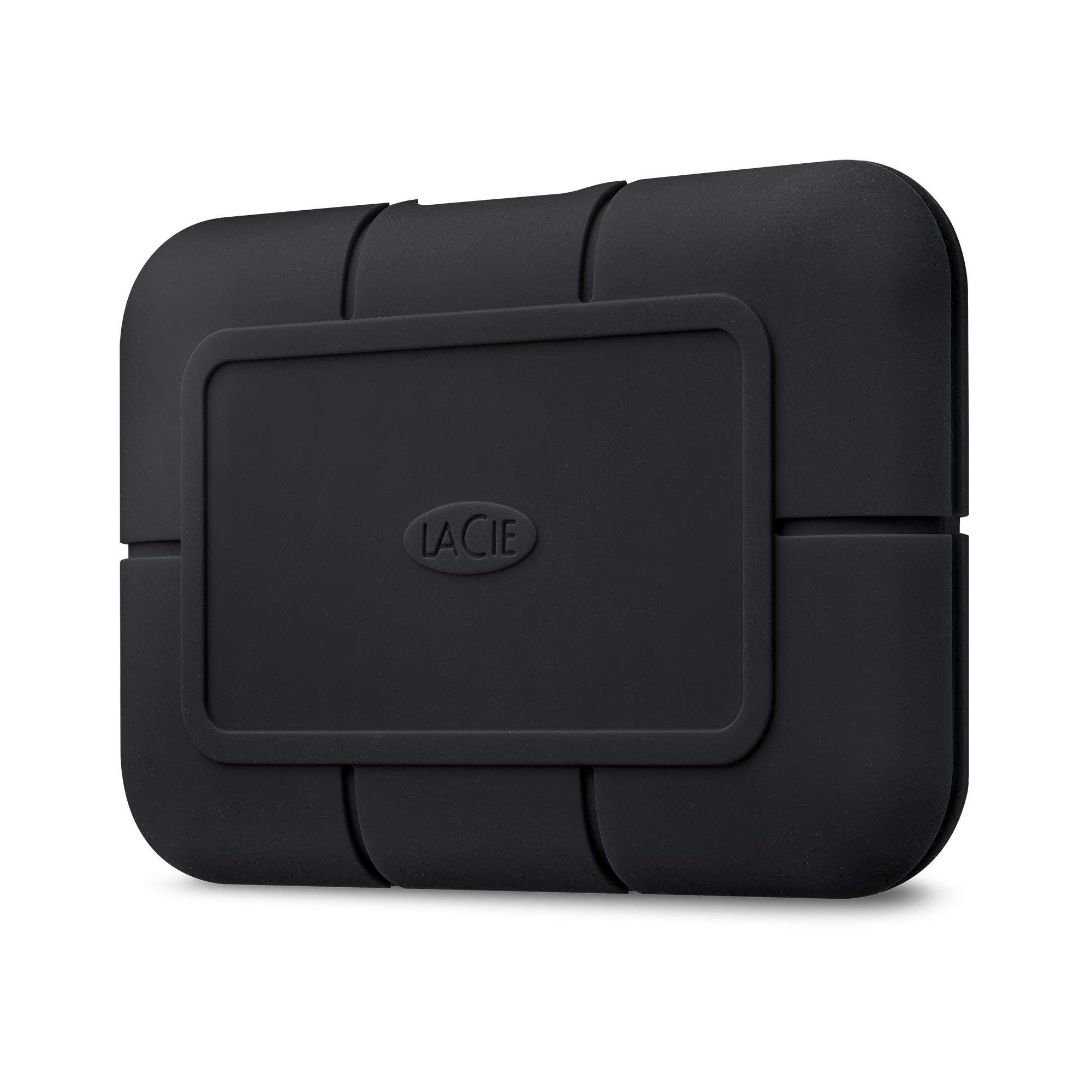
Rugged Ssd Pro Harnesses The Power Of A Seagate Firecuda Nv Me Solid State Drive To Maximize Thunderbolt 3 Capabilities. The Result? Portable Ssd Speeds Of Up To 2800Mb/S-Thats 5X Faster Than Traditional Sata Ssds-And Extreme Durability So Filmmakers And Dits Can Directly Play Back The Most Demanding 6K, 8K, And Super So-So Source Files In Any Environment-Without Transcoding. Tackle Any Terrain With Extreme Ip67-Rated Water Resistance, Three-Meter Drop Resistance, Two-Ton Pressure Resistance, And 1Tb Of Space In A Smart-Cooling, Palm-Sized Drive. Enjoy Seamless Compatibility With Thunderbolt 3 And Usb-C On Both Mac And Windows Computers. For Long-Term Peace Of Mind, This Ssd Includes A Five-Year Limited Product Featuring Rescue Data Recovery Services. Lastly-Take Advantage Of The One-Month Complimentary Membership To Adobe Creative Cloud All Apps Plan For Access To Awesome Photo And Video Editing Apps!
⚠️ WARNING (California Proposition 65): This product may contain chemicals known to the State of California to cause cancer, birth defects, or other reproductive harm. For more information, please visit www.P65Warnings.ca.gov.
Frequently Asked Questions
Q: What is the storage capacity of the LaCie Rugged SSD Pro?A: One terabyte. This storage capacity allows for ample space to store high-resolution video files and large projects.
Q: What are the dimensions of the LaCie Rugged SSD Pro?A: The drive measures three point eight five inches long, two point five six inches wide, and zero point six seven inches high.
Q: What type of material is the LaCie Rugged SSD Pro made from?A: The external casing is designed for rugged durability, featuring IP67-rated water and dust resistance.
Q: How fast is the LaCie Rugged SSD Pro?A: It supports speeds up to two thousand eight hundred megabytes per second. This speed is ideal for high-resolution video playback and recording.
Q: What connectivity options does the LaCie Rugged SSD Pro offer?A: It features Thunderbolt 3 and USB-C connectivity. This ensures compatibility with a wide range of devices, including Mac and Windows computers.
Q: How do I connect the LaCie Rugged SSD Pro to my computer?A: Simply use the included Thunderbolt 3 cable to connect it to your device. It works seamlessly with both Thunderbolt 3 and USB-C ports.
Q: Is the LaCie Rugged SSD Pro suitable for video editing?A: Yes, it's excellent for video editing. It can handle demanding video formats, including six K and eight K footage, without transcoding.
Q: Can I use the LaCie Rugged SSD Pro with Windows computers?A: Yes, it is compatible with both Mac and Windows systems. You can easily use it across different platforms.
Q: How should I store the LaCie Rugged SSD Pro?A: Store it in a cool, dry place when not in use. Avoid extreme temperatures to maintain optimal performance.
Q: What is the warranty on the LaCie Rugged SSD Pro?A: It comes with a five-year limited warranty. This includes Rescue Data Recovery Services for added peace of mind.
Q: Can the LaCie Rugged SSD Pro withstand drops?A: Yes, it has a three-meter drop resistance. This makes it suitable for use in rugged environments.
Q: Is the LaCie Rugged SSD Pro water-resistant?A: Yes, it is IP67-rated for water resistance. This means it can withstand immersion in water up to one meter for thirty minutes.
Q: Does the LaCie Rugged SSD Pro come with any software?A: Yes, it includes a one-month complimentary membership to Adobe Creative Cloud All Apps Plan for enhanced editing capabilities.
Q: What types of files can I store on the LaCie Rugged SSD Pro?A: You can store high-resolution video, large project files, photos, and other digital media. Its capacity is ideal for creative professionals.
Q: How do I clean the LaCie Rugged SSD Pro?A: Use a soft, lint-free cloth to wipe the exterior. Avoid using any harsh chemicals or abrasive materials that could damage the surface.