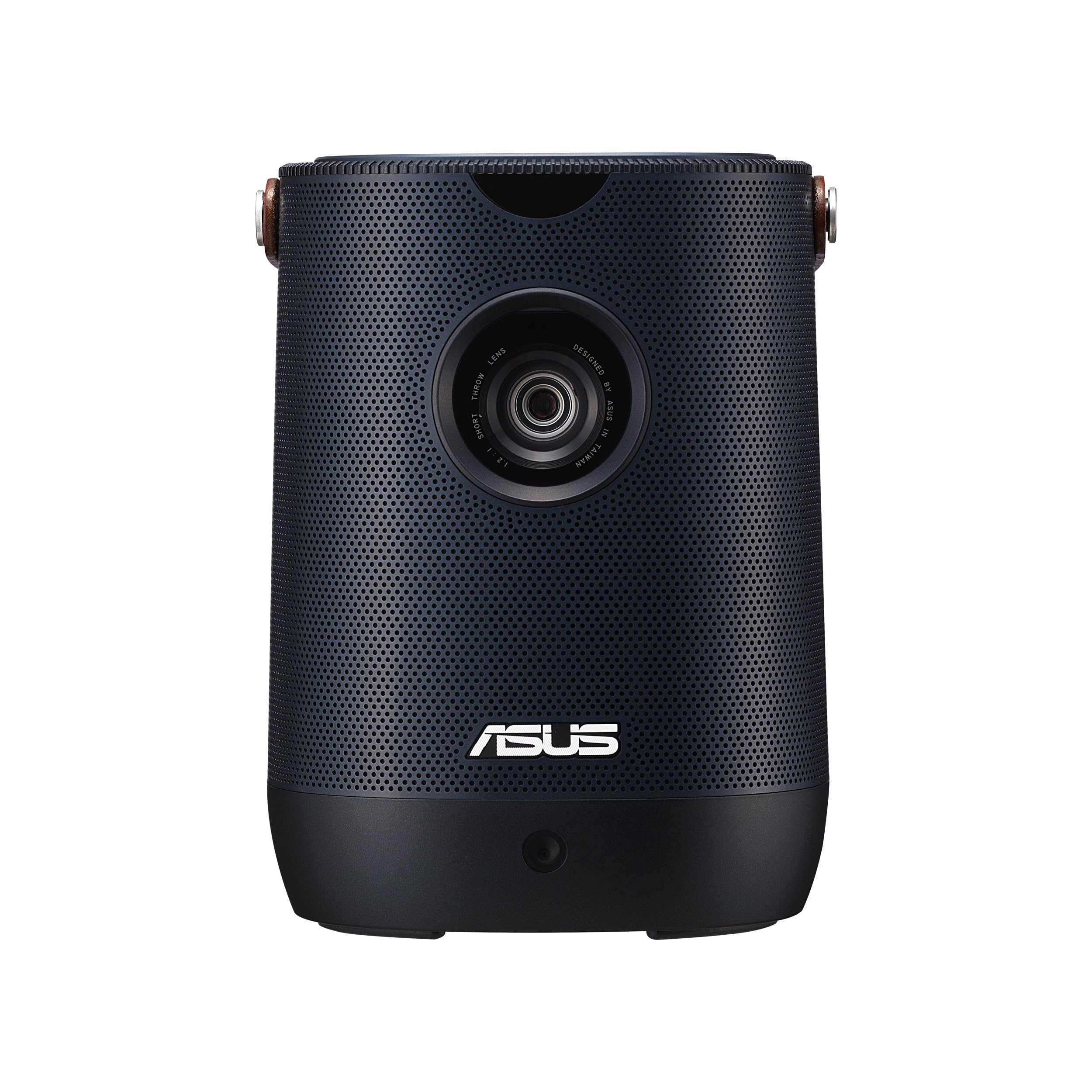
Asus Zenbeam L2 Smart Portable Led Projector - 960 Led Lumens, 1080P, Chromecast, 10W Bluetooth Speaker, Built-In Battery, 3.5 Hour Video Playback, Wireless Projection, Asus Light Wall, Android Tv Box
⚠️ WARNING (California Proposition 65): This product may contain chemicals known to the State of California to cause cancer, birth defects, or other reproductive harm. For more information, please visit www.P65Warnings.ca.gov.
Frequently Asked Questions
Q: What is the brightness of the ASUS ZenBeam L2 projector?A: The ASUS ZenBeam L2 projector has a brightness of nine hundred sixty LED lumens. This brightness level allows for clear image projection in various lighting conditions.
Q: What is the native resolution of the ASUS ZenBeam L2 projector?A: The native resolution of the ASUS ZenBeam L2 projector is one thousand eighty P. It also supports compatibility with four K content for enhanced viewing.
Q: What are the dimensions of the ASUS ZenBeam L2 projector?A: The dimensions of the ASUS ZenBeam L2 projector are six point eight inches in length, five point two inches in width, and five point two inches in height. Its compact size makes it portable and easy to carry.
Q: Does the ASUS ZenBeam L2 projector have wireless capabilities?A: Yes, the ASUS ZenBeam L2 projector features wireless projection capabilities. It includes Chromecast and Bluetooth connectivity for seamless streaming.
Q: How long can the ASUS ZenBeam L2 projector operate on its built-in battery?A: The built-in battery of the ASUS ZenBeam L2 projector allows for up to three and a half hours of video playback. This makes it convenient for outdoor use or presentations.
Q: What type of TV box is included with the ASUS ZenBeam L2 projector?A: The ASUS ZenBeam L2 projector includes a Google Certified Android twelve TV box. This box comes preloaded with popular streaming services like Netflix.
Q: How do I connect the ASUS ZenBeam L2 projector to my devices?A: You can connect the ASUS ZenBeam L2 projector using HDMI, USB-C with DP Alt mode, and USB Type-A ports. The Bluetooth connectivity also allows for wireless pairing with devices.
Q: Is the ASUS ZenBeam L2 projector suitable for outdoor use?A: Yes, the ASUS ZenBeam L2 projector is suitable for outdoor use due to its portable design and built-in battery. It's perfect for movies under the stars or outdoor presentations.
Q: How do I clean the ASUS ZenBeam L2 projector?A: To clean the ASUS ZenBeam L2 projector, use a soft, dry cloth to gently wipe the surface. Avoid using harsh chemicals or abrasive materials to prevent damage.
Q: What safety features does the ASUS ZenBeam L2 projector have?A: The ASUS ZenBeam L2 projector includes safety features like overheat protection. This ensures the device operates safely even during extended use.
Q: Can the ASUS ZenBeam L2 projector be used for gaming?A: Yes, the ASUS ZenBeam L2 projector can be used for gaming. Its low input lag and high resolution make it suitable for an immersive gaming experience.
Q: What is the warranty period for the ASUS ZenBeam L2 projector?A: The ASUS ZenBeam L2 projector typically comes with a one-year warranty. This warranty covers manufacturing defects and ensures customer satisfaction.
Q: What should I do if my ASUS ZenBeam L2 projector is not turning on?A: If your ASUS ZenBeam L2 projector is not turning on, first check the power connection. If the issue persists, refer to the user manual for troubleshooting steps or contact customer support.
Q: Does the ASUS ZenBeam L2 projector support external speakers?A: Yes, the ASUS ZenBeam L2 projector supports external speakers. It has an earphone jack for connecting audio devices for enhanced sound quality.
Q: Is the ASUS ZenBeam L2 projector compatible with iOS devices?A: Yes, the ASUS ZenBeam L2 projector is compatible with iOS devices. You can easily stream content from your iPhone or iPad using Chromecast.