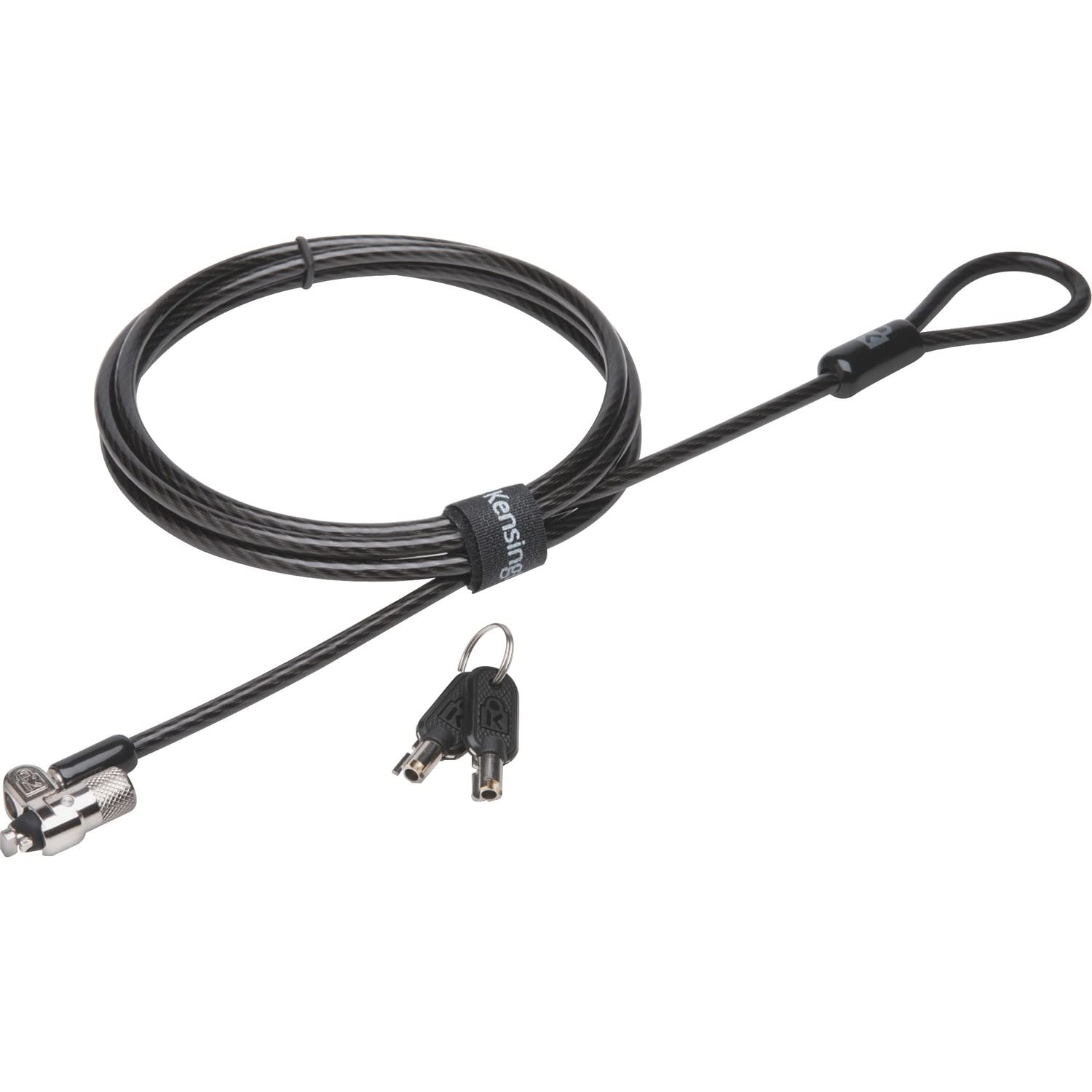
Microsaver 2.0 Keyed Laptop Lock Was Developed Using Strict Specifications, Patented Technologies And Rigorous Testing Against Tough Environmental Conditions To Stand The Test Of Time Without Compromise. Strong, 10Mm Lock Head Delivers A High Level Of Security To Keep Even The Thinnest Laptops And Devices Safely Protected. Anti-Pick Hidden Pin Technology Ensures The Lock Cannot Be Tampered With. T-Bar Locking Technology Securely Attaches To The Internal Wall Of The Device For A Premium Level Of Security. Carbon Steel Cable Offers A High Level Of Cut-Resistance And Theft-Resistance Without Limiting Its Mobility. Pivot-And-Rotate Cable Offers Freedom Of Movement To Eliminate Awkward Angles And Allows You To Insert Your Key With Complete Ease. Laptop Lock Is Designed For Compatible Devices With The Kensington Security Slot.
⚠️ WARNING (California Proposition 65): This product may contain chemicals known to the State of California to cause cancer, birth defects, or other reproductive harm. For more information, please visit www.P65Warnings.ca.gov.
Frequently Asked Questions
Q: What materials is the Kensington MicroSaver 2.0 Keyed Laptop Lock made of?A: The lock is made of carbon steel and features a strong ten millimeter lock head for enhanced security.
Q: What are the dimensions of the Kensington MicroSaver 2.0 Keyed Laptop Lock?A: The dimensions are five point two inches in width, five point five one inches in height, and zero point eight inches in length.
Q: What color options are available for the Kensington MicroSaver 2.0 Keyed Laptop Lock?A: The lock is available in a sleek black color, designed to match most laptops.
Q: How do I install the Kensington MicroSaver 2.0 Keyed Laptop Lock?A: To install, attach the T-bar to the internal wall of your laptop using the Kensington security slot for a secure fit.
Q: Can I use the Kensington MicroSaver 2.0 Keyed Laptop Lock with my device?A: Yes, it is compatible with any device that has a Kensington security slot, typically found on most laptops.
Q: How does the Kensington MicroSaver 2.0 Keyed Laptop Lock secure my laptop?A: The lock uses anti-pick hidden pin technology and a T-bar locking mechanism to ensure your laptop is securely attached and protected.
Q: How do I maintain the Kensington MicroSaver 2.0 Keyed Laptop Lock?A: Keep the lock clean by wiping it with a damp cloth, avoiding harsh chemicals to maintain its durability.
Q: Is the Kensington MicroSaver 2.0 Keyed Laptop Lock weather-resistant?A: Yes, the lock has been rigorously tested against tough environmental conditions to ensure reliable performance.
Q: What should I do if my Kensington MicroSaver 2.0 Keyed Laptop Lock is damaged?A: If your lock arrives damaged, contact the retailer for return options or warranty support.
Q: Does the Kensington MicroSaver 2.0 Keyed Laptop Lock come with a warranty?A: Yes, it typically comes with a limited warranty; please check with the manufacturer for specific details.
Q: Is the Kensington MicroSaver 2.0 Keyed Laptop Lock easy to use?A: Yes, the pivot-and-rotate cable design allows for easy key insertion and eliminates awkward angles.
Q: Can this lock be used for devices other than laptops?A: Yes, it can be used on any compatible device that features a Kensington security slot.
Q: What is the cut-resistance level of the Kensington MicroSaver 2.0 Keyed Laptop Lock?A: The carbon steel cable offers a high level of cut-resistance, ensuring enhanced theft protection.
Q: Is the Kensington MicroSaver 2.0 Keyed Laptop Lock suitable for travel?A: Yes, its lightweight design and mobility features make it ideal for travel while keeping devices secure.
Q: How do I contact support for the Kensington MicroSaver 2.0 Keyed Laptop Lock?A: For support, contact Kensington's customer service via their official website or through the retailer you purchased from.