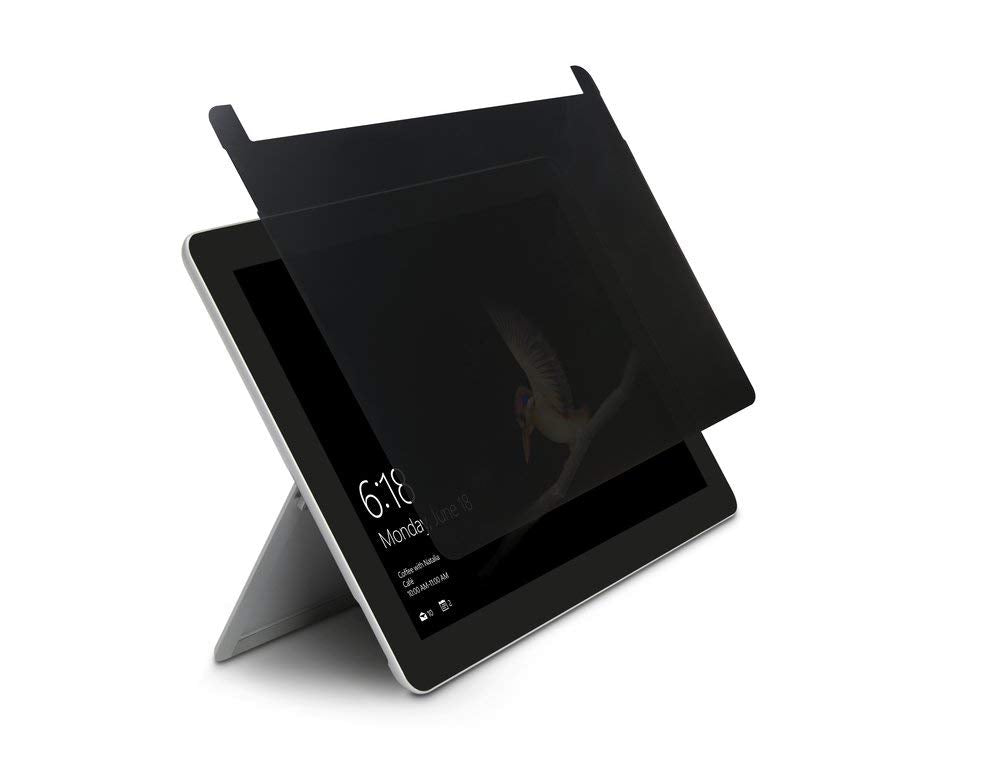
Descriptionprotect The Sensitive Information On Your Surface Go And Reduce The Chances Of Wandering Eyes Viewing Confidential Data On Your Screen. This Privacy Screen Is Designed Specifically For The Microsoft Surface Go And Is Compatible With The Touch Screen. The Fp Series Privacy Screens Limit The Field Of Vision To +/- 30 Degrees So A Person Off To The Side Only Sees A Dark Screen. They Are Easy To Install, With Included Double-Sided Adhesive. The Privacy Screen Uses An Anti-Reflective Coating To Reduce Glare And Filters Out Harmful Blue Light By Up To 30 Percent.
⚠️ WARNING (California Proposition 65): This product may contain chemicals known to the State of California to cause cancer, birth defects, or other reproductive harm. For more information, please visit www.P65Warnings.ca.gov.
Frequently Asked Questions
Q: What are the dimensions of the Kensington FP10 Surface Go Privacy Screen?A: The Kensington FP10 Surface Go Privacy Screen measures thirteen inches in length, eight point eighty-two inches in width, and zero point four inches in height. These dimensions are specifically designed to fit the Microsoft Surface Go.
Q: Is the Kensington FP10 made from safe materials?A: Yes, the Kensington FP10 is made from high-quality materials that are safe for everyday use. It includes an anti-reflective coating that reduces glare and filters harmful blue light.
Q: How does the privacy screen limit visibility?A: The privacy screen limits the viewing angle to plus or minus thirty degrees. This design ensures that only the user directly in front can see the screen clearly.
Q: How do I install the Kensington FP10 Privacy Screen?A: To install the privacy screen, simply use the included double-sided adhesive tape. Attach it carefully to the Surface Go screen for a secure fit.
Q: Can I remove the privacy screen easily?A: Yes, the privacy screen can be removed without leaving residue. However, care should be taken during removal to avoid damaging the screen.
Q: Is this privacy screen compatible with touch screens?A: Yes, the Kensington FP10 Privacy Screen is specifically designed to be compatible with touch screens. It allows full touch functionality while providing privacy.
Q: How do I clean the Kensington FP10 Privacy Screen?A: You can clean the privacy screen using a soft, lint-free cloth. Avoid using harsh chemicals that may damage the anti-reflective coating.
Q: Can I use the Kensington FP10 in a bright environment?A: Yes, the privacy screen features an anti-reflective coating that reduces glare. This makes it suitable for use in bright environments.
Q: Is the Kensington FP10 Privacy Screen TAA-compliant?A: Yes, the Kensington FP10 Privacy Screen is TAA-compliant. It is ready for use in U.S. Federal Government institutions and organizations.
Q: What is the warranty on the Kensington FP10 Privacy Screen?A: The Kensington FP10 Privacy Screen typically comes with a limited warranty, covering defects in materials and workmanship. Check with the retailer for specific warranty details.
Q: Does the privacy screen protect against scratches?A: Yes, the Kensington FP10 Privacy Screen protects the monitor from scratches and damage. It is designed to keep your Surface Go in good condition.
Q: How much blue light does the privacy screen filter out?A: The Kensington FP10 filters out harmful blue light by up to thirty percent. This helps reduce eye strain during extended use.
Q: Is the Kensington FP10 suitable for public use?A: Yes, the Kensington FP10 is ideal for public use, as it protects your confidential information from prying eyes. Its design is specifically tailored for privacy.
Q: What kind of maintenance does the privacy screen require?A: The privacy screen requires minimal maintenance. Keep it clean with a soft cloth and avoid exposure to harsh cleaning agents.
Q: Is the Kensington FP10 easy to remove and reapply?A: Yes, the Kensington FP10 is designed for easy removal and reapplication. Just ensure the adhesive is still effective when you reapply.