

Cart
0


Kanguru Solutions Defender Elite30, Hardware Encrypted, Secure, Superspeed Usb 3.0 Flash Drive,
Free Standard Shipping Across USA
Vendor: Kanguru
Type: Hard Drive Enclosures
Sku: WBEEAB00KI1RGF8
Availability: Sold Out
Couldn't load pickup availability
Guarantee safe checkout

Sold by Electroeshop, an authorized reseller.
Returns accepted within 30 days | support@electroeshop.com
Shipping Information
- Free Standard Shipping — United States only
- Processing Time: 3–5 business days
- Estimated Delivery: 6–10 business days after dispatch
- Double-boxed, fully insured & discreetly packaged
- Tracking number sent via email once dispatched
Returns & Refund
Returns accepted within 30 days of delivery.
Damaged or Defective Item
Free return shipping + replacement or full refund
Wrong Item Received
Free return shipping + replacement or full refund
Change of Mind
Return shipping at customer's expense · 25% restocking fee applies
All returns require a Return Authorization (RA) number before sending.
View Full Return & Refund Policy
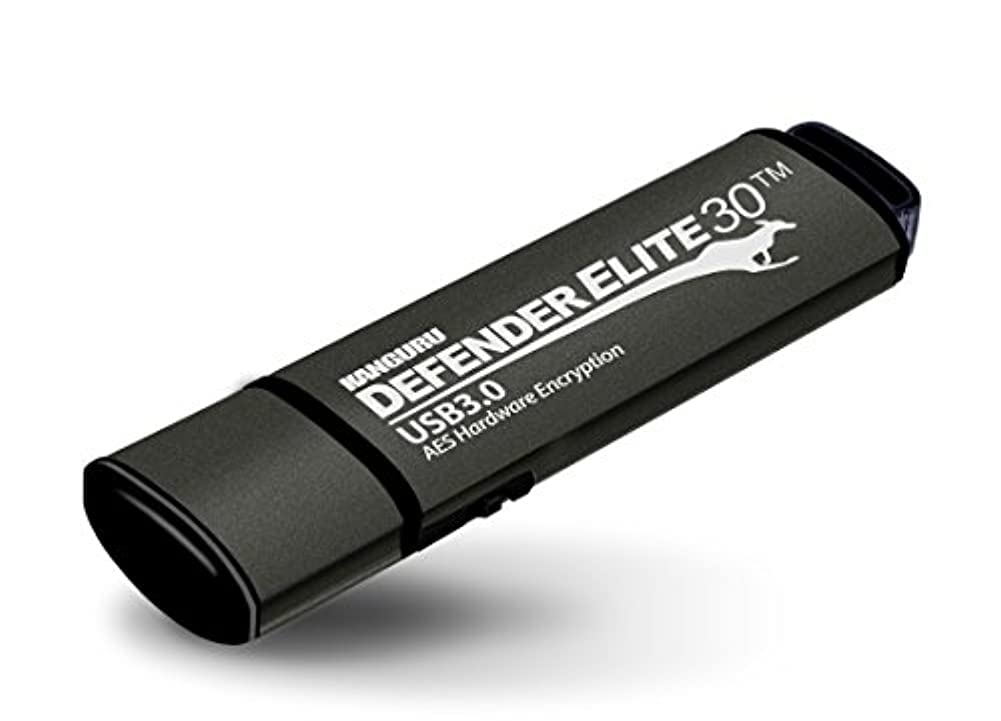
Kanguru Solutions Defender Elite30, Hardware Encrypted, Secure, Superspeed Usb 3.0 Flash Drive,
$132.83

Frequently Asked Questions
- Q: What are the dimensions of the Kanguru Defender Elite30 flash drive? A: The Kanguru Defender Elite30 measures zero point seventy-nine inches in length, three point zero three inches in width, and zero point thirty-five inches in height. This compact size makes it portable and easy to carry.
- Q: What type of encryption does the Kanguru Defender Elite30 use? A: The device features AES two hundred fifty-six bit hardware encryption in XTS mode. This robust encryption ensures that your data remains secure and protected from unauthorized access.
- Q: What is the storage capacity of the Kanguru Defender Elite30? A: The Kanguru Defender Elite30 has a storage capacity of sixteen gigabytes. This size is suitable for storing important files, documents, and media.
- Q: How do I use the Kanguru Defender Elite30 flash drive? A: To use the Kanguru Defender Elite30, simply plug it into a USB three point zero port on your computer. The physical write protect switch allows you to toggle between read-only and read/write modes.
- Q: Is the Kanguru Defender Elite30 compatible with all operating systems? A: Yes, the Kanguru Defender Elite30 is compatible with various operating systems, including Windows and macOS. It works seamlessly without the need for additional software.
- Q: Can I use the Kanguru Defender Elite30 for storing large files? A: Yes, the sixteen-gigabyte capacity allows for the storage of large files, including high-resolution images and videos. It's ideal for users who need to transfer substantial data securely.
- Q: How should I care for and store the Kanguru Defender Elite30? A: To maintain the Kanguru Defender Elite30, store it in a cool, dry place when not in use. Avoid exposing it to extreme temperatures or moisture to ensure optimal performance.
- Q: Is the Kanguru Defender Elite30 water-resistant? A: No, the Kanguru Defender Elite30 is not specifically designed to be water-resistant. It is advisable to keep it away from liquids to prevent damage.
- Q: What should I do if the Kanguru Defender Elite30 is not recognized by my computer? A: If the device is not recognized, try connecting it to a different USB port or computer. Ensure that the device is properly inserted and check for any visible damage.
- Q: Does the Kanguru Defender Elite30 come with a warranty? A: Yes, the Kanguru Defender Elite30 typically comes with a limited warranty. Check the manufacturer's website for specific warranty details.
- Q: How fast is data transfer with the Kanguru Defender Elite30? A: The Kanguru Defender Elite30 offers read speeds of up to one hundred forty megabytes per second and write speeds of up to forty megabytes per second. This makes it one of the fastest flash drives available.
- Q: What is the purpose of the physical write protect switch? A: The physical write protect switch allows users to easily switch between read-only and read/write modes. This feature helps prevent accidental file overwriting.
- Q: Can I use the Kanguru Defender Elite30 for remote management? A: Yes, the Kanguru Defender Elite30 includes remote management capabilities. This feature is particularly useful for businesses that need to manage multiple devices securely.
- Q: Is there a specific software needed for the Kanguru Defender Elite30? A: No specific software is required to use the Kanguru Defender Elite30. It operates efficiently as a plug-and-play device with standard USB support.
- Q: Is the Kanguru Defender Elite30 suitable for professional use? A: Yes, the Kanguru Defender Elite30 is well-suited for professional use, especially for those who require secure data storage and fast transfer speeds. Its encryption features make it ideal for sensitive information.