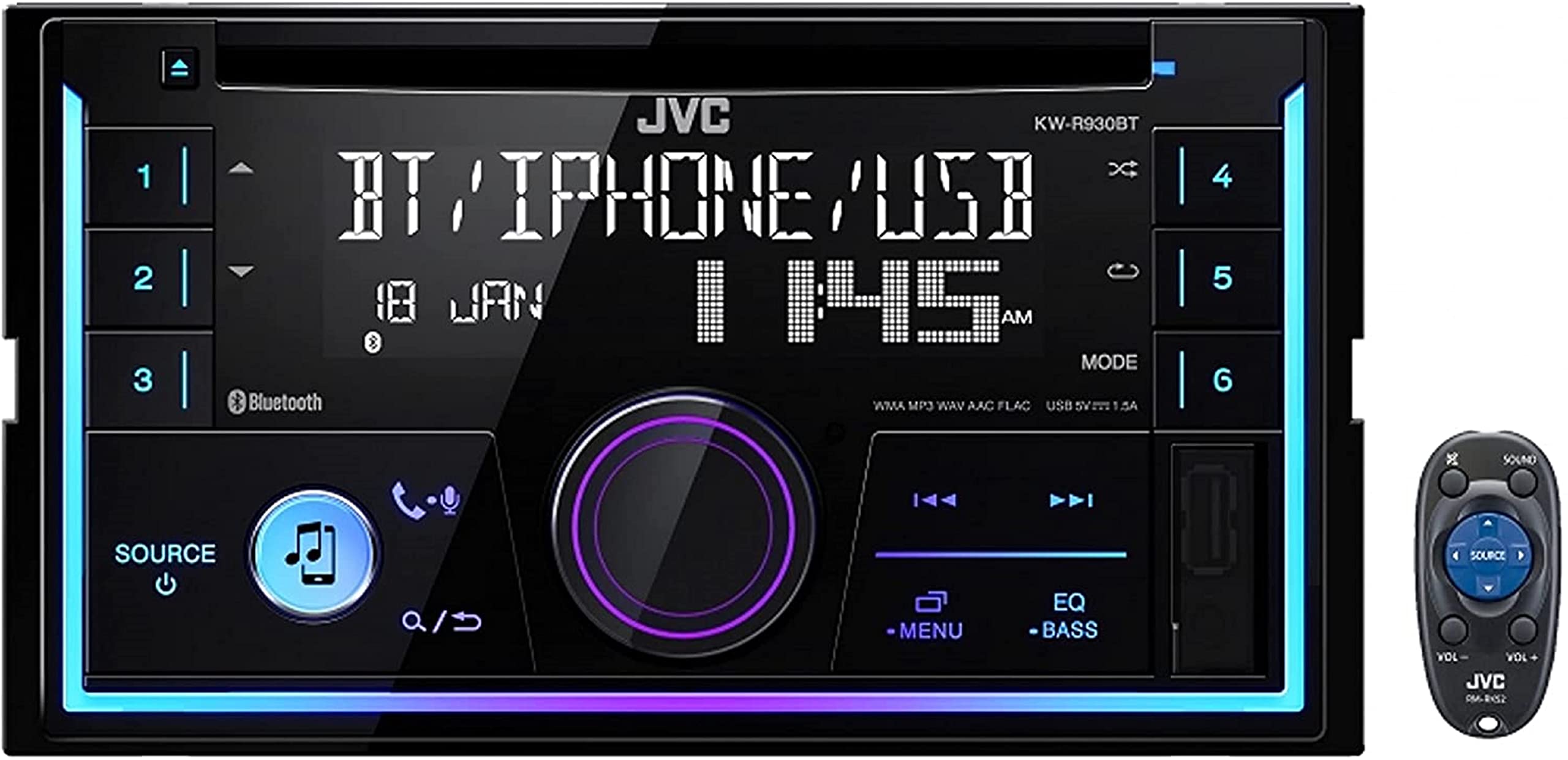
Built For Sound And Looksjvc'S Cd Receiver Shows That Simple Is Beautiful. Its Sleek Layout Gives You Control Over Bluetooth, Internet Radio Stations, An Optional Siriusxm Satellite Radio Tuner, And Your Own Music Collection. The 2-Line Display Lets You Quickly See Your Song Info, Plus You Can Assign Different Illumination Colors To Two Separate Areas Of The Display Or Keep Them All The Same Color To Match Your Interior Lighting. Bluetooth For Multiple Phones For The Times When You'Re Sharing The Ride, The Enables You To Pair Two Bluetooth-Equipped Phones And Quickly Switch Between Them For Hands-Free Calling. And When You'Re Streaming Audio, Jvc'S Streaming Dj Feature Lets You Pair Five Phones So Everybody Can Pick Their Tunes For The Ultimate Road Trip Playlist. You Can Also Control This Car Stereo Directly From Your Iphone Or Android Phone Using Jvc'S Free Remote App. Radio At Your Fingertips Into Radio? You Can Connect A Siriusxm Tuner For Deep Satellite Radio Programming That Won'T Fade Away When You Head Out Of Town. Using Your Connected Iphone, You Can Even Control And Enjoy The Playlists You'Ve Created On Pandora, Iheartradio, Or Spotify. Don'T Worry Android Users, You Can Control These Internet Radio Stations Using Bluetooth. And, Of Course, You Can Also Tune In Your Favorite Local Am And Fm Stations. Even More Music Connect Your Android Or Iphone To Front-Panel Usb Input On The Receiver, And You Can Control Your Music And Charge Your Phone. The Usb Port Also Enables You To Connect A Flash Drive Filled With Mp3, Wma, Wav, Aac, And Flac Music Files For Hours Of Listening Pleasure. This Receiver'S Front Auxiliary Input Also Provides A Handy Connection If You Want To Hook Up A Portable High-Res Audio Player Or Another Device. Don'T Forget, You Can Slip In Your Favorite Cd For The Drive Too. Jvc Cd Receiver Simple Controls Let You Quickly Get To Your Music. Added Cool Features Shape Up Your Sound With This Stereo'S 13-Band Graphic Equalizer, While Jvc'S K2 Technology Spruces Up The Sound Of Any Digital Music By Expanding The Compressed Bit Rate. If You'Re Adding Amplifiers Or A Powered Subwoofer, The Three Sets Of Preamp Outputs Provide You The Clean Signal You Need For Added Output. You Can Also Set Up The Selectable 2-Way Or 3-Way Crossover Network To Direct Frequencies To The Right Speakers In Your System.
⚠️ WARNING (California Proposition 65): This product may contain chemicals known to the State of California to cause cancer, birth defects, or other reproductive harm. For more information, please visit www.P65Warnings.ca.gov.
Frequently Asked Questions
Q: What are the dimensions of the JVC KW-R930BT?A: The dimensions are nine point zero two inches in length, four point zero two inches in width, and eight inches in height.
Q: What features does the JVC KW-R930BT offer?A: It includes a CD receiver with AM/FM RDS tuner, built-in MOSFET amplifier, and dual phone Bluetooth connection.
Q: What type of music files can I play on the JVC KW-R930BT?A: It plays USB drives loaded with MP3, WMA, WAV, AAC, and FLAC music files, including FLAC files up to sixteen bit and ninety-six kilohertz.
Q: How do I connect my phone to the JVC KW-R930BT?A: You can connect your phone using Bluetooth, USB input, or the auxiliary input on the front panel of the receiver.
Q: Can I control the JVC KW-R930BT with my smartphone?A: Yes, you can control the receiver directly from your iPhone or Android phone using the JVC free Remote app.
Q: How do I install the JVC KW-R930BT in my car?A: You will need to mount it in the double din slot of your vehicle and connect the wiring harness according to the installation manual.
Q: Is the JVC KW-R930BT compatible with both iPhone and Android?A: Yes, it is compatible with both iPhone and Android devices, allowing for hands-free calling and music streaming.
Q: How do I clean the JVC KW-R930BT?A: Wipe the front panel with a soft, dry cloth to keep it clean. Avoid using harsh chemicals that could damage the finish.
Q: What safety features does the JVC KW-R930BT have?A: It includes Bluetooth hands-free calling, which keeps your hands on the wheel while you drive.
Q: Can I return the JVC KW-R930BT if I'm not satisfied?A: Yes, you can return it according to the retailer's return policy, usually within a specified period if it's in unused condition.
Q: What should I do if my JVC KW-R930BT doesn't power on?A: Check the wiring connections, ensure the fuse is intact, and verify that the car's ignition is on.
Q: Does the JVC KW-R930BT come with a warranty?A: Yes, it typically comes with a manufacturer's warranty that covers defects in materials and workmanship for a specified duration.
Q: Is the JVC KW-R930BT suitable for beginners?A: Yes, its user-friendly interface and straightforward controls make it suitable for beginners and experienced users alike.
Q: Does the JVC KW-R930BT support satellite radio?A: Yes, it supports a SiriusXM tuner for satellite radio programming, enhancing your listening options.
Q: What additional accessories come with the JVC KW-R930BT?A: It comes with an extra magnet phone holder for convenient smartphone placement while driving.