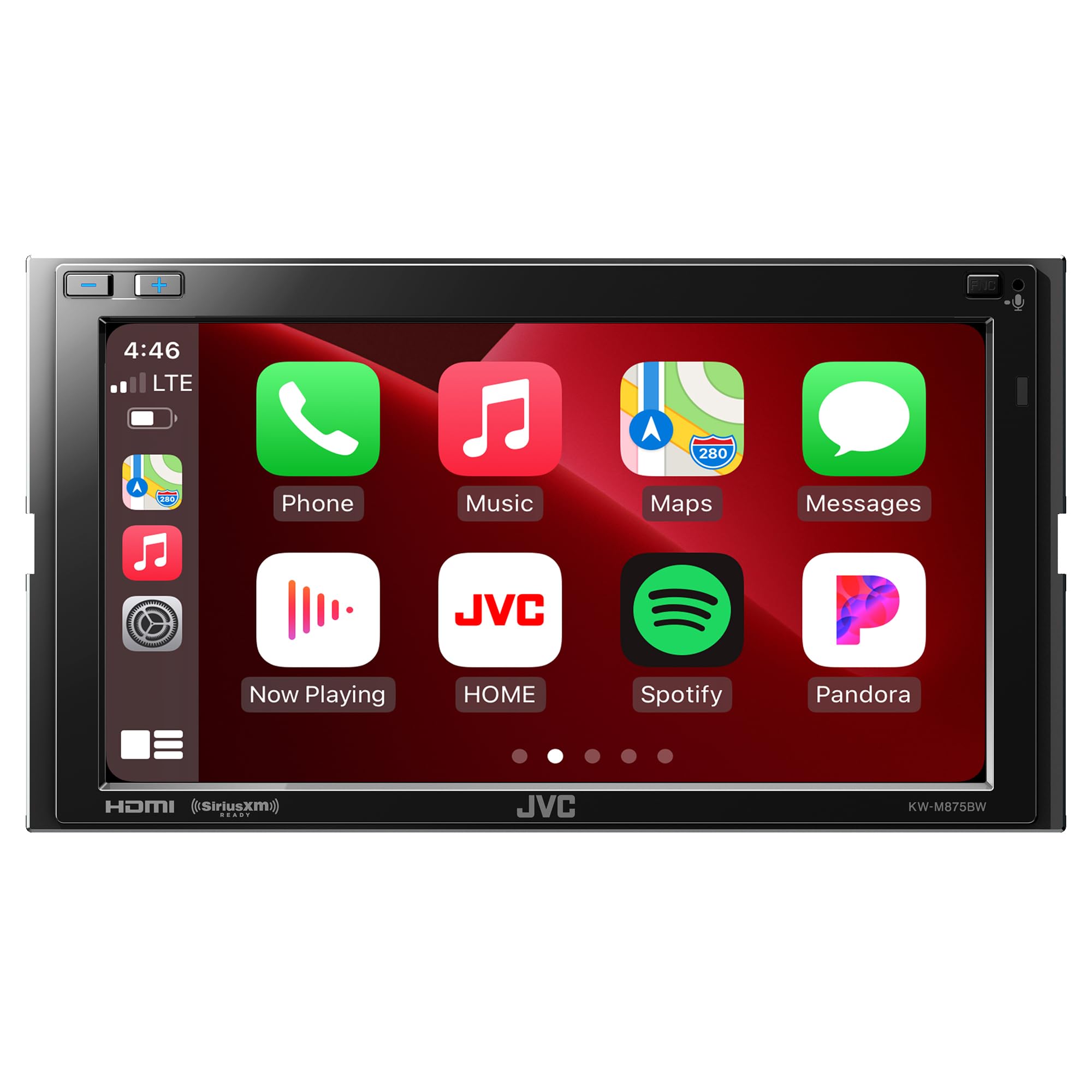
General Features: 6.8&Rdquo; Clear Resistive Touch Panel Display Short Chassis 3-3/8In. Depth (85Mm) Dynamic Gui Gesture Touch Control With Widgets Apple Carplaytm (Via Wi-Fi Or Usb) Android Autotm (Via Wi-Fi Or Usb) Usb Mirroring For Iphone & Androidtm Wi-Fi Mirroring For Androidtm Rear Hdmi Type-D Input Usb Type-C 5V 3.0A Current Charging* Includes Usb Extension + Usb Type-C To Type-A Adapter Audio Decoder Mp3 / Wma / Aac / Wav / Flac / Vorbis Video Decoder Mpeg1/2, Mpeg4 / Wmv / H.264 / Mkv Siriusxm Ready Idatalink Maestro Ready &Ndash; Advanced Vehicle Integration Bluetooth V5.0 (Hfp1.7, Spp, A2Dp, Avrcp1.6, Pbap) Iphone/Android Bluetooth Automatic Pairing 2 Phones Full-Time Connection High-Res Audio - 192Khz/24Bit Usb/Flac/Wav Ldac Wireless High-Resolution Audio Playback Blue Volume Key Illumination Color Digital Viewing Angle Adjustments Customizable Gui & Live Wallpaper With Music Sync Customizable Wallpaper (Jvc Portal App Compatible) 22 Language Multilingual Display Mos-Fet 50W X 4 Power Output (22W Rms X 4) 5.0V Pre-Output Terminals (Front + Rear + Sub) 2-Way X'Over Hpf/Lpf Or 3-Way X'Over Hpf/Bpf/Lpf 13-Band Equalizer With Digital Time Alignment (Dta) K2 Technology For Enhanced Digital Sound Quality Subwoofer Output With Level Control Dual-Zone Function Mini Jack Av Input 4-Camera Inputs (3 Menu Assignable) Steering Wheel Remote Ready Includes Gps Antenna Optional: Wireless Remote Control (Rm-Rk258) Optional: Hdmi Cable Type-A To Type-D (Ks-U70)
⚠️ WARNING (California Proposition 65): This product may contain chemicals known to the State of California to cause cancer, birth defects, or other reproductive harm. For more information, please visit www.P65Warnings.ca.gov.
Frequently Asked Questions
Q: What are the dimensions of the JVC KW-M875BW?A: The JVC KW-M875BW measures nine point five inches in length, ten inches in width, and six point seven inches in height.
Q: What type of display does the JVC KW-M875BW have?A: The JVC KW-M875BW features a six point eight inch clear resistive touch panel display for easy navigation.
Q: What audio formats does the JVC KW-M875BW support?A: The JVC KW-M875BW supports audio formats including MP3, WMA, AAC, WAV, FLAC, and Vorbis.
Q: How do I connect my phone to the JVC KW-M875BW?A: You can connect your phone using Apple CarPlay or Android Auto via Wi-Fi or USB.
Q: Is the JVC KW-M875BW compatible with multiple devices?A: Yes, the JVC KW-M875BW can connect to two phones simultaneously for a full-time connection.
Q: What is included in the JVC KW-M875BW package?A: The package includes a GPS antenna and USB extension, along with a USB Type-C to Type-A adapter.
Q: How can I customize the display on the JVC KW-M875BW?A: You can customize the GUI and live wallpaper using the JVC Portal App for a personalized experience.
Q: Does the JVC KW-M875BW support high-resolution audio?A: Yes, it supports high-resolution audio playback with a sampling rate of one hundred ninety-two kilohertz at twenty-four bits.
Q: What kind of battery care does the JVC KW-M875BW require?A: The JVC KW-M875BW does not require battery care as it is powered directly by your vehicle's electrical system.
Q: Can I use the JVC KW-M875BW with SiriusXM?A: Yes, the JVC KW-M875BW is SiriusXM ready, allowing you to enjoy satellite radio.
Q: What should I do if my JVC KW-M875BW arrives damaged?A: If your JVC KW-M875BW arrives damaged, contact the retailer for return instructions and warranty support.
Q: Is there a warranty for the JVC KW-M875BW?A: Yes, the JVC KW-M875BW comes with a manufacturer's warranty; check the retailer for specific details.
Q: How do I clean the touch screen of the JVC KW-M875BW?A: To clean the touch screen, use a soft, lint-free cloth and a gentle cleaning solution to avoid scratching.
Q: Can the JVC KW-M875BW be installed in any vehicle?A: The JVC KW-M875BW is a double DIN unit, so it fits in vehicles compatible with double DIN installations.
Q: Does the JVC KW-M875BW have Bluetooth capabilities?A: Yes, it features Bluetooth version five point zero for hands-free calling and audio streaming.