

Cart
0


Iogear Displayport (M) To Vga (F) Adapter Displayport 1.1A For Both 1.62 & 2.7 Gbps Full Hd 1080P Gdpvgaw6
Free Standard Shipping Across USA
Vendor: Iogear
Type: HDMI & Display Cables
Sku: WBEEAB00E98MK2K
Availability: Sold Out
Couldn't load pickup availability
Guarantee safe checkout

Sold by Electroeshop, an authorized reseller.
Returns accepted within 30 days | support@electroeshop.com
Shipping Information
- Free Standard Shipping — United States only
- Processing Time: 3–5 business days
- Estimated Delivery: 6–10 business days after dispatch
- Double-boxed, fully insured & discreetly packaged
- Tracking number sent via email once dispatched
Returns & Refund
Returns accepted within 30 days of delivery.
Damaged or Defective Item
Free return shipping + replacement or full refund
Wrong Item Received
Free return shipping + replacement or full refund
Change of Mind
Return shipping at customer's expense · 25% restocking fee applies
All returns require a Return Authorization (RA) number before sending.
View Full Return & Refund Policy
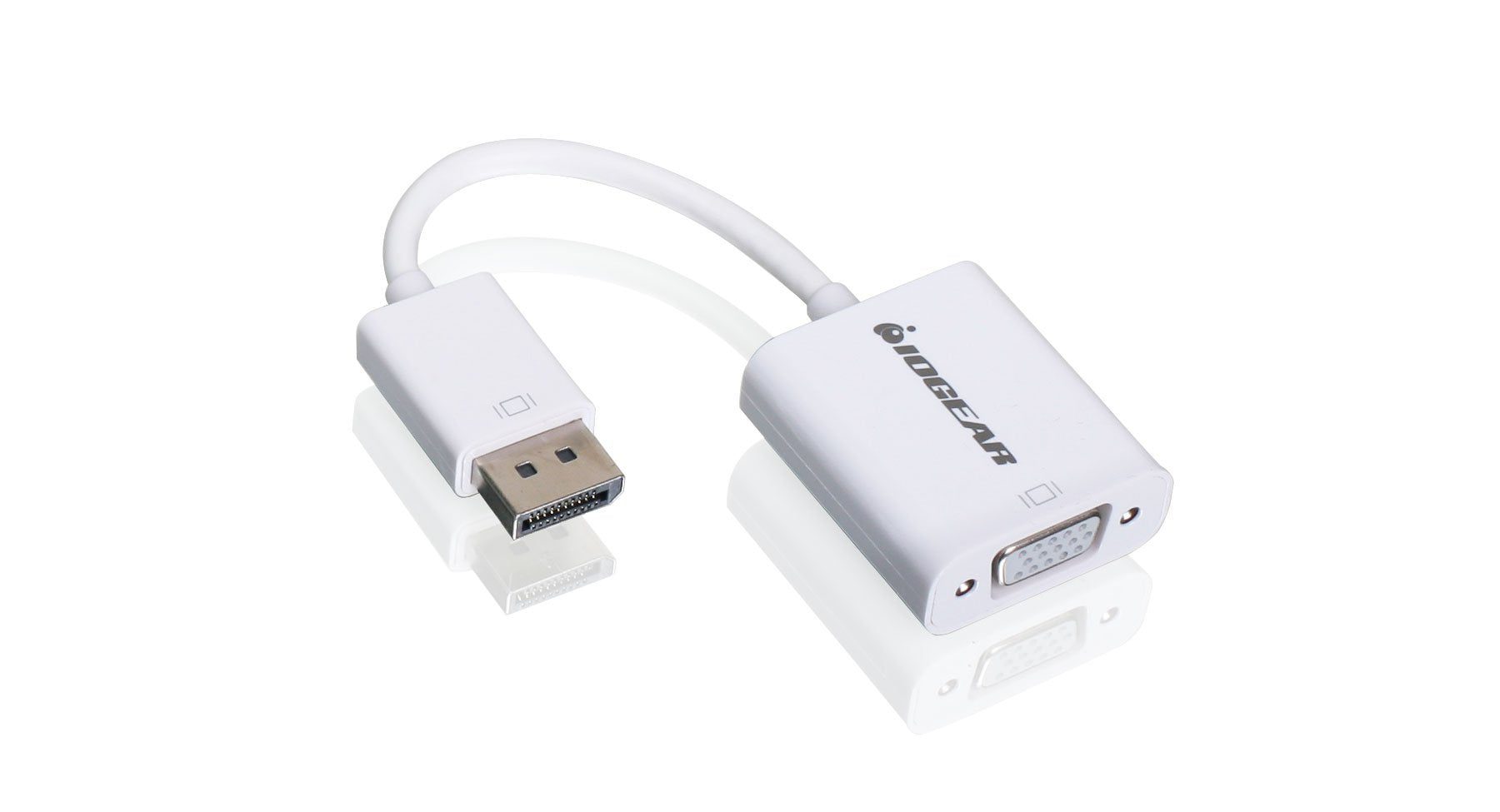
Iogear Displayport (M) To Vga (F) Adapter Displayport 1.1A For Both 1.62 & 2.7 Gbps Full Hd 1080P Gdpvgaw6
$14.41

Frequently Asked Questions
- Q: What is the size of the IOGEAR DisplayPort to VGA Adapter? A: The IOGEAR DisplayPort to VGA Adapter measures one point four seven inches in length, zero point five nine inches in width, and seven point two eight inches in height.
- Q: What materials are used in the IOGEAR DisplayPort to VGA Adapter? A: The IOGEAR DisplayPort to VGA Adapter is made from other materials, ensuring durability and reliability during use.
- Q: What is the compatibility of the IOGEAR DisplayPort to VGA Adapter? A: The adapter is compatible with DisplayPort Specification one point one a, supporting both one point six two gigabits per second and two point seven gigabits per second data rates.
- Q: How do I connect the IOGEAR DisplayPort to VGA Adapter? A: To use the adapter, connect the DisplayPort end to your Apple iMac or MacBook and the VGA end to your projector or monitor.
- Q: Is the IOGEAR DisplayPort to VGA Adapter suitable for 1080p resolution? A: Yes, the adapter supports full HD one thousand eighty p resolution, providing high-quality video output.
- Q: Can I use the IOGEAR DisplayPort to VGA Adapter with a TV? A: Yes, you can use the adapter to connect your DisplayPort device to a VGA-compatible TV.
- Q: How do I keep the IOGEAR DisplayPort to VGA Adapter in good condition? A: To maintain the adapter, store it in a dry place and avoid excessive bending or pulling of the cable.
- Q: Is it safe to use the IOGEAR DisplayPort to VGA Adapter? A: Yes, the adapter is designed to be safe for use with devices and complies with relevant specifications.
- Q: What should I do if the IOGEAR DisplayPort to VGA Adapter is not working? A: If the adapter is not functioning, ensure all connections are secure and check the compatibility of your devices.
- Q: Does the IOGEAR DisplayPort to VGA Adapter support Deep Sleep Mode? A: Yes, the adapter supports Deep Sleep Mode, allowing it to enter a low-power state when not in use.
- Q: How many different resolutions does the IOGEAR DisplayPort to VGA Adapter support? A: The adapter supports multiple resolutions including full HD one thousand eighty p, one thousand nine hundred twenty by one thousand two hundred, VGA, SVGA, XGA, SXGA, and UXGA.
- Q: Is the IOGEAR DisplayPort to VGA Adapter easy to install? A: Yes, the adapter is plug-and-play, making installation straightforward without the need for additional software.
- Q: What type of devices can I connect using the IOGEAR DisplayPort to VGA Adapter? A: You can connect any device with a DisplayPort output, such as an Apple iMac or MacBook, to a VGA projector or monitor.
- Q: Can I use the IOGEAR DisplayPort to VGA Adapter with non-Apple devices? A: Yes, as long as the non-Apple device has a DisplayPort output, the adapter can be used.
- Q: What is the model number of the IOGEAR DisplayPort to VGA Adapter? A: The model number of the adapter is GDPVGAW6.