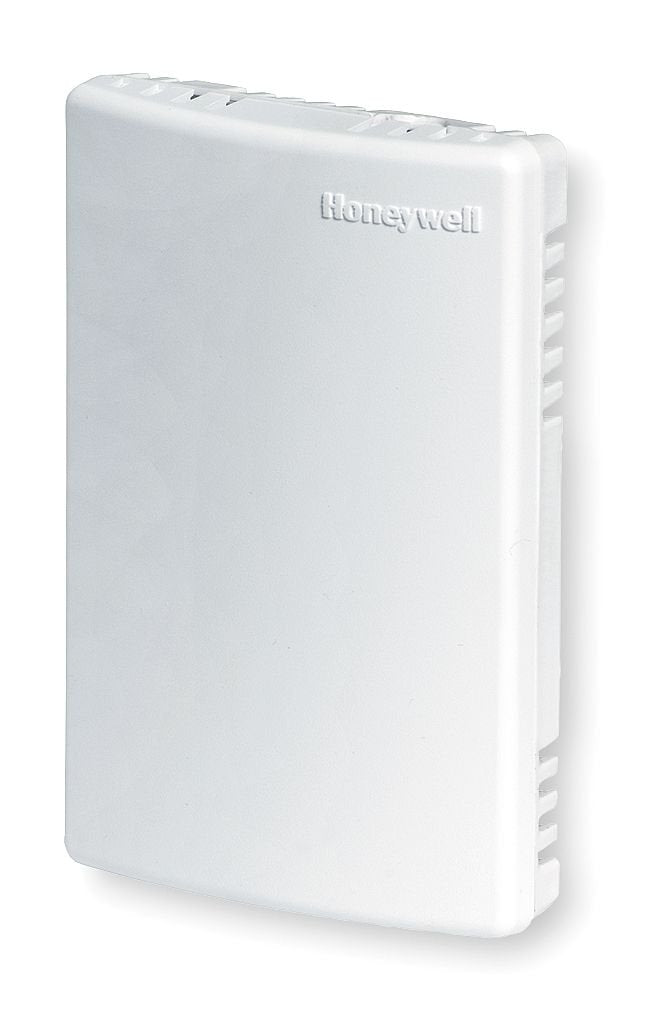
The Tr21, Tr22, Tr23, And Tr24 Are A Family Of Direct Wired Wall Modules For Use With Honeywell Excel 600, 500, 100, And 80 Controllers; Excel 10 W7750, W7751A, W7752, And W7753 Controllers; W7761 Controller; And Spyder Unitary Controllers.
⚠️ WARNING (California Proposition 65): This product may contain chemicals known to the State of California to cause cancer, birth defects, or other reproductive harm. For more information, please visit www.P65Warnings.ca.gov.
Frequently Asked Questions
Q: What are the dimensions of the Honeywell TR21 Remote Temp Sensor?A: The dimensions are three point eighty two inches in length, one point sixty one inches in width, and five inches in height. This compact size makes it suitable for wall mounting.
Q: What material is the Honeywell TR21 made of?A: The Honeywell TR21 is made of copper. This material is known for its excellent conductivity and durability in temperature sensing applications.
Q: What is the model number of the Honeywell TR21?A: The model number is TR21. It belongs to a series of wall modules designed for temperature sensing.
Q: How do I install the Honeywell TR21 Remote Temp Sensor?A: Installation involves direct wiring to compatible Honeywell controllers. Ensure to follow the manufacturer's instructions for electrical safety.
Q: Can I adjust the temperature settings on the Honeywell TR21?A: Yes, the Honeywell TR21 features user-selectable set point adjustment dials. These dials allow you to set temperatures in Fahrenheit, Celsius, or relative scales.
Q: Is the Honeywell TR21 suitable for both occupied and unoccupied spaces?A: Yes, it has an occupied/unoccupied override feature. This allows for energy savings when spaces are not in use.
Q: How do I clean the Honeywell TR21 Remote Temp Sensor?A: To clean the sensor, use a soft, dry cloth. Avoid using any harsh cleaning agents that could damage the sensor's finish.
Q: What are the safety features of the Honeywell TR21?A: The Honeywell TR21 includes an LED indicator for the occupied/unoccupied override. This ensures users are aware of the sensor's operational status.
Q: How should I store the Honeywell TR21 if not in use?A: Store the Honeywell TR21 in a dry place. It's best to keep it in its original packaging to prevent damage.
Q: Is the Honeywell TR21 compatible with other Honeywell controllers?A: Yes, it is compatible with Honeywell Excel series controllers, including the Excel six hundred, five hundred, one hundred, and eighty models.
Q: What fan switch options are available with the Honeywell TR21?A: The Honeywell TR21 offers a three-position or five-position fan switch. This allows for manual control over fan speed settings.
Q: Can I use the Honeywell TR21 with Spyder Unitary Controllers?A: Yes, the Honeywell TR21 is designed to work with Spyder Unitary Controllers. This expands its versatility in temperature monitoring.
Q: How does the Honeywell TR21 improve energy efficiency?A: The TR21's occupied/unoccupied override feature helps reduce energy consumption by adjusting settings based on room occupancy.
Q: What is the warranty period for the Honeywell TR21?A: The warranty period typically extends for one year from the date of purchase. Always check the manufacturer's terms for specifics.
Q: What do I do if my Honeywell TR21 arrives damaged?A: If the Honeywell TR21 is damaged upon arrival, contact the seller for a return or replacement. Having your order details ready will expedite the process.