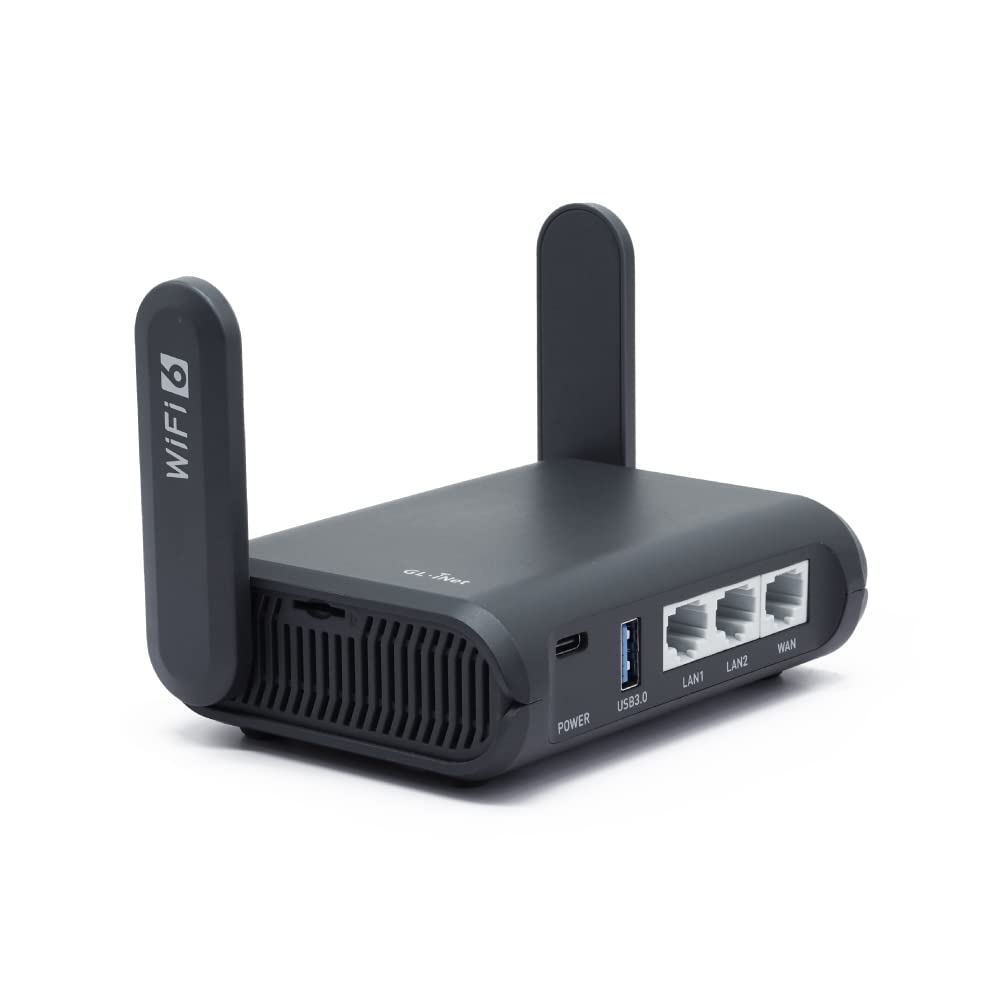
Late Ax (Gl-Axt1800) Is Our First Wi-Fi 6 Travel Router That Comes With Ipq6000 1.2Ghz Quad-Core Processor. With The Latest Wi-Fi 6 Technology, You Can Enjoy More Capacity For Connected Devices And Faster Wireless Speed On The Road Or At Home.
⚠️ WARNING (California Proposition 65): This product may contain chemicals known to the State of California to cause cancer, birth defects, or other reproductive harm. For more information, please visit www.P65Warnings.ca.gov.
Frequently Asked Questions
Q: What are the dimensions of the GL.iNet GL-AXT1800 router?A: The GL.iNet GL-AXT1800 router measures four point nine two inches in length, three point two three inches in width, and one point four two inches in height.
Q: What is the weight of the GL-AXT1800 router?A: The weight of the GL.iNet GL-AXT1800 router is not specified in the product details.
Q: What material is used in the GL.iNet GL-AXT1800 router?A: The GL.iNet GL-AXT1800 router does not specify a particular material in the product details.
Q: What is the maximum speed of the GL-AXT1800 router?A: The maximum speed of the GL.iNet GL-AXT1800 router is one thousand eight hundred megabits per second, combining six hundred megabits per second on the two point four gigahertz band and one thousand two hundred megabits per second on the five gigahertz band.
Q: How many devices can the GL-AXT1800 connect to simultaneously?A: The GL.iNet GL-AXT1800 router can connect to up to one hundred twenty devices simultaneously.
Q: How do I set up the GL-AXT1800 router for travel?A: To set up the GL.iNet GL-AXT1800 router for travel, connect it to a power source, turn it on, and follow the setup instructions in the user manual to configure the network.
Q: Can I use the GL-AXT1800 router with my VPN?A: Yes, the GL.iNet GL-AXT1800 router is compatible with OpenVPN and WireGuard, supporting over thirty VPN service providers.
Q: Does the GL-AXT1800 router support file sharing?A: Yes, the GL.iNet GL-AXT1800 router supports file sharing through its NAS feature, allowing you to use SAMBA and WebDav protocols with an external USB hard drive.
Q: Is the GL-AXT1800 easy to customize?A: Yes, the GL.iNet GL-AXT1800 router runs on OpenWrt 21.02, allowing for extensive customization and application installation based on user preferences.
Q: How do I enable VPN or AdGuard Home on the GL-AXT1800?A: You can enable or disable VPN or AdGuard Home on the GL.iNet GL-AXT1800 router using the physical toggle switch, which requires initial setup in the admin panel.
Q: Can I use the GL-AXT1800 as a repeater for public WiFi?A: Yes, the GL.iNet GL-AXT1800 router can convert public networks into private networks, allowing for secure surfing while using a captive portal.
Q: What should I do if the GL-AXT1800 router arrives damaged?A: If the GL.iNet GL-AXT1800 router arrives damaged, contact the retailer's customer service for assistance with returns or exchanges.
Q: Is there a warranty for the GL-AXT1800 router?A: The warranty details for the GL.iNet GL-AXT1800 router are not specified in the product description.
Q: How do I keep my GL-AXT1800 router in good condition?A: To keep your GL.iNet GL-AXT1800 router in good condition, avoid exposure to moisture, and clean it with a dry cloth regularly.
Q: Can I use the GL-AXT1800 router on a plane?A: Yes, the GL.iNet GL-AXT1800 router is designed for travel and can be used on planes, provided the airline allows portable Wi-Fi devices.