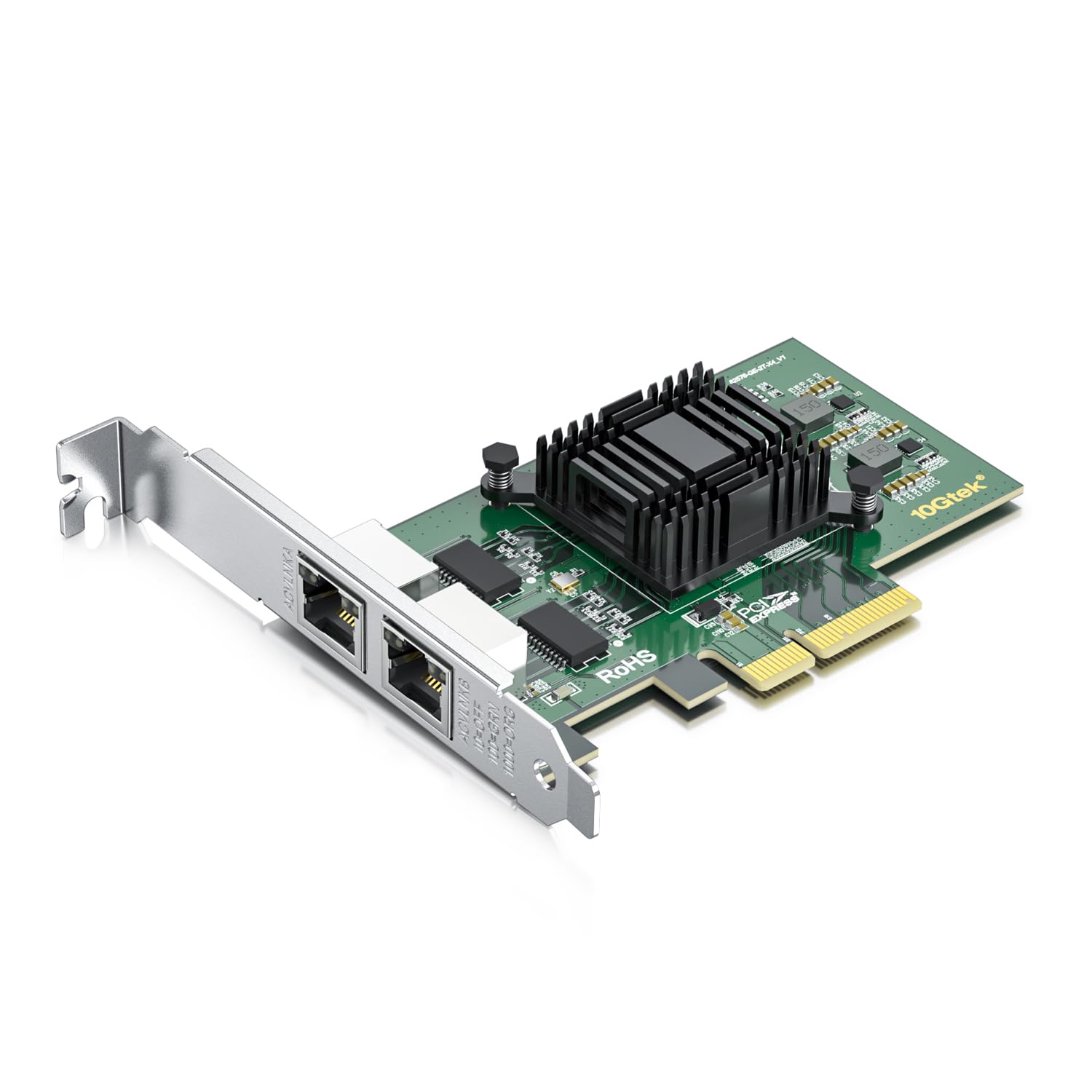
Ultra Fast Speed- Dual Rj-45 Ports 10/100/1000Mbps Let You Connect To Network Cable And Upgrade Your Ethernet Speed To Gigabit Easily. Not Support Hot Swaping. | Stable Performance- Equipped With Original Intel 82576 Controller Chip Which Built For High-Performance Computing. | Comprehensive System Support- Supports Windows Server 2003/2008/2012, Windows7/8/Vista/Xp, Linux* Stable Kernel Version 3.X, 2.6,X, Red Hat Enterprise Linux* 5, 6, Suse Linux Enterprise Server* 10, 11, Freebsd 9*, Vmware Esx/Esxi*(Does Not Support Vmware Esxi 7.0 Or Above). | Low-Profile And Full-Height Brackets- Low Profile And Standard Profile Bracket Inside Works With Both Standard And Mini Size Computer Case/Server. | Industry Leading Support- Your Purchase Comes With Ipolex'S Unwavering Commitment To Customer Satisfaction, Featuring A 30-Day Return Policy, A 3-Year Warranty Protecting Against Defects And Malfunctions, And Technical Support For Continuous Expert Assistance, Ensuring Your Peace Of Mind And The Long-Term Performance Of Your Network Card.
⚠️ WARNING (California Proposition 65): This product may contain chemicals known to the State of California to cause cancer, birth defects, or other reproductive harm. For more information, please visit www.P65Warnings.ca.gov.
Frequently Asked Questions
Q: What chipset does the ipolex Dual-Port PCIe X4 adapter use?A: The adapter uses the Intel eight-two five seven six chipset. This chipset is known for its reliability and performance in network connectivity.
Q: What type of ports does this network adapter have?A: This network adapter features dual copper RJ forty-five ports. These ports allow for easy connection to various network devices.
Q: What are the dimensions of the ipolex Dual-Port PCIe adapter?A: The specific dimensions of the adapter are not provided. Typically, PCIe adapters fit standard expansion slots on a motherboard.
Q: Is the ipolex Dual-Port PCIe adapter compatible with PCI-E two point one?A: Yes, this adapter is compatible with PCI-E two point one. This ensures it can fit in most modern motherboards.
Q: What category does the ipolex Dual-Port PCIe adapter belong to?A: This product falls under the Network Cards category. It is designed specifically for enhancing network connectivity.
Q: How do I install the ipolex Dual-Port PCIe X4 adapter?A: To install the adapter, power down your computer, open the case, and insert the adapter into an available PCIe slot. Secure it and close the case before powering on.
Q: Is this network adapter suitable for gaming?A: Yes, this adapter is suitable for gaming. Its dual ports allow for fast and stable connections, enhancing online gaming performance.
Q: Can I use this adapter for a home office setup?A: Absolutely, this adapter is ideal for home office setups. It supports high-speed internet connections necessary for efficient work.
Q: What is the warranty on the ipolex Dual-Port PCIe adapter?A: The warranty details are not specified. Typically, such products have at least a one-year warranty against defects.
Q: How do I handle issues with the network adapter?A: If you encounter issues, first check your connections and drivers. If problems persist, refer to the manufacturer's support for troubleshooting.
Q: Can this adapter be used with Linux operating systems?A: Yes, this adapter is generally compatible with Linux operating systems. Ensure you have the appropriate drivers for full functionality.
Q: What should I do if my adapter arrives damaged?A: If your adapter arrives damaged, contact the retailer for return options. Most retailers offer a return policy for defective items.
Q: Is there any special software required for the ipolex Dual-Port PCIe adapter?A: No special software is required, but it is advisable to install the latest drivers for optimal performance. Check the manufacturer's website for updates.
Q: How should I store the ipolex Dual-Port PCIe adapter?A: Store the adapter in a dry, static-free environment when not in use. Avoid exposure to extreme temperatures and humidity.
Q: Does this adapter support advanced networking features?A: Yes, this adapter supports advanced networking features like VLAN tagging and network teaming. These features enhance network management capabilities.