

Cart
0


Dual M.2 To Pci E X4 Nvme Ssd And Sata 6 G Adapter Card With Advanced Cooling
Free Standard Shipping Across USA
Vendor: Silverstone
Type: USB & Lightning Cables
Sku: WBEEAB075ZNWS9Y
Availability: Sold Out
Couldn't load pickup availability
Guarantee safe checkout

Sold by Electroeshop, an authorized reseller.
Returns accepted within 30 days | support@electroeshop.com
Shipping Information
- Free Standard Shipping — United States only
- Processing Time: 3–5 business days
- Estimated Delivery: 6–10 business days after dispatch
- Double-boxed, fully insured & discreetly packaged
- Tracking number sent via email once dispatched
Returns & Refund
Returns accepted within 30 days of delivery.
Damaged or Defective Item
Free return shipping + replacement or full refund
Wrong Item Received
Free return shipping + replacement or full refund
Change of Mind
Return shipping at customer's expense · 25% restocking fee applies
All returns require a Return Authorization (RA) number before sending.
View Full Return & Refund Policy
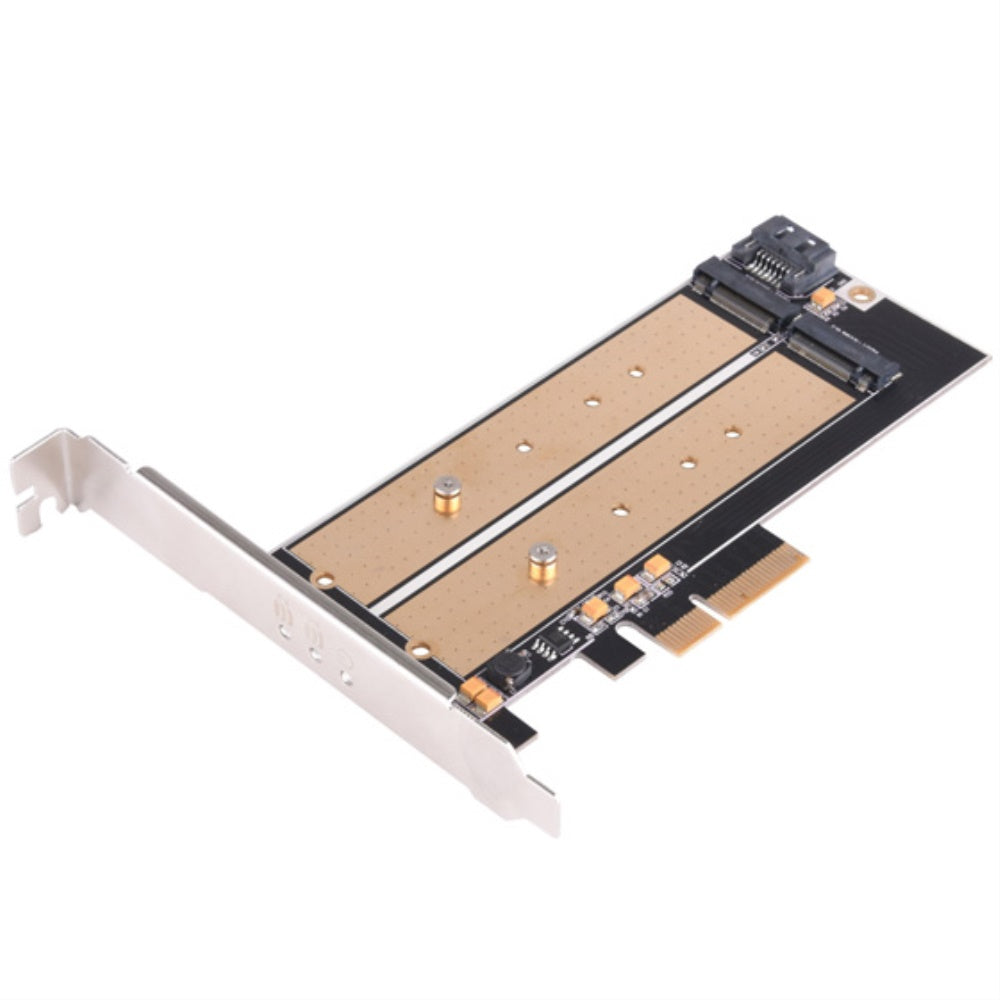
Dual M.2 To Pci E X4 Nvme Ssd And Sata 6 G Adapter Card With Advanced Cooling
$82.16

Frequently Asked Questions
- Q: What are the dimensions of the SilverStone ECM22? A: The dimensions of the SilverStone ECM22 are four point seventy-six inches in length, six point eighteen inches in width, and zero point forty-three inches in height.
- Q: What kind of material is the ECM22 made from? A: The ECM22 is made with a gold-rich PCB that features exposed gold inlays for efficient heat transfer.
- Q: How many M.2 SSDs can the ECM22 support? A: The ECM22 can support two M.2 SSDs simultaneously, one using the PCIe x4 interface and the other via SATA.
- Q: How do I install the ECM22 adapter? A: To install the ECM22, insert your M.2 SSD into one of the available slots and connect the adapter to your motherboard using the appropriate interface.
- Q: Is the ECM22 compatible with all M.2 SSDs? A: Yes, the ECM22 is compatible with M.2 SSDs that have M key and B key configurations, supporting both PCIe and SATA interfaces.
- Q: What is the maximum length of M.2 SSD supported? A: The ECM22 supports M.2 SSDs up to one hundred ten millimeters in length.
- Q: How do I keep the ECM22 in good condition? A: To keep the ECM22 in good condition, ensure it is installed in a well-ventilated area to prevent overheating and clean it gently with a soft cloth.
- Q: Are there any specific cleaning instructions for the ECM22? A: There are no specific cleaning instructions for the ECM22, but it is recommended to avoid using harsh chemicals that may damage the components.
- Q: What kind of warranty does the ECM22 come with? A: The warranty for the ECM22 varies by retailer, but many offer a standard one-year limited warranty against defects.
- Q: What should I do if my ECM22 arrives damaged? A: If your ECM22 arrives damaged, contact the retailer immediately to initiate a return or exchange process.
- Q: Is the ECM22 suitable for beginners? A: Yes, the ECM22 is suitable for beginners, as it requires no driver installation and features a straightforward installation process.
- Q: Can I use both PCIe and SATA SSDs at the same time? A: Yes, you can use both a PCIe SSD and a SATA SSD simultaneously with the ECM22, utilizing both interfaces.
- Q: Does the ECM22 require any special tools for installation? A: No, the ECM22 does not require any special tools for installation; a standard screwdriver is typically sufficient.
- Q: What is the role of the exposed gold inlays? A: The exposed gold inlays on the ECM22 serve to efficiently cool the installed M.2 SSD, enhancing its performance and longevity.
- Q: Is there an optional feature included with the ECM22? A: Yes, the ECM22 includes an optional low-profile expansion slot for more flexible installation options.