

Cart
0


Dell Ultrasharp 24 Inch Infinity Edge Monitor U2417H, Full Hd 1920 X 1080 At 60 Hz|Ips, Anti Glare With Hard Coat 3H|Vesa Moun
Free Standard Shipping Across USA
Vendor: Dell
Type: Monitors & Displays
Sku: WBEEAB01IRRGH7M
Availability: Sold Out
Couldn't load pickup availability
Guarantee safe checkout

Sold by Electroeshop, an authorized reseller.
Returns accepted within 30 days | support@electroeshop.com
Shipping Information
- Free Standard Shipping — United States only
- Processing Time: 3–5 business days
- Estimated Delivery: 6–10 business days after dispatch
- Double-boxed, fully insured & discreetly packaged
- Tracking number sent via email once dispatched
Returns & Refund
Returns accepted within 30 days of delivery.
Damaged or Defective Item
Free return shipping + replacement or full refund
Wrong Item Received
Free return shipping + replacement or full refund
Change of Mind
Return shipping at customer's expense · 25% restocking fee applies
All returns require a Return Authorization (RA) number before sending.
View Full Return & Refund Policy
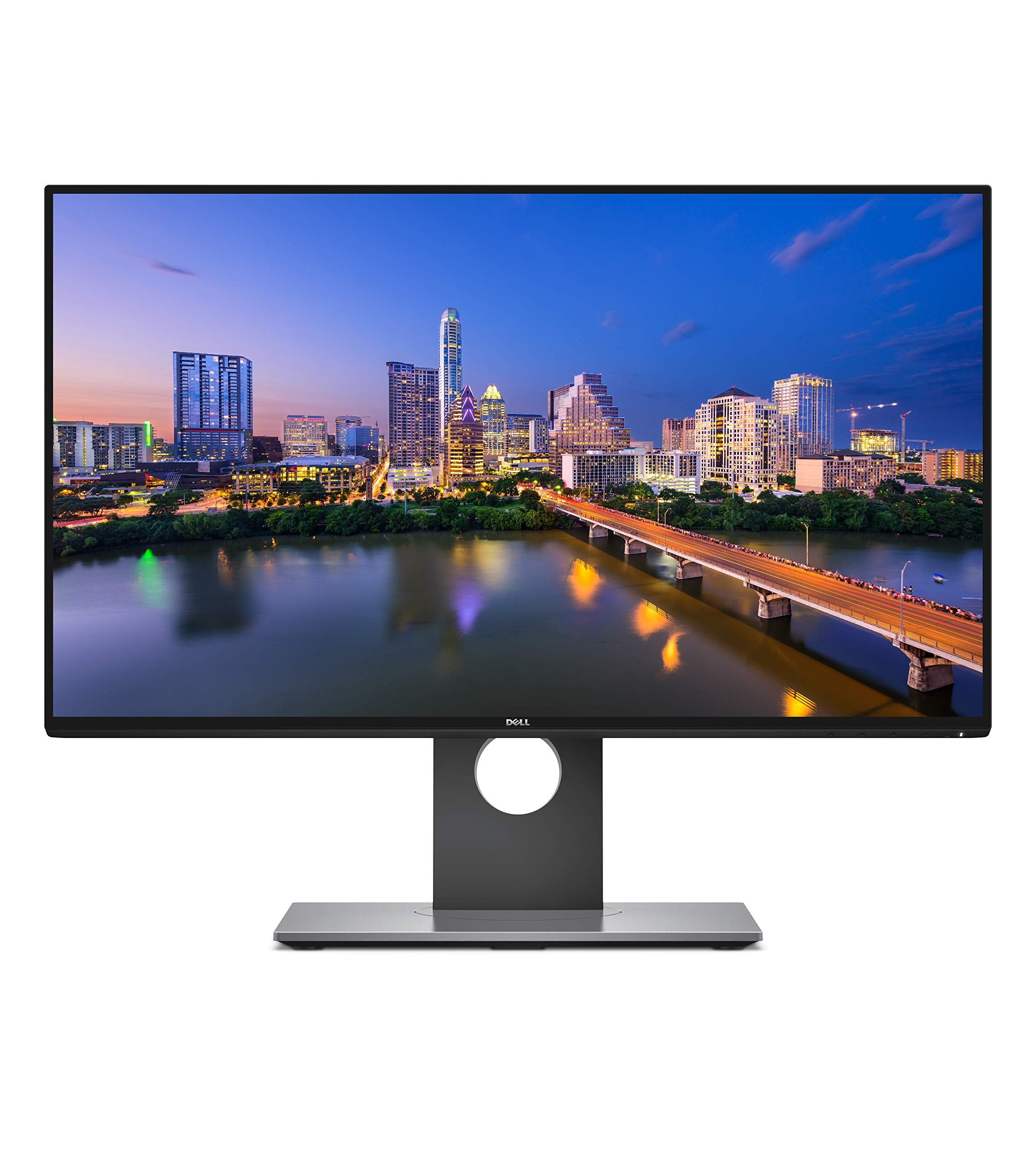
Dell Ultrasharp 24 Inch Infinity Edge Monitor U2417H, Full Hd 1920 X 1080 At 60 Hz|Ips, Anti Glare With Hard Coat 3H|Vesa Moun
$323.62

Frequently Asked Questions
- Q: What is the screen size of the Dell Ultrasharp U2417H monitor? A: The screen size is twenty-four inches. This allows for a Full HD resolution of one thousand nine hundred twenty by one thousand eighty pixels.
- Q: What are the dimensions of the Dell Ultrasharp U2417H monitor? A: The dimensions are one point seventy-eight inches in depth, twenty-one point seventeen inches in width, and twelve point thirty-seven inches in height. This design ensures a compact fit on most desks.
- Q: What type of panel does the Dell Ultrasharp U2417H use? A: It uses an IPS panel. This technology provides ultra-wide viewing angles and excellent color accuracy.
- Q: Does the Dell Ultrasharp U2417H monitor support VESA mounting? A: Yes, it supports VESA mounting. This feature allows you to easily mount it on a wall or adjustable arm for better ergonomics.
- Q: Is the Dell Ultrasharp U2417H monitor height adjustable? A: Yes, it is height adjustable. You can tilt, pivot, and swivel the monitor to customize your viewing experience.
- Q: What type of connections does the Dell Ultrasharp U2417H offer? A: It offers HDMI, DisplayPort, and four USB three point zero ports. This variety allows for flexible connectivity options to various devices.
- Q: How do I adjust the settings on the Dell Ultrasharp U2417H monitor? A: You can adjust the settings using the on-screen display menu. This menu allows you to modify brightness, contrast, and color settings easily.
- Q: Is the Dell Ultrasharp U2417H suitable for gaming? A: Yes, it is suitable for gaming. The monitor features a response time of six milliseconds in FAST mode, providing a smooth gaming experience.
- Q: How can I clean the Dell Ultrasharp U2417H monitor? A: You can clean it using a microfiber cloth. Avoid using harsh chemicals that could damage the anti-glare coating.
- Q: What is the warranty on the Dell Ultrasharp U2417H monitor? A: It comes with a three-year warranty. This warranty covers any manufacturing defects or issues with the monitor.
- Q: What should I do if my Dell Ultrasharp U2417H monitor arrives damaged? A: Contact Dell's customer support immediately. They will assist you with the return process and provide a replacement if necessary.
- Q: Can I use the Dell Ultrasharp U2417H for professional photo editing? A: Yes, it is ideal for professional photo editing. With ninety-nine percent sRGB color coverage, it ensures accurate color reproduction.
- Q: Are there any hazardous materials in the Dell Ultrasharp U2417H monitor? A: No, there are no hazardous materials listed. It meets safety standards for consumer electronics.
- Q: How do I set up the Dell Ultrasharp U2417H monitor? A: You can set it up by connecting the power cable and the desired input cable to your computer. Follow the quick start guide for detailed instructions.
- Q: Does the Dell Ultrasharp U2417H monitor have an anti-glare screen? A: Yes, it has an anti-glare coating. This feature minimizes reflections and enhances visibility in bright environments.