

Cart
0

Dell Ssd 256Gb Class 35 M.2 2230 Nvme Pcie 3.0 Gen 3X4 Solid State Drive Snp112233P/256G Ab292880
Free Standard Shipping Across USA
Vendor: Dell
Type: Storage Drives
Sku: WBEEAB0BZJ3J7QZ
Availability: Sold Out
Couldn't load pickup availability
Guarantee safe checkout

Sold by Electroeshop, an authorized reseller.
Returns accepted within 30 days | support@electroeshop.com
Shipping Information
- Free Standard Shipping — United States only
- Processing Time: 3–5 business days
- Estimated Delivery: 6–10 business days after dispatch
- Double-boxed, fully insured & discreetly packaged
- Tracking number sent via email once dispatched
Returns & Refund
Returns accepted within 30 days of delivery.
Damaged or Defective Item
Free return shipping + replacement or full refund
Wrong Item Received
Free return shipping + replacement or full refund
Change of Mind
Return shipping at customer's expense · 25% restocking fee applies
All returns require a Return Authorization (RA) number before sending.
View Full Return & Refund Policy
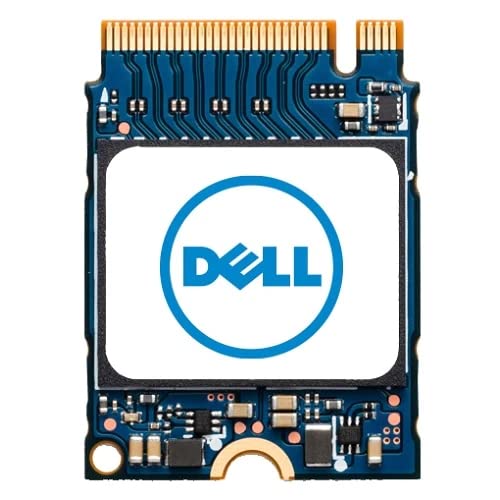
Dell Ssd 256Gb Class 35 M.2 2230 Nvme Pcie 3.0 Gen 3X4 Solid State Drive Snp112233P/256G Ab292880
$119.74

Frequently Asked Questions
- Q: What are the dimensions of the Dell SSD? A: The Dell SSD measures one point nineteen inches long, zero point ninety-one inches wide, and zero point twelve inches high. These compact dimensions make it suitable for M.2 2230 slots.
- Q: What type of storage technology does the Dell SSD use? A: This SSD utilizes NVMe PCIe 3.0 Gen 3x4 technology. This advanced technology provides faster data transfer speeds compared to traditional hard drives.
- Q: What is the storage capacity of this SSD? A: The Dell SSD has a capacity of two hundred fifty-six gigabytes. This amount of storage is ideal for a variety of applications and data storage needs.
- Q: How do I install the Dell SSD in my laptop? A: To install the Dell SSD, first, ensure your laptop is powered off and unplugged. Then, locate the M.2 slot, insert the SSD at an angle, and secure it with a screw.
- Q: Is this SSD compatible with my Alienware laptop? A: Yes, this SSD is compatible with various Alienware models. It's designed to fit in laptops with an M.2 2230 slot, ensuring a seamless upgrade.
- Q: Can I use this SSD in a desktop computer? A: Yes, this SSD can be used in desktop computers that support M.2 2230 slots. Ensure your motherboard is compatible with NVMe drives.
- Q: How do I keep my Dell SSD in good condition? A: To maintain your Dell SSD, avoid exposing it to extreme temperatures and humidity. Regularly back up your data and ensure your system has the latest firmware updates.
- Q: What is the lifespan of this SSD? A: The typical lifespan of this SSD can exceed five years with proper care. SSD longevity can vary based on usage patterns and environmental conditions.
- Q: What should I do if the SSD isn't recognized by my computer? A: If the SSD isn't recognized, check the installation to ensure it is securely connected. If the issue persists, update your motherboard's BIOS and drivers.
- Q: Does this SSD come with a warranty? A: Yes, this Dell SSD typically comes with a limited warranty from the manufacturer. Warranty details can vary, so consult the documentation for specifics.
- Q: Is the Dell SSD suitable for gaming applications? A: Yes, this SSD is suitable for gaming applications. Its fast read and write speeds can significantly reduce load times and improve overall gaming performance.
- Q: Can I use this SSD for video editing? A: Yes, this SSD is ideal for video editing due to its high-speed data transfer capabilities. It allows for quick access to large files and smooth editing experiences.
- Q: What brand is the Dell SSD? A: The Dell SSD is manufactured by Dell Computers. Dell is known for producing reliable computer components and accessories.
- Q: Does this SSD require any special drivers? A: No, this SSD does not require special drivers for installation. Most modern operating systems will recognize it automatically.
- Q: Is the Dell SSD energy efficient? A: Yes, this SSD is energy efficient, consuming less power compared to traditional hard drives. This feature can help extend battery life in laptops.