

Cart
0

Dell 1TB NVMe M.2 2230 SSD Solid State Drive, PCIe 3.0, Black, Model SNP112233P/1TB
Free Standard Shipping Across USA
Vendor: Dell
Type: Storage Drives
Sku: WBEEAB0BZHFHDP5
Availability: Sold Out
Couldn't load pickup availability
Guarantee safe checkout

Sold by Electroeshop, an authorized reseller.
Returns accepted within 30 days | support@electroeshop.com
Shipping Information
- Free Standard Shipping — United States only
- Processing Time: 3–5 business days
- Estimated Delivery: 6–10 business days after dispatch
- Double-boxed, fully insured & discreetly packaged
- Tracking number sent via email once dispatched
Returns & Refund
Returns accepted within 30 days of delivery.
Damaged or Defective Item
Free return shipping + replacement or full refund
Wrong Item Received
Free return shipping + replacement or full refund
Change of Mind
Return shipping at customer's expense · 25% restocking fee applies
All returns require a Return Authorization (RA) number before sending.
View Full Return & Refund Policy
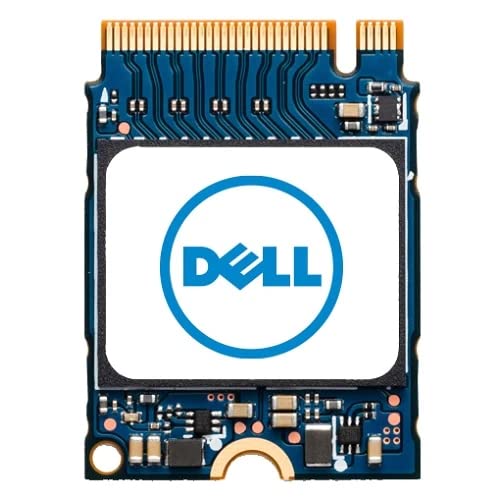
Dell 1TB NVMe M.2 2230 SSD Solid State Drive, PCIe 3.0, Black, Model SNP112233P/1TB
$422.24

Frequently Asked Questions
- Q: What are the dimensions of the Dell SSD? A: The Dell SSD measures one point nineteen inches in length, zero point ninety-one inches in width, and zero point twelve inches in height. These compact dimensions make it suitable for various laptop and desktop installations.
- Q: What type of interface does this SSD use? A: This SSD utilizes the NVMe PCIe three point zero Gen three by four interface. This technology ensures fast data transfer speeds and improved overall system performance.
- Q: What is the storage capacity of the Dell SSD? A: The Dell SSD offers a storage capacity of one terabyte. This ample space is perfect for storing large files, applications, and games.
- Q: How do I install the Dell SSD in my laptop? A: To install the Dell SSD, first power down your laptop and disconnect it from any power source. Then, access the M.2 slot, insert the SSD at an angle, and secure it with a screw.
- Q: Is this SSD compatible with my Alienware laptop? A: Yes, the Dell SSD is compatible with Alienware laptops as well as various other models like G5, G7, Inspiron, and XPS. Ensure that your laptop supports the M.2 interface.
- Q: Can I use this SSD in a desktop PC? A: Yes, this SSD is suitable for use in desktop PCs that have an M.2 slot. Its versatility allows it to enhance performance in both laptops and desktops.
- Q: How should I store the Dell SSD when not in use? A: To store the Dell SSD safely, keep it in a static-free bag and in a cool, dry environment. Avoid exposing it to extreme temperatures or moisture.
- Q: What is the warranty period for this SSD? A: The warranty period for the Dell SSD typically spans one year from the date of purchase. Always check with the manufacturer for specific warranty details.
- Q: What precautions should I take when handling the SSD? A: When handling the SSD, avoid touching the gold connectors to prevent static damage. It's also advisable to ground yourself to eliminate static electricity.
- Q: What devices are compatible with this Dell SSD? A: This Dell SSD is compatible with various devices, including Alienware, G5, G7, Inspiron, Latitude, Optiplex, Precision, and Vostro models. Check specific device requirements before installation.
- Q: What speed can I expect from this SSD? A: You can expect high-speed performance from this SSD due to its NVMe interface, which can provide read speeds significantly faster than traditional hard drives.
- Q: Is this SSD suitable for gaming? A: Yes, this SSD is suitable for gaming as it offers fast load times and improved performance for gaming applications. It enhances the overall gaming experience.
- Q: How do I check the health of my SSD? A: To check the health of your SSD, you can use software tools like CrystalDiskInfo or the built-in Windows utility. These tools provide insights into the drive's performance and health status.
- Q: Can I clone my existing drive to this SSD? A: Yes, you can clone your existing drive to the Dell SSD using cloning software. This process allows you to transfer your operating system and files seamlessly.
- Q: What type of materials are used in this SSD? A: The Dell SSD is constructed using high-quality electronic components designed for durability and performance. It is built to meet stringent standards for reliability.
- Q: Does this SSD have any special features? A: This SSD features genuine Dell technology, ensuring compatibility and reliability. It is designed for high-performance applications, making it ideal for demanding tasks.