

Cart
0


Ddr3 Ddr3L 1600 Sodimm 4Gb 2Rx8 Pc3 Pc3L 12800S 8Gb Kit (2X4Gb) 204 Pin 1.35V Cl11 Dual Rank Laptop Memory
Free Standard Shipping Across USA
Vendor: Motoeagle
Type: Memory (RAM)
Sku: WBEEAB07YTVN6PP
Availability: Sold Out
Couldn't load pickup availability
Guarantee safe checkout

Sold by Electroeshop, an authorized reseller.
Returns accepted within 30 days | support@electroeshop.com
Shipping Information
- Free Standard Shipping — United States only
- Processing Time: 3–5 business days
- Estimated Delivery: 6–10 business days after dispatch
- Double-boxed, fully insured & discreetly packaged
- Tracking number sent via email once dispatched
Returns & Refund
Returns accepted within 30 days of delivery.
Damaged or Defective Item
Free return shipping + replacement or full refund
Wrong Item Received
Free return shipping + replacement or full refund
Change of Mind
Return shipping at customer's expense · 25% restocking fee applies
All returns require a Return Authorization (RA) number before sending.
View Full Return & Refund Policy
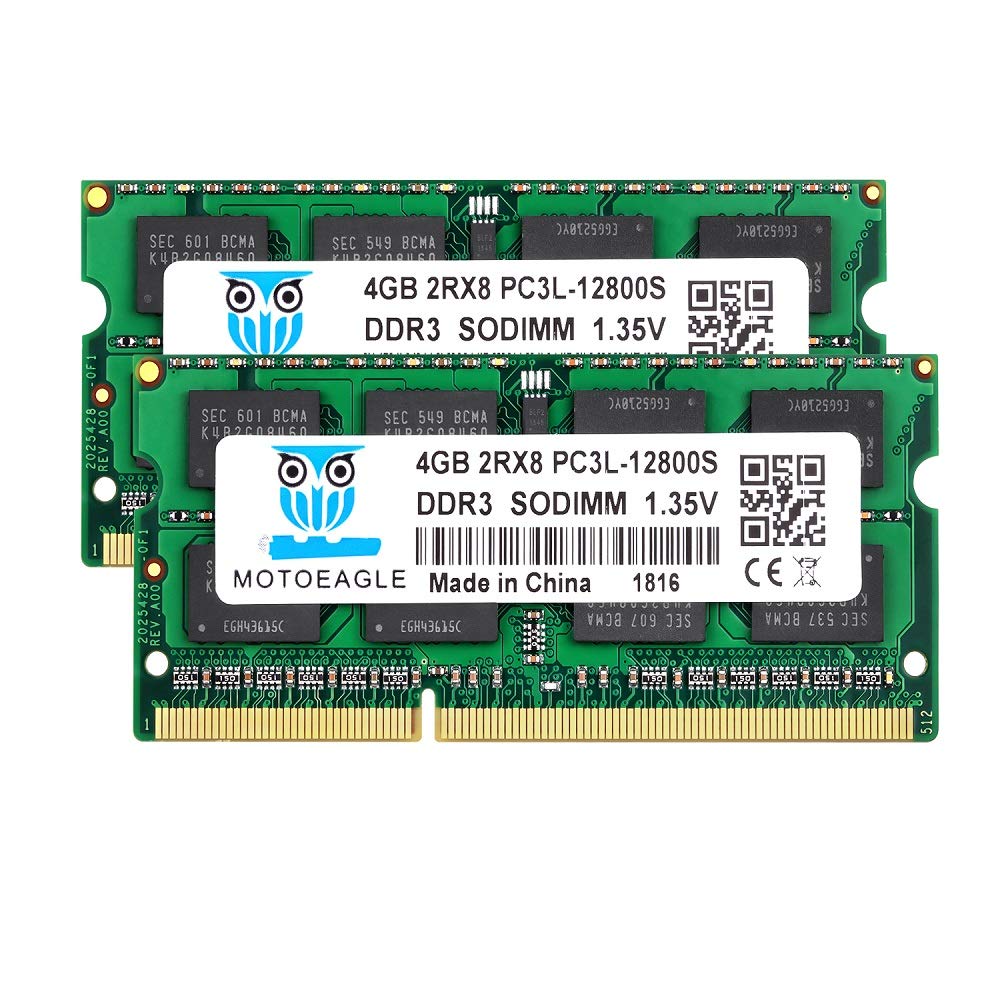
Ddr3 Ddr3L 1600 Sodimm 4Gb 2Rx8 Pc3 Pc3L 12800S 8Gb Kit (2X4Gb) 204 Pin 1.35V Cl11 Dual Rank Laptop Memory
$28.93

Frequently Asked Questions
- Q: What type of memory is this? A: This is DDR3L laptop memory, specifically a four gigabyte kit consisting of two four gigabyte modules.
- Q: What is the voltage of the memory modules? A: The memory operates at one point three five volts, but it can also function at one point five volts.
- Q: What is the speed of this memory? A: The memory speed is one thousand six hundred megahertz, which is standard for DDR3L modules.
- Q: What is the form factor of this memory? A: This memory is SO-DIMM, designed for laptops with a two hundred four pin configuration.
- Q: What is included in the package? A: The package contains two Motoeagle four gigabyte DDR3L memory modules.
- Q: How do I install this memory in my laptop? A: To install, open your laptop's back panel, locate the RAM slots, and insert the memory modules into the slots until they click into place.
- Q: Is this memory compatible with my MacBook Pro? A: Yes, this memory is compatible with various MacBook Pro models from two thousand eleven to two thousand twelve.
- Q: Can I use this memory in a PC laptop? A: Yes, this memory is compatible with both Intel and AMD-based PC laptops.
- Q: How do I maintain the memory modules? A: To maintain the memory, ensure that the laptop is powered off before installation and avoid touching the gold connectors.
- Q: What if my laptop does not recognize the new memory? A: If your laptop does not recognize the new memory, ensure that it is properly seated in the slots and check for compatibility with your laptop model.
- Q: Is there a warranty on the memory modules? A: Yes, Motoeagle typically provides a limited warranty on their memory products, but please check the specific terms included with your purchase.
- Q: Can I mix this memory with other RAM? A: It is not recommended to mix different RAM types, as it may cause compatibility issues or system instability.
- Q: What should I do if I experience performance issues after installation? A: If you experience issues, make sure the RAM is compatible with your system and consider running diagnostic tools to check for errors.
- Q: How do I ensure the memory is safe during installation? A: Use an anti-static wrist strap or touch a grounded metal object before handling the memory modules to prevent static damage.
- Q: What is the difference between DDR3 and DDR3L? A: DDR3L is a low-voltage version of DDR3, designed to operate at one point three five volts, making it more power-efficient.