

Cart
0


Dasbecan Tk78 66 9U0C Mazda Apple Carplay Android Auto Retrofit Kit Compatible With Mazda 2 3 6 Cx3 Cx5 Cx9 Mx5 Miata 2014 2020
Free Standard Shipping Across USA
Vendor: Dasbecan
Type: Car Stereos
Sku: WBEEAB09MTJ6469
Availability: Sold Out
Couldn't load pickup availability
Guarantee safe checkout

Sold by Electroeshop, an authorized reseller.
Returns accepted within 30 days | support@electroeshop.com
Shipping Information
- Free Standard Shipping — United States only
- Processing Time: 3–5 business days
- Estimated Delivery: 6–10 business days after dispatch
- Double-boxed, fully insured & discreetly packaged
- Tracking number sent via email once dispatched
Returns & Refund
Returns accepted within 30 days of delivery.
Damaged or Defective Item
Free return shipping + replacement or full refund
Wrong Item Received
Free return shipping + replacement or full refund
Change of Mind
Return shipping at customer's expense · 25% restocking fee applies
All returns require a Return Authorization (RA) number before sending.
View Full Return & Refund Policy
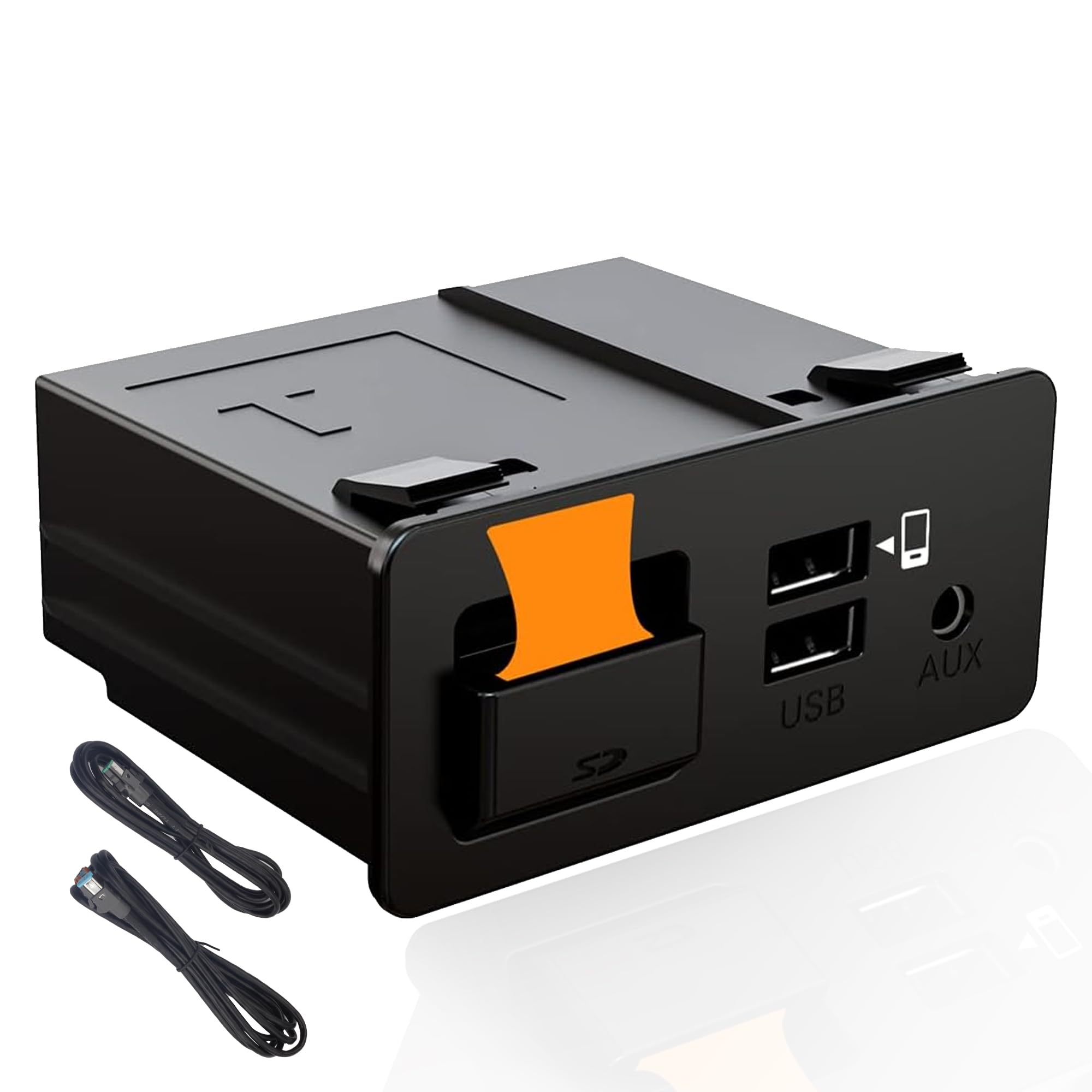
Dasbecan Tk78 66 9U0C Mazda Apple Carplay Android Auto Retrofit Kit Compatible With Mazda 2 3 6 Cx3 Cx5 Cx9 Mx5 Miata 2014 2020
$80.25

Frequently Asked Questions
- Q: What are the dimensions of the Dasbecan TK78-66-9U0C retrofit kit? A: The dimensions are eight point zero seven inches long, four point one three inches wide, and four point five three inches high. This compact size makes it easy to install in compatible Mazda models.
- Q: What is the model number of the Mazda retrofit kit? A: The model number is TK78-66-9U0C. This specific identifier helps ensure you are purchasing the correct product for compatibility.
- Q: What type of connection does the retrofit kit use? A: The kit uses a USB Type A connection. This allows for easy integration with your vehicle's MZD Connect system.
- Q: How do I install the Dasbecan retrofit kit? A: To install, connect it to your Mazda's MZD Connect unit via the USB port. Ensure your vehicle's system is updated to version seventy point zero zero point zero two one or higher for optimal performance.
- Q: Is this kit compatible with my Mazda CX-5? A: Yes, it is compatible with all Mazda CX-5 models from two thousand fifteen to two thousand twenty. This makes it a great choice for enhancing your driving experience.
- Q: Can I use this kit with my Mazda MX-5 Miata? A: Yes, the kit works with Mazda MX-5 Miata models from two thousand sixteen to two thousand twenty. It provides seamless connectivity for your smartphone.
- Q: How do I ensure the kit stays in good condition? A: Keep the kit dry and avoid exposure to extreme temperatures. Regularly check connections to ensure they are secure and clean any dust or debris.
- Q: What should I do if the kit doesn't work after installation? A: First, verify that your Mazda's system is updated to the required software version. If issues persist, check the USB connections and refer to the installation guide for troubleshooting tips.
- Q: Is there a warranty for the Dasbecan retrofit kit? A: Yes, the kit typically comes with a warranty. Check the product packaging or the retailer's website for specific warranty details and duration.
- Q: Can I return the retrofit kit if it doesn't fit? A: Yes, most retailers allow returns within a specified period if the product is unused and in its original packaging. Be sure to check the return policy before purchase.
- Q: Does the kit support voice control features? A: Yes, the kit supports Siri for iOS and Google Assistant for Android. This feature allows for hands-free control of navigation and music.
- Q: What is the OE number for the Dasbecan kit? A: The OE number is TK78-66-9U0C K1414 00008FZ34. This number is essential for verifying compatibility with OEM parts.
- Q: How do I upgrade the firmware for the kit? A: To upgrade, ensure your system is running version seventy point zero zero point zero two one or higher. Follow the specific instructions provided in the user manual for firmware updates.
- Q: What if my Mazda does not have MZD Connect? A: The kit will not work if your Mazda does not have an MZD Connect unit. Ensure your vehicle is equipped with this system before purchasing.
- Q: Are there any specific installation tips for this kit? A: Yes, ensure Siri is enabled during installation and remove the SD card before upgrading the firmware to prevent navigation issues. Follow all installation instructions carefully for best results.