

Cart
0


Chenyang Oculink Sff 8612 To Pci E 3.0 M.2 M Key To Sff 8611 Host Adapter For Gpd Win Max2 External Graphics Card & Ssd
Vendor: Chenyang
Type: USB & Lightning Cables
Sku: WBECCB0BZW1G87R
Availability: In Stock
Couldn't load pickup availability
Guarantee safe checkout

Sold by Electroeshop, an authorized reseller.
Returns accepted within 30 days | support@electroeshop.com
Shipping Information
- Free Standard Shipping — United States only
- Processing Time: 1–3 business days
- Estimated Delivery: 3–5 business days after dispatch
- Double-boxed, fully insured & discreetly packaged
- Tracking number sent via email once dispatched
- Orders over $250 require signature upon delivery. Taxes calculated at checkout.
Returns & Refund
Returns accepted within 30 days of delivery.
Damaged or Defective Item
Free return shipping + replacement or full refund
Wrong Item Received
Free return shipping + replacement or full refund
Change of Mind
Return shipping at customer's expense · 25% restocking fee applies
All returns require a Return Authorization (RA) number before sending.
View Full Return & Refund Policy
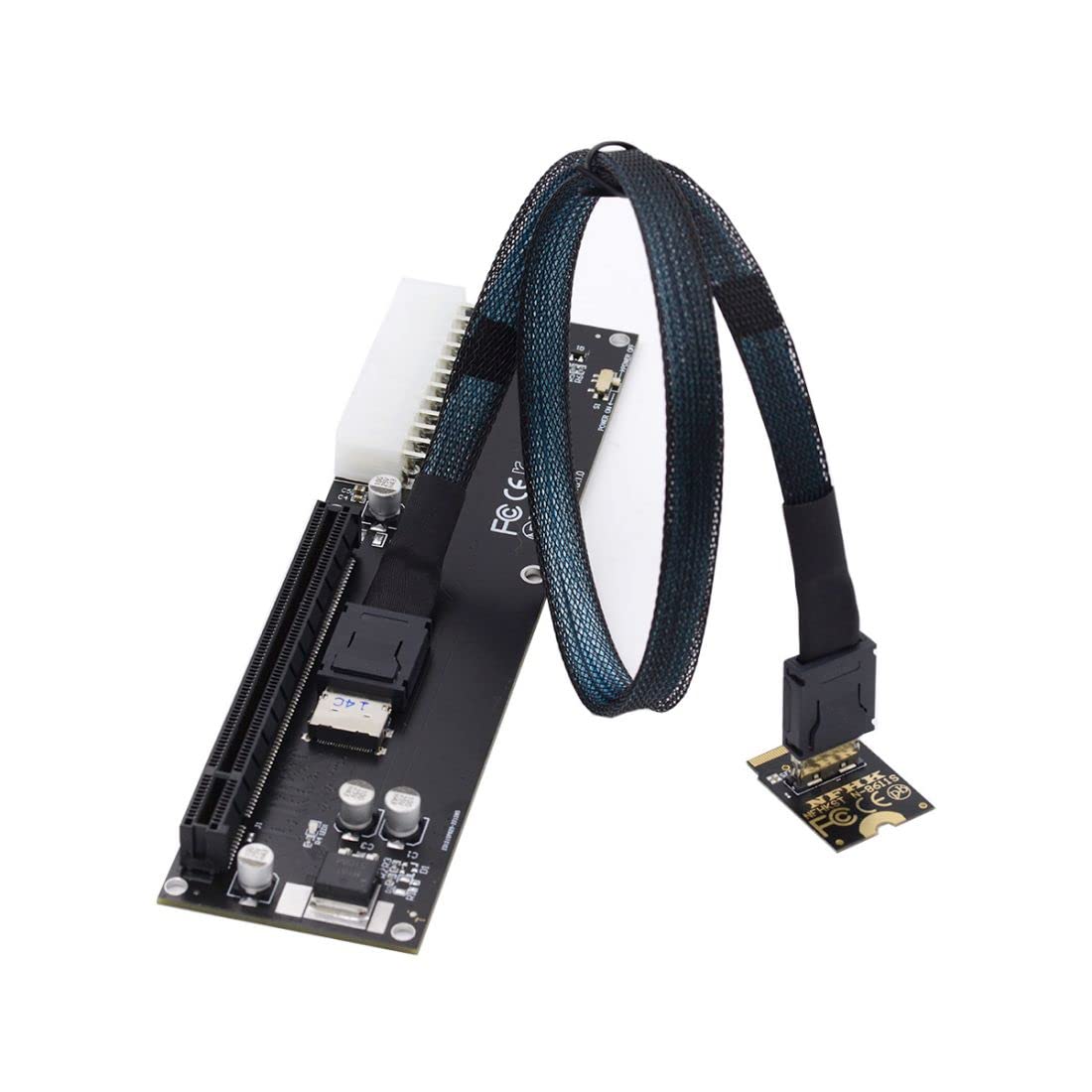
Chenyang Oculink Sff 8612 To Pci E 3.0 M.2 M Key To Sff 8611 Host Adapter For Gpd Win Max2 External Graphics Card & Ssd
$62.95

Frequently Asked Questions
- Q: What materials is this adapter made of? A: This adapter is made of copper. Copper is known for its excellent conductivity, making it ideal for high-speed data transmission.
- Q: What are the dimensions of the product? A: The adapter measures three point nine four inches in length, three point nine four inches in width, and zero point three nine inches in height.
- Q: What protocol does this adapter use? A: This adapter transmits PCI Express four times signals using the NVMe protocol. This ensures optimal data transfer rates and compatibility with modern storage devices.
- Q: How do I install the adapter? A: To install the adapter, connect it to the Oculink SFF-8612 interface on your device. Then attach your eGPU or SSD to the adapter securely.
- Q: Is this adapter compatible with all operating systems? A: No, this adapter requires Linux Kernel four point three or above, or Windows eight point one and above. Ensure your system meets these requirements for proper functionality.
- Q: Can I use this adapter with a standard PCI-E slot? A: Yes, this adapter includes an OCuLink to PCI-E X16 adapter. This allows you to connect it to a standard PCI-E slot if needed.
- Q: How do I ensure the adapter stays in good condition? A: To keep the adapter in good condition, avoid exposing it to moisture and extreme temperatures. Store it in a dry place when not in use.
- Q: Is there a warranty for this product? A: Yes, this product typically comes with a manufacturer's warranty. Be sure to check the packaging or contact the seller for specific details.
- Q: What is the maximum data transfer rate of the adapter? A: The adapter supports a maximum data transfer rate of up to thirty-two gigabits per second. This high speed is ideal for demanding applications.
- Q: Can I use this adapter for gaming? A: Yes, this adapter is suitable for gaming. It allows you to connect an eGPU, providing enhanced graphics performance for gaming applications.
- Q: What is included in the package? A: The package includes one OCuLink to NVME M.2 M-Key adapter, one Oculink cable, and one OCuLink to PCI-E X16 adapter for complete connectivity.
- Q: Do I need additional drivers for this adapter? A: In most cases, no additional drivers are required. However, always check your device's compatibility and updates for optimal performance.
- Q: What is the purpose of the OCuLink cable? A: The OCuLink cable provides a direct connection between the adapter and the host device, ensuring reliable data transmission and power delivery.
- Q: Can I use this adapter with SSDs? A: Yes, this adapter is designed to connect NVMe SSDs. It allows for high-speed data access and improved storage performance.
- Q: Is this product safe for my device? A: Yes, this adapter is designed to be safe for compatible devices. Ensure your device meets the specified requirements to avoid any issues.