

Cart
0


Chenyang Ide/Pata 40Pin Disk To Sata Female Adapter Pcba Converter For Desktop & 3.5'' Hard Disk Drive
Vendor: Chenyang
Type: USB & Lightning Cables
Sku: WBECCB0823Q33PT
Availability: In Stock
Couldn't load pickup availability
Guarantee safe checkout

Sold by Electroeshop, an authorized reseller.
Returns accepted within 30 days | support@electroeshop.com
Shipping Information
- Free Standard Shipping — United States only
- Processing Time: 1–3 business days
- Estimated Delivery: 3–5 business days after dispatch
- Double-boxed, fully insured & discreetly packaged
- Tracking number sent via email once dispatched
- Orders over $250 require signature upon delivery. Taxes calculated at checkout.
Returns & Refund
Returns accepted within 30 days of delivery.
Damaged or Defective Item
Free return shipping + replacement or full refund
Wrong Item Received
Free return shipping + replacement or full refund
Change of Mind
Return shipping at customer's expense · 25% restocking fee applies
All returns require a Return Authorization (RA) number before sending.
View Full Return & Refund Policy
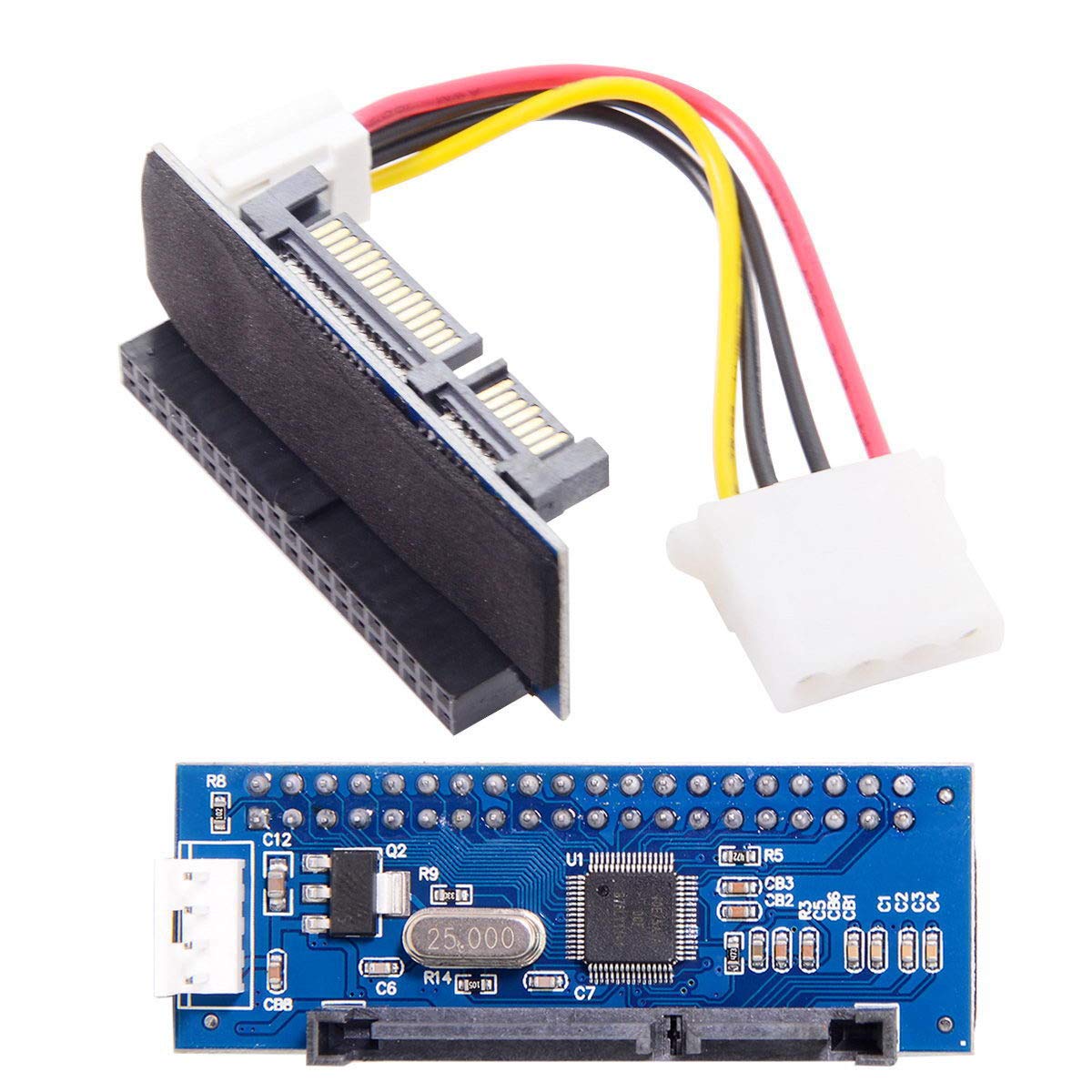
Chenyang Ide/Pata 40Pin Disk To Sata Female Adapter Pcba Converter For Desktop & 3.5'' Hard Disk Drive
$13.57

Frequently Asked Questions
- Q: What materials is the chenyang Hard Disk Drive to SATA Adapter made of? A: The adapter is made primarily of copper. This material ensures efficient data transfer and durability.
- Q: What are the dimensions of the chenyang adapter? A: The adapter measures three point nine four inches in length, three point nine four inches in width, and zero point three nine inches in height. This compact size makes it easy to fit into tight spaces.
- Q: Is the chenyang adapter compatible with different operating systems? A: Yes, it is compatible with various operating systems including DOS, Windows versions from 98 to 7, and Linux. This versatility allows users to upgrade their systems easily.
- Q: How do I install the chenyang IDE to SATA adapter? A: To install the adapter, simply connect it to your IDE hard disk drive and then plug it into a SATA motherboard port. No drivers are needed, making it a straightforward plug-and-play process.
- Q: Can I use this adapter to upgrade my old computer's hard drive? A: Yes, the adapter is designed specifically for upgrading old computers with three point five inch IDE hard disk drives to newer SATA drives or SSDs. This allows for improved performance and storage capacity.
- Q: Is the chenyang adapter hot swappable? A: No, the adapter is not hot swappable. It is recommended to power down your system before connecting or disconnecting the adapter to prevent any damage.
- Q: How should I clean and maintain the chenyang adapter? A: To clean the adapter, use a soft, dry cloth to wipe it down. Avoid using liquids or harsh chemicals, as they can damage the electronic components.
- Q: Is the adapter safe for long-term use? A: Yes, the chenyang adapter is designed for durability and long-term use. Its copper construction helps to prevent overheating and ensures reliable performance.
- Q: What should I do if the adapter doesn't work? A: If the adapter does not work, first check all connections to ensure they are secure. If issues persist, consult the manufacturer's customer support for troubleshooting assistance.
- Q: Does the adapter come with a warranty? A: Yes, the adapter typically comes with a warranty from the manufacturer. Be sure to check the specific warranty details when purchasing.
- Q: Can I use this adapter with a SSD? A: Yes, the adapter is compatible with both SATA hard drives and SSDs. This flexibility allows users to upgrade to faster storage options.
- Q: What is the maximum capacity supported by this adapter? A: The adapter supports IDE drives up to one thousand gigabytes. This capacity is suitable for most standard desktop applications.
- Q: Is this adapter suitable for beginners? A: Yes, the chenyang adapter is user-friendly and ideal for beginners. Its plug-and-play design eliminates the need for technical installation skills.
- Q: How does this adapter compare to other similar products? A: The chenyang adapter offers compatibility with a wide range of IDE drives and is easy to install. It stands out for its no-driver requirement and robust build quality.
- Q: Can I use this adapter for data recovery purposes? A: Yes, the adapter can be used for data recovery by connecting IDE drives to modern systems. This enables access to files that might otherwise be difficult to retrieve.
- Q: Is this adapter portable? A: Yes, the compact design of the chenyang adapter makes it highly portable. You can easily carry it for use with different computers or setups.