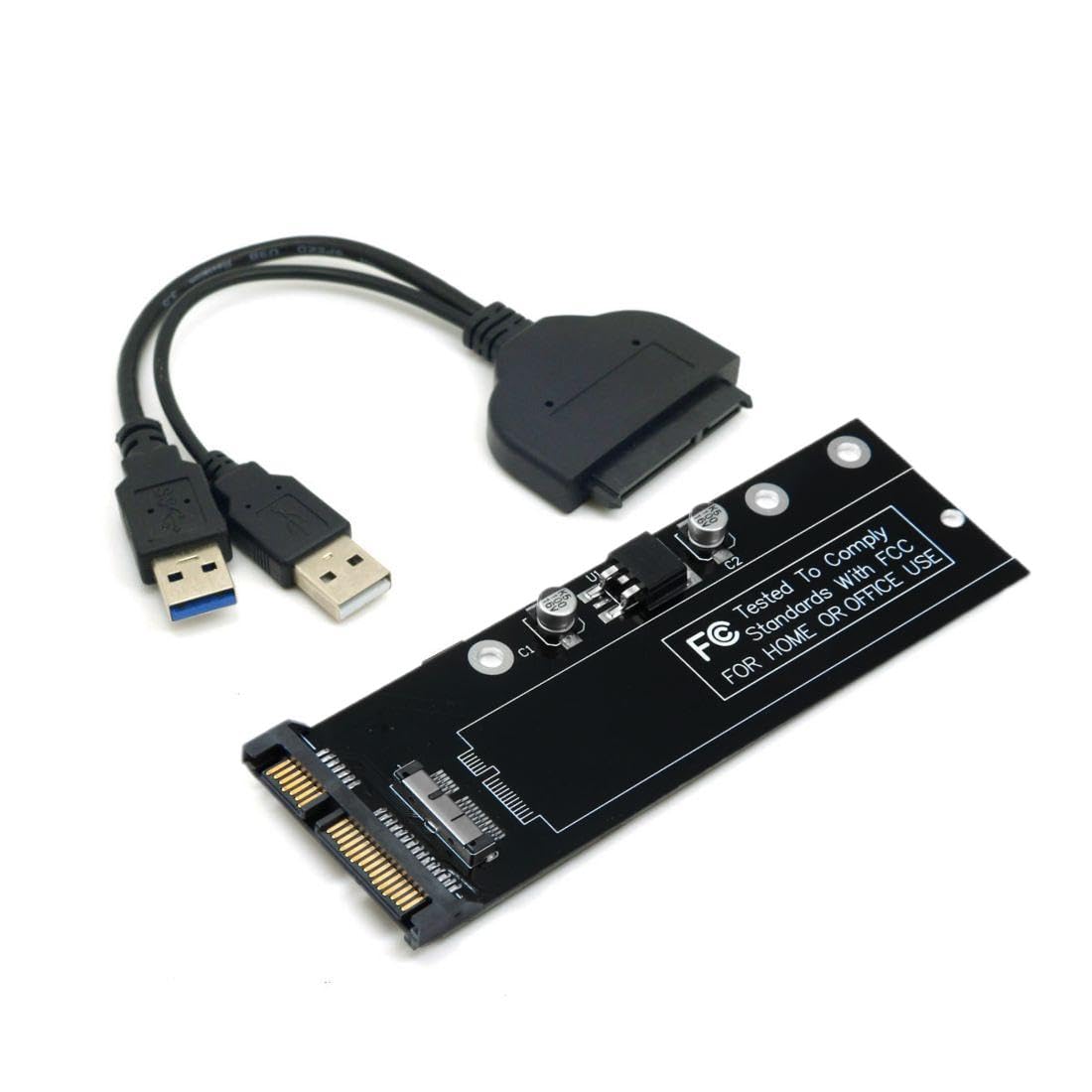
The Ssd Is Not Included In The Package. Note:The Ssd Must Be 12+6Pin Contacts.(See Belowing Photo,Otherwise It Cannot Work) The Pcba Can Convert The 2010 2011 Mac Ssd To Standard 22Pin Sata Port. Compatibility:Only Use For 2010 2011 Mac Air A1370 A1369 Mc503 Mc504 Mc505 Mc506 Ssd. About The Disk Format: Mac Format Ssd Only Can Be Read At Mac-Os, You Can Format It As Fat/Ntfs At ''Disk Management'' For Windows Os.
⚠️ WARNING (California Proposition 65): This product may contain chemicals known to the State of California to cause cancer, birth defects, or other reproductive harm. For more information, please visit www.P65Warnings.ca.gov.
Frequently Asked Questions
Q: What is the model number of this adapter?A: The model number is FBA-U3-067/SA-161. This identifies the specific product variant designed for Mac SSD to SATA conversion.
Q: What materials are used in the construction of this adapter?A: This adapter is made of copper. Copper provides excellent conductivity and durability for high-speed data transfer.
Q: What type of cable is included with this adapter?A: A USB data cable is included. This cable is necessary for connecting the adapter to your device for data transfer.
Q: What devices is this adapter compatible with?A: This adapter is compatible with 2010 and 2011 Mac Air models A1369 and A1370. It is specifically designed for Mac SSDs with twelve plus six pin contacts.
Q: How do I install this adapter?A: To install the adapter, connect the twelve plus six pin SSD to the adapter and then connect the USB cable to your computer. Ensure the SSD is properly seated before use.
Q: Can I use this adapter with SSDs that do not have twelve plus six pin contacts?A: No, this adapter requires SSDs with twelve plus six pin contacts. Using an incompatible SSD will prevent it from functioning.
Q: How should I store this adapter when not in use?A: Store the adapter in a cool, dry place. Avoid exposing it to moisture or extreme temperatures to maintain its functionality.
Q: Is this adapter safe for my SSD?A: Yes, this adapter is safe for your SSD as long as it matches the required specifications. Proper use prevents damage to both the adapter and the SSD.
Q: How do I format my SSD for Windows after using this adapter?A: You can format the SSD as FAT or NTFS in 'Disk Management' on Windows. This allows the drive to be read by Windows operating systems.
Q: What if the adapter does not connect to my computer?A: If the adapter does not connect, check the connections and ensure the SSD is properly seated. If issues persist, try a different USB port.
Q: Does this adapter support data transfer speeds?A: Yes, the adapter supports high-speed data transfer. The copper construction enhances the transfer rate for efficient data management.
Q: Can I use this adapter for other devices besides Mac Air?A: No, this adapter is specifically designed for 2010 and 2011 Mac Air models. It is not compatible with other devices.
Q: What are the dimensions of this adapter?A: The adapter does not have specified dimensions. It is designed to be compact and portable for easy use with your SSD.
Q: What should I do if the SSD is not detected?A: If the SSD is not detected, ensure it is properly connected and compatible. Check for any visible damage to the SSD or adapter.
Q: Is there a warranty for this adapter?A: Warranty details may vary by retailer. Check with the seller for specific warranty information regarding this adapter.