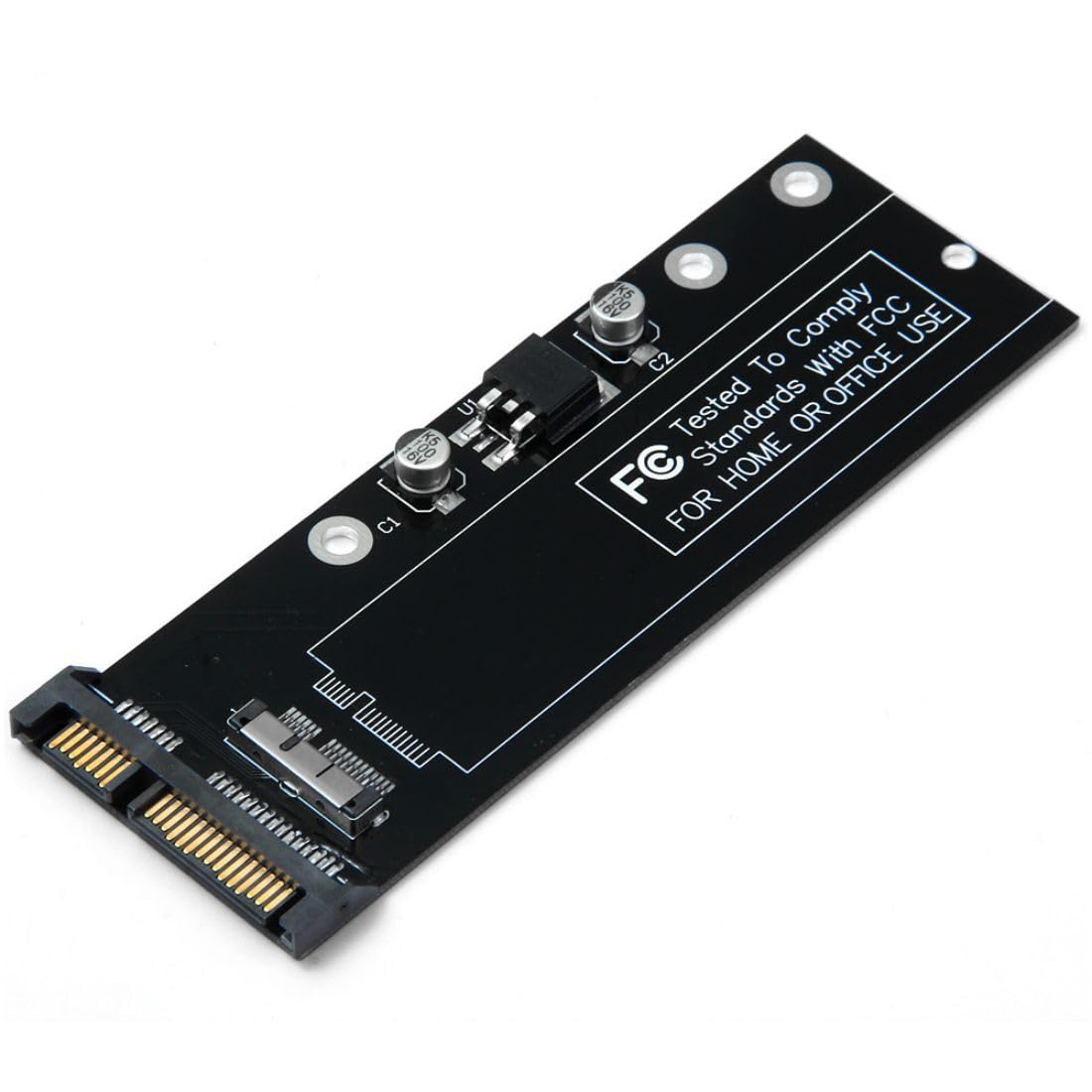
The Ssd Is Not Included In The Package. Note:The Ssd Must Be 12+6Pin Contacts.(See Belowing Photo,Otherwise It Cannot Work) The Pcba Can Convert The 2010 2011 Mac Ssd To Standard 22Pin Sata Port. Compatibility:Only Use For 2010 2011 Mac Air A1370 A1369 Mc503 Mc504 Mc505 Mc506 Ssd. About The Disk Format: Mac Format Ssd Only Can Be Read At Mac-Os, You Can Format It As Fat/Ntfs At ''Disk Management'' For Windows Os.
⚠️ WARNING (California Proposition 65): This product may contain chemicals known to the State of California to cause cancer, birth defects, or other reproductive harm. For more information, please visit www.P65Warnings.ca.gov.
Frequently Asked Questions
Q: What is the model number of this adapter?A: The model number is CY-SA-071. This identifier helps in locating specific features and compatibility.
Q: What type of connections does this adapter support?A: This adapter supports twelve plus six pin connections. It is designed for converting MAC SSDs to standard twenty-two pin SATA ports.
Q: What is the color of this product?A: The color of this adapter is black. This sleek design fits well with various setups.
Q: Is the SSD included with the adapter?A: No, the SSD is not included in the package. You will need to purchase it separately.
Q: Which MAC models are compatible with this adapter?A: This adapter is compatible with MAC Air models A1369 and A1370 from the years 2010 and 2011. It also works with MAC models MC503, MC504, MC505, and MC506.
Q: How do I install this SSD adapter?A: To install, connect the twelve plus six pin SSD to the adapter and then plug the adapter into a SATA port on your device. Ensure the connections are secure.
Q: Can I use this adapter with SSDs that have different pin configurations?A: No, you cannot use this adapter with SSDs that have different pin configurations. It specifically requires twelve plus six pin contacts.
Q: What operating systems can read the MAC format SSD?A: Only MAC OS can read the MAC format SSD. For Windows OS, you will need to format it as FAT or NTFS.
Q: How do I format the SSD for Windows use?A: You can format the SSD using the 'Disk Management' tool in Windows OS. Select the SSD and choose the format option.
Q: How do I ensure my SSD will work with this adapter?A: To ensure compatibility, check that your SSD has the required twelve plus six pin contacts. Otherwise, it will not work with this adapter.
Q: Are there any specific maintenance tips for this adapter?A: Yes, keep the adapter in a dry environment and avoid physical damage. Regularly check connections for dust or debris.
Q: What should I do if the adapter does not work with my SSD?A: If the adapter does not work, verify that your SSD has the correct pin configuration. If it still doesn't work, contact customer support.
Q: Is this adapter safe for all users to handle?A: Yes, this adapter is safe for all users to handle. It does not contain hazardous materials.
Q: How do I store the adapter when not in use?A: Store the adapter in a cool, dry place. Use the original packaging if available to protect it from damage.
Q: Can I return the adapter if it doesn't meet my needs?A: Yes, you can return the adapter if it doesn't meet your needs. Make sure to check the return policy for specific terms.