

Cart
0


Ceres 300 Matcha Green Case
Free Standard Shipping Across USA
Vendor: Thermaltake
Type: Computer Cases
Sku: WBEEAB0CHXVLL51
Availability: Sold Out
Couldn't load pickup availability
Guarantee safe checkout

Sold by Electroeshop, an authorized reseller.
Returns accepted within 30 days | support@electroeshop.com
Shipping Information
- Free Standard Shipping — United States only
- Processing Time: 3–5 business days
- Estimated Delivery: 6–10 business days after dispatch
- Double-boxed, fully insured & discreetly packaged
- Tracking number sent via email once dispatched
Returns & Refund
Returns accepted within 30 days of delivery.
Damaged or Defective Item
Free return shipping + replacement or full refund
Wrong Item Received
Free return shipping + replacement or full refund
Change of Mind
Return shipping at customer's expense · 25% restocking fee applies
All returns require a Return Authorization (RA) number before sending.
View Full Return & Refund Policy
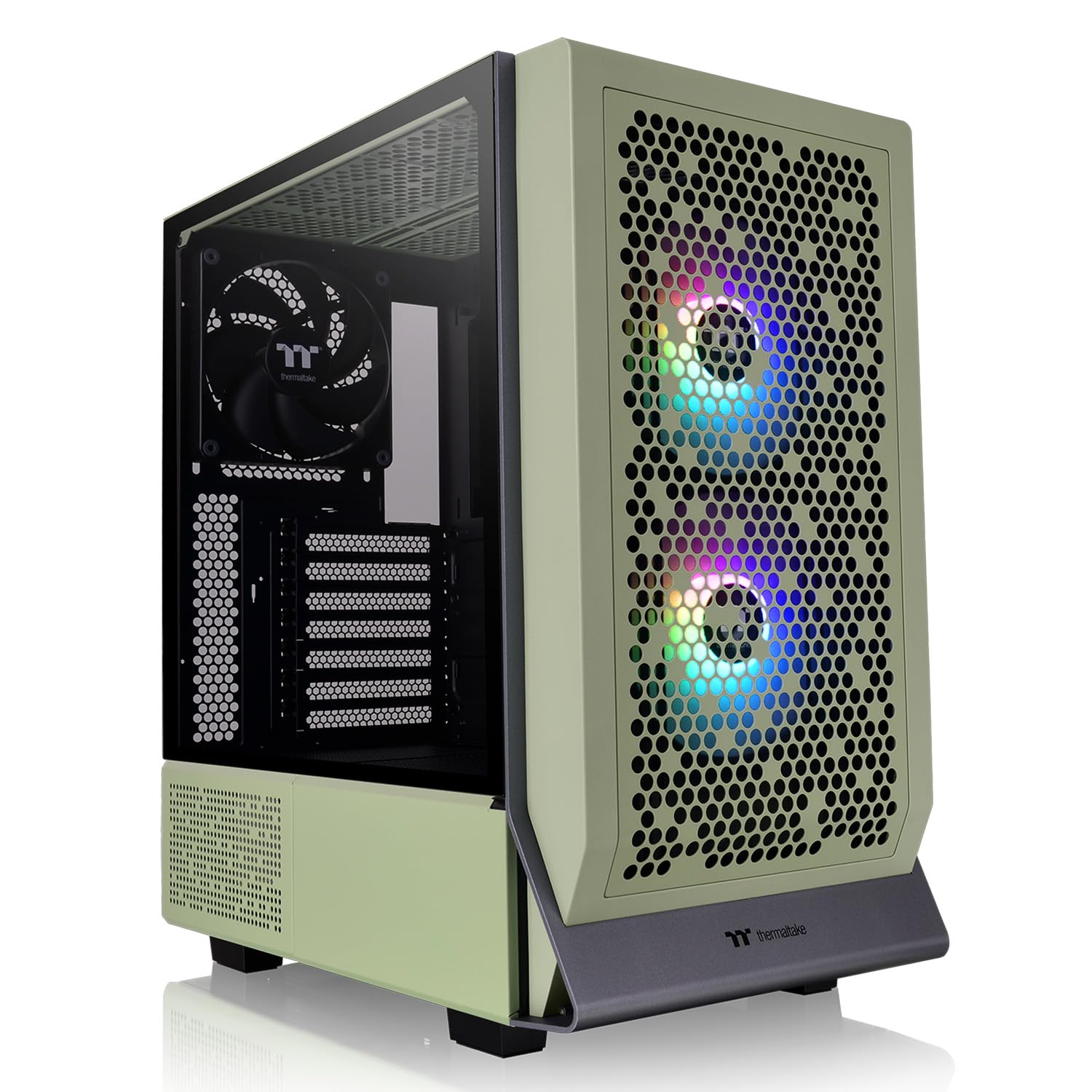
Ceres 300 Matcha Green Case
$152.62

Frequently Asked Questions
- Q: What are the dimensions of the Thermaltake Ceres 300 Matcha Green Mid Tower Case? A: The dimensions are four hundred seventy-five millimeters in height, two hundred forty-five millimeters in width, and four hundred sixty-three millimeters in depth.
- Q: What is the weight of the Thermaltake Ceres 300? A: The weight of the case is seven point eight kilograms or seventeen point two pounds.
- Q: What materials is the Ceres 300 made from? A: The case is made from SPCC steel and features a four-millimeter tempered glass side panel.
- Q: What fan sizes can be installed in the Ceres 300? A: The chassis supports up to five hundred millimeter fans or seven hundred millimeter fans, including various configurations for front, top, and rear installations.
- Q: Does the Ceres 300 support RGB lighting? A: Yes, it supports RGB lighting, which can be controlled through motherboard software from major brands like ASUS, GIGABYTE, MSI, and ASRock.
- Q: How do I install components in the Ceres 300? A: You can install components by accessing the removable panels, which allow for easy installation of motherboards, cooling systems, and expansion cards.
- Q: Is the Ceres 300 compatible with E-ATX motherboards? A: Yes, the Ceres 300 is compatible with E-ATX motherboards, as well as Mini ITX and Micro ATX sizes.
- Q: Can I fit a radiator in the Ceres 300? A: Yes, you can install a three hundred sixty-millimeter radiator at the front and a two hundred eighty-millimeter radiator at the top.
- Q: What type of power supply is compatible with the Ceres 300? A: The case is compatible with a standard PS2 power supply, which is optional for installation.
- Q: How do I clean the Ceres 300 case? A: To clean the case, use a soft, lint-free cloth and mild detergent. Avoid abrasive cleaners to protect the tempered glass.
- Q: Is the Ceres 300 safe for long-term use? A: Yes, the Ceres 300 is designed for safety and durability, featuring solid construction and effective cooling to prevent overheating.
- Q: What is the warranty period for the Ceres 300? A: The warranty period for the Ceres 300 is three years from the date of purchase.
- Q: What if my Ceres 300 arrives damaged? A: If your case arrives damaged, you should contact customer support for assistance with returns or exchanges.
- Q: Does the Ceres 300 have any expansion slots? A: Yes, it has seven expansion slots with a rotatable patented design for flexible configurations.
- Q: How do I troubleshoot fan issues with the Ceres 300? A: If you experience fan issues, ensure they are properly connected to the motherboard and check for any obstructions in the airflow.