

Cart
0


Cablewholesale Displayport Male To Hdmi Female Passive Adapter Cable Support For 4K Video, Audio Enabled
Free Standard Shipping Across USA
Vendor: Cablewholesale
Type: HDMI & Display Cables
Sku: WBEEAB0126TAQ4M
Availability: Sold Out
Couldn't load pickup availability
Guarantee safe checkout

Sold by Electroeshop, an authorized reseller.
Returns accepted within 30 days | support@electroeshop.com
Shipping Information
- Free Standard Shipping — United States only
- Processing Time: 3–5 business days
- Estimated Delivery: 6–10 business days after dispatch
- Double-boxed, fully insured & discreetly packaged
- Tracking number sent via email once dispatched
Returns & Refund
Returns accepted within 30 days of delivery.
Damaged or Defective Item
Free return shipping + replacement or full refund
Wrong Item Received
Free return shipping + replacement or full refund
Change of Mind
Return shipping at customer's expense · 25% restocking fee applies
All returns require a Return Authorization (RA) number before sending.
View Full Return & Refund Policy
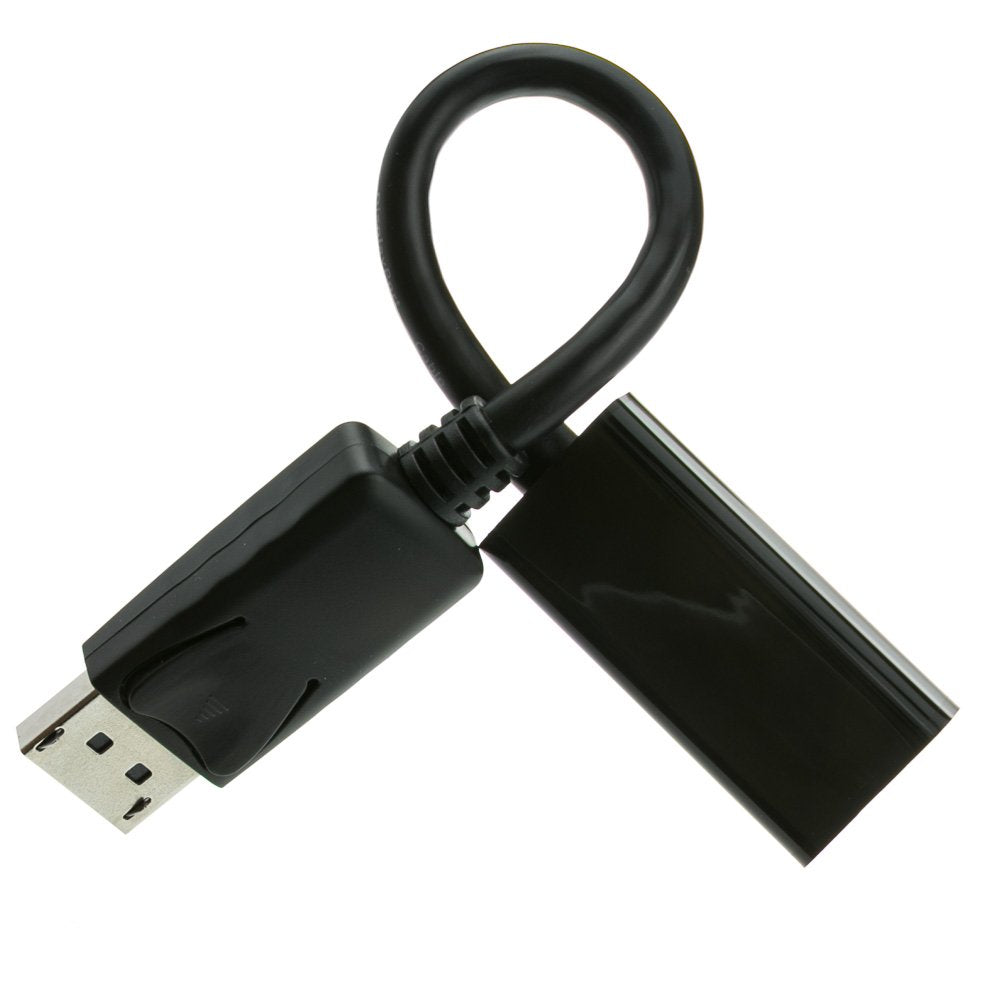
Cablewholesale Displayport Male To Hdmi Female Passive Adapter Cable Support For 4K Video, Audio Enabled
$22.33

Frequently Asked Questions
- Q: What is the length of this DisplayPort to HDMI adapter cable? A: The cable is six inches long from tip to tip, making it a compact solution for connecting devices.
- Q: Is the adapter compatible with 4K resolution? A: Yes, it supports four hundred million pixels at sixty hertz, providing high-definition video quality.
- Q: What versions of DisplayPort does this adapter support? A: It supports DisplayPort one point two and is backward compatible with earlier versions.
- Q: How do I connect the DisplayPort to HDMI adapter? A: Simply plug the DisplayPort male end into your computer's DisplayPort output and use an HDMI cable to connect to your display.
- Q: Can I use this adapter with an HDMI computer? A: No, this adapter is unidirectional and only converts signals from DisplayPort to HDMI.
- Q: Does this adapter support audio transmission? A: Yes, it is audio-enabled and allows for sound transmission along with video.
- Q: How do I install the DisplayPort to HDMI adapter? A: It's a plug-and-play device, requiring no software or drivers for installation; just connect it to your devices.
- Q: Is this adapter suitable for gaming? A: Yes, it supports three-dimensional video formats and is ideal for gaming and content creation.
- Q: What should I do if the adapter doesn't work? A: Ensure that you're using a standard HDMI male-to-male cable and that all connections are secure.
- Q: Is there a warranty on this product? A: Yes, it comes with a lifetime warranty when purchased through CableWholesale.
- Q: Can I use this adapter for presentations? A: Yes, it's perfect for presentations as it allows you to connect your laptop to larger screens.
- Q: What type of devices can I connect using this adapter? A: You can connect any computer with a DisplayPort output to a monitor or TV with an HDMI input.
- Q: Does the adapter support 3D video formats? A: Yes, it supports three-dimensional video formats at one thousand eighty pixels at sixty hertz.
- Q: How can I ensure the best performance from this adapter? A: Use high-quality HDMI cables and ensure your devices support the required resolutions and refresh rates.
- Q: Is this adapter portable? A: Yes, its compact size makes it easy to carry, ideal for travel or on-the-go use.