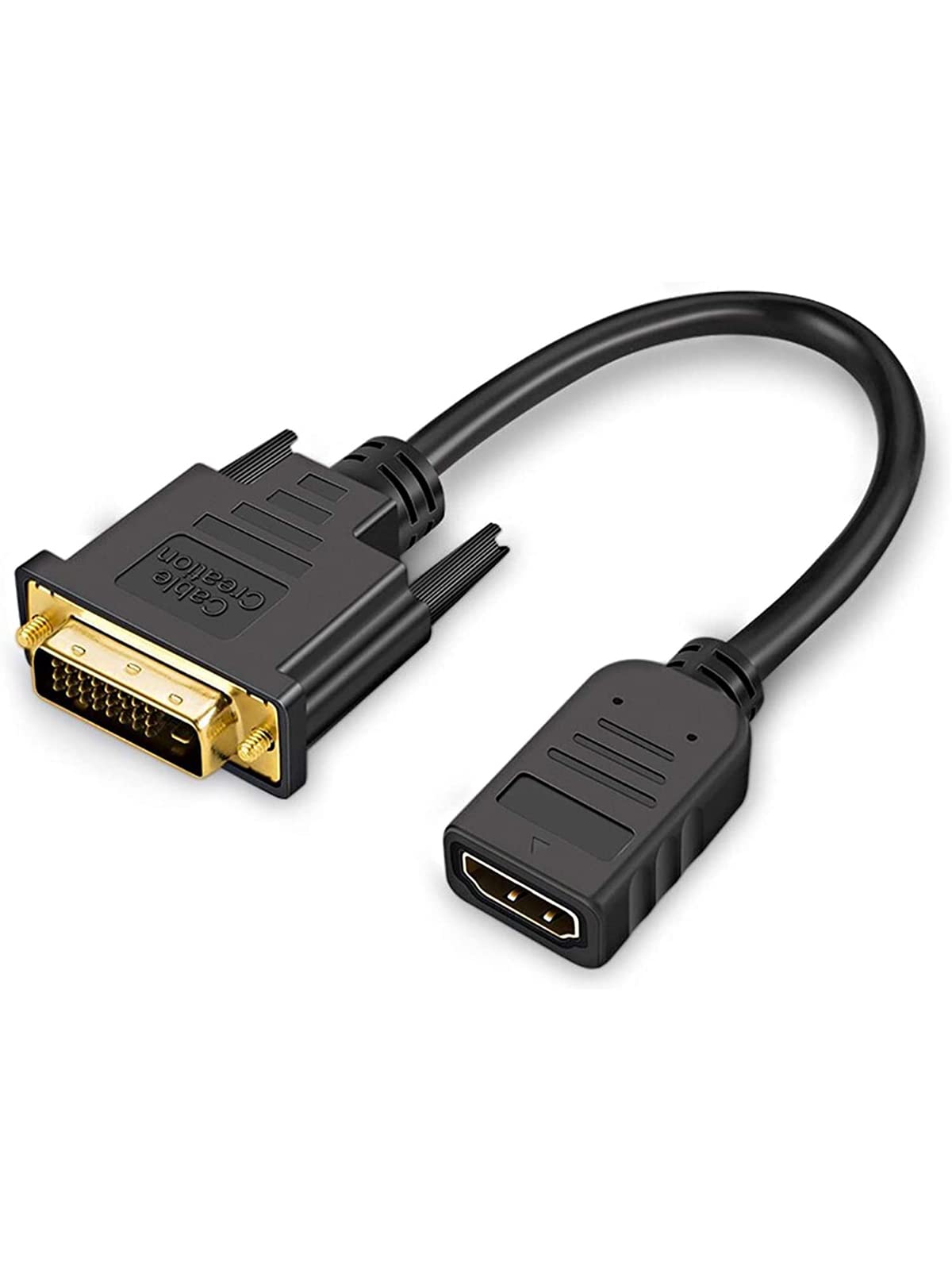
Cablecreation Short Bi-Directional Hdmi Female To Dvi-D(24+1) Male Adapter Is A High-Quality, Bi-Directional Cable That Converts Hdmi Signal To Dvi-D(24+1) Signal Or Dvi-D(24+1) Signal To Hdmi Signal. It Features Gold-Plated Connectors That Resist Corrosion And Ensure Stable Signal Transmission. With Its Wide Compatibility, It Works With Hdtv, Projector, Monitor, Gaming Graphics Card, And Other Devices With Hdmi Or Dvi-D Interface. Supporting 1080P Resolution, This Cable Provides Clear And Vivid Picture Quality For Your Viewing Pleasure. Its Compact And Portable Design With A 0.5Ft Length Makes It Perfect For Tight Spaces And On-The-Go Use. Choose Cablecreation For Reliable And High-Performance Connectivity Solutions.
⚠️ WARNING (California Proposition 65): This product may contain chemicals known to the State of California to cause cancer, birth defects, or other reproductive harm. For more information, please visit www.P65Warnings.ca.gov.
Frequently Asked Questions
Q: What are the dimensions of the CableCreation HDMI to DVI cable?A: The CableCreation HDMI to DVI cable is fifteen inches long and has a width of nine point four five inches and a height of six point three inches.
Q: Is the CableCreation HDMI to DVI cable gold-plated?A: Yes, the CableCreation HDMI to DVI cable features twenty-four karat gold-plated connectors, which enhance signal quality and reduce corrosion.
Q: What resolutions does this cable support?A: The cable supports multiple resolutions including eight hundred by six hundred, one thousand twenty-four by seven hundred sixty-eight, and up to one thousand nine hundred twenty by one thousand two hundred.
Q: How do I connect the CableCreation HDMI to DVI cable?A: Connect the HDMI female end of the cable to your HDMI device and the DVI male end to your DVI device, ensuring a secure fit.
Q: Can I use this cable for gaming while watching TV?A: Yes, you can use this cable for multitasking, allowing you to play games on your computer while simultaneously watching films on your TV.
Q: Is this cable suitable for high-definition displays?A: Yes, it supports high-definition displays, allowing for resolutions up to one thousand eighty p and three-dimensional viewing.
Q: How do I maintain the CableCreation HDMI to DVI cable?A: To maintain the cable, keep it dry and store it in a cool, dry place when not in use to prevent wear and tear.
Q: Can I use this cable with audio devices?A: No, the DVI port does not support audio functions, so sound must be transmitted through a separate audio cable.
Q: What is the maximum length of the CableCreation HDMI to DVI cable?A: The maximum length of this cable is zero point fifteen meters, which is approximately zero point five feet.
Q: Is the CableCreation HDMI to DVI cable bi-directional?A: Yes, this cable is bi-directional, meaning it can connect HDMI devices to DVI devices and vice versa.
Q: What type of devices can I connect using this cable?A: You can connect computers with either DVI or HDMI interfaces to monitors or HDTVs that have DVI or HDMI ports.
Q: Does this cable come in different colors?A: Yes, the CableCreation HDMI to DVI cable is available in a sleek black color.
Q: Is this cable easy to install?A: Yes, the installation process is straightforward; simply plug in both ends to the respective devices.
Q: What materials are used in the CableCreation HDMI to DVI cable?A: The cable features full metal connectors made of corrosion-resistant materials and oxygen-free copper cables for optimal signal transmission.
Q: What type of adapters does this cable fall under?A: This cable is categorized as a DVI-HDMI adapter, specifically designed for connecting these two types of interfaces.
Q: What should I do if I encounter issues with the cable?A: If you encounter issues, check the connections to ensure they are secure and consult the manufacturer's support for further assistance.