

Cart
0


Busin Dell2N2Yp R
Free Standard Shipping Across USA
Vendor: Dell
Type: Desktop Towers
Sku: WBCOMB0C4THVZMH
Availability: Sold Out
Couldn't load pickup availability
Guarantee safe checkout

Sold by Electroeshop, an authorized reseller.
Returns accepted within 30 days | support@electroeshop.com
Shipping Information
- Free Standard Shipping — United States only
- Processing Time: 3–5 business days
- Estimated Delivery: 6–10 business days after dispatch
- Double-boxed, fully insured & discreetly packaged
- Tracking number sent via email once dispatched
Returns & Refund
Returns accepted within 30 days of delivery.
Damaged or Defective Item
Free return shipping + replacement or full refund
Wrong Item Received
Free return shipping + replacement or full refund
Change of Mind
Return shipping at customer's expense · 25% restocking fee applies
All returns require a Return Authorization (RA) number before sending.
View Full Return & Refund Policy
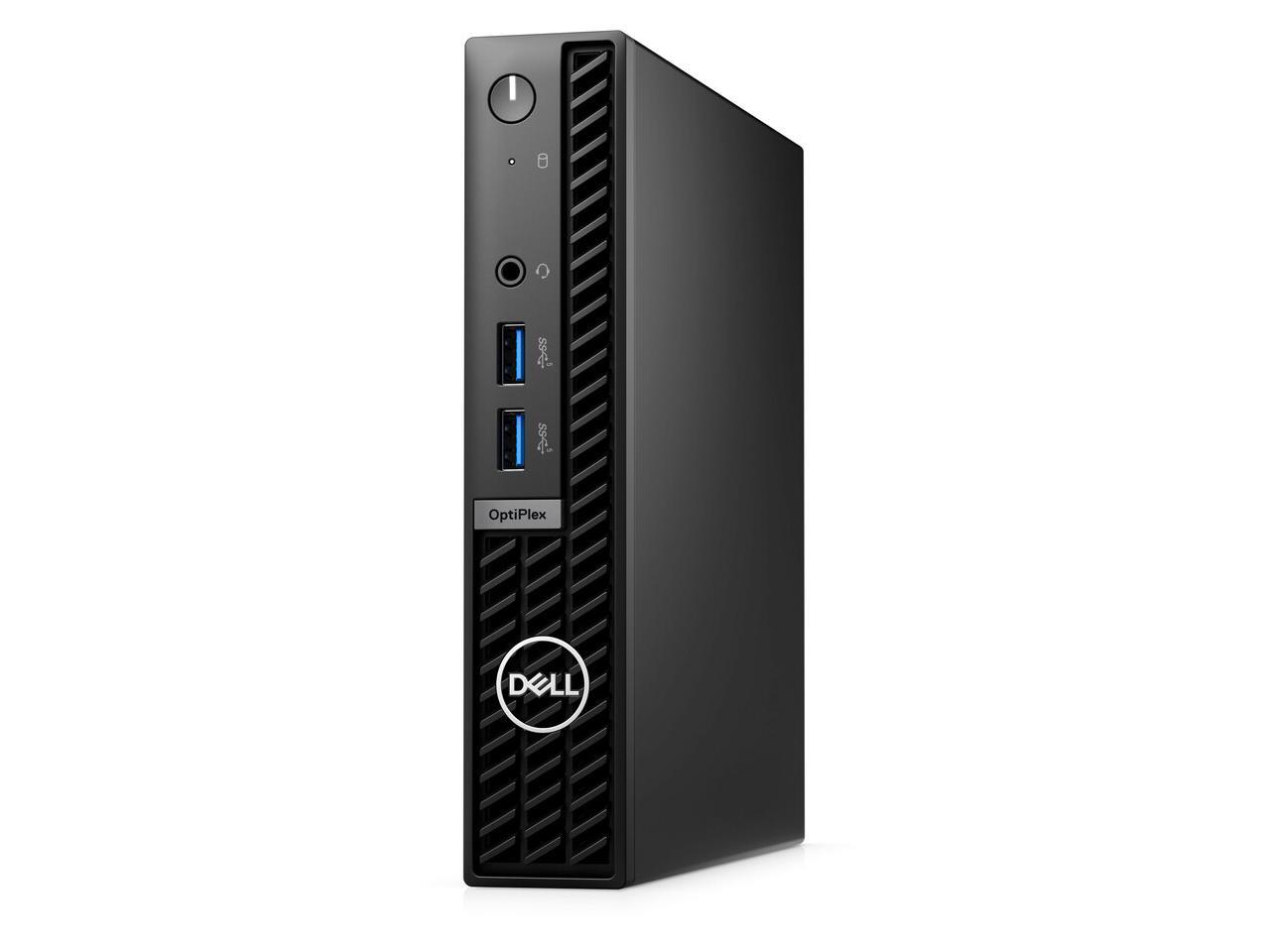
Busin Dell2N2Yp R
$1,315.79

Frequently Asked Questions
- Q: What are the dimensions of the Dell OptiPlex 7000 7010 Desktop Computer? A: The dimensions are five inches in length, nine point zero four inches in width, and nineteen point zero one inches in height. This compact size allows for easy placement in various workspaces.
- Q: What type of processor does the Dell OptiPlex 7000 7010 have? A: It features an Intel Core i7 thirteenth generation i7-13700T hexadeca-core processor. This powerful processor provides excellent performance for multitasking and demanding applications.
- Q: How much RAM is included with the Dell OptiPlex 7000 7010? A: The desktop is equipped with sixteen gigabytes of DDR4 SDRAM. This ample memory allows users to run multiple programs simultaneously without experiencing slowdowns.
- Q: What storage options are available for the Dell OptiPlex 7000 7010? A: It comes with a two hundred fifty-six gigabyte M.2 PCI Express NVMe SSD. This storage solution ensures quick access to files and fast boot times.
- Q: Is the Dell OptiPlex 7000 7010 compact enough for small spaces? A: Yes, it has a micro PC form factor designed for ultra-compact spaces. This makes it ideal for environments where desk space is limited.
- Q: What operating system does the Dell OptiPlex 7000 7010 run on? A: It runs on Windows eleven Pro. This operating system includes a variety of creative and productivity tools for users.
- Q: How do I connect to wireless networks with the Dell OptiPlex 7000 7010? A: You can conveniently connect to wireless LAN networks. This feature enhances productivity by allowing easy access to the internet without cumbersome cables.
- Q: Is the Dell OptiPlex 7000 7010 suitable for gaming? A: Yes, it provides peak performance even for intensive games. The Intel UHD Graphics seven hundred seventy shared graphics card supports smooth and lag-free gaming experiences.
- Q: What should I do to keep the Dell OptiPlex 7000 7010 clean? A: You should use a soft, dry cloth to wipe down the exterior. Avoid using harsh chemicals that could damage the surface.
- Q: Does the Dell OptiPlex 7000 7010 have a security slot? A: Yes, it features a security slot for added protection. This allows users to secure the unit against theft.
- Q: How can I upgrade the Dell OptiPlex 7000 7010? A: The desktop is easily upgradeable, including options for additional RAM and storage. This flexibility allows users to enhance performance as needed.
- Q: What is the warranty period for the Dell OptiPlex 7000 7010? A: The standard warranty period is typically one year. It's advisable to check with the retailer for specific warranty details.
- Q: Can I mount the Dell OptiPlex 7000 7010 on a wall? A: Yes, it offers versatile mounting options. This feature is beneficial for saving desk space and creating a clean workspace.
- Q: What type of Bluetooth functionality does the Dell OptiPlex 7000 7010 support? A: It includes Bluetooth capabilities for easy automation. This allows for seamless connections with various wireless devices.
- Q: What color options are available for the Dell OptiPlex 7000 7010? A: The desktop is available in a sleek black color. This finish blends well with most office environments.