

Cart
0


Bluetooth Headset For Truck Drivers, Single Ear Wireless Headphones With Mic Noise Cancelling, Mute Button, Hands-Free, 60H Play
Free Standard Shipping Across USA
Vendor: Bluefire
Type: Bluetooth Headsets
Sku: WBEEAB0F43N8CGQ
Availability: Sold Out
Couldn't load pickup availability
Guarantee safe checkout

Sold by Electroeshop, an authorized reseller.
Returns accepted within 30 days | support@electroeshop.com
Shipping Information
- Free Standard Shipping — United States only
- Processing Time: 3–5 business days
- Estimated Delivery: 6–10 business days after dispatch
- Double-boxed, fully insured & discreetly packaged
- Tracking number sent via email once dispatched
Returns & Refund
Returns accepted within 30 days of delivery.
Damaged or Defective Item
Free return shipping + replacement or full refund
Wrong Item Received
Free return shipping + replacement or full refund
Change of Mind
Return shipping at customer's expense · 25% restocking fee applies
All returns require a Return Authorization (RA) number before sending.
View Full Return & Refund Policy
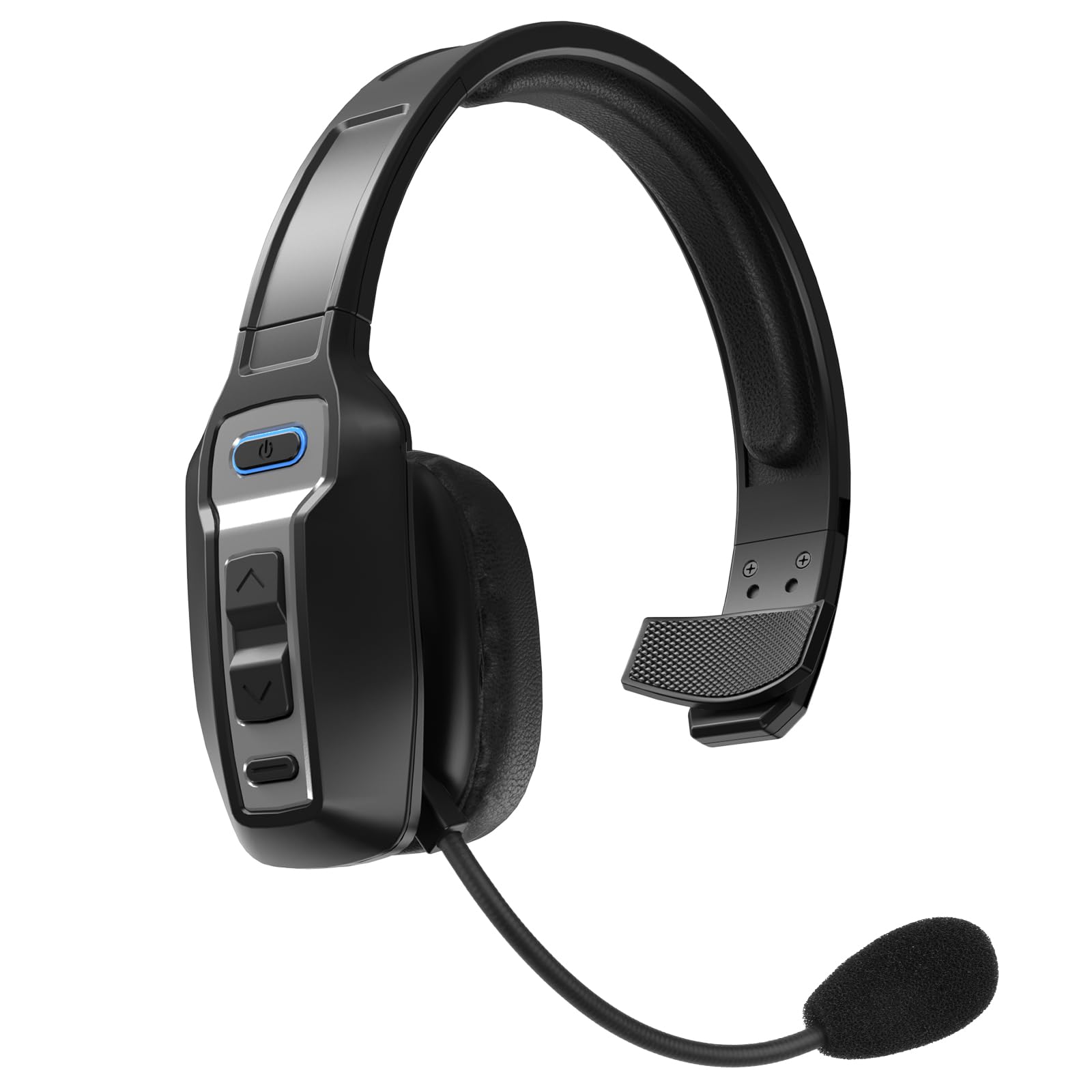
Bluetooth Headset For Truck Drivers, Single Ear Wireless Headphones With Mic Noise Cancelling, Mute Button, Hands-Free, 60H Play
$43.41

Frequently Asked Questions
- Q: What materials is the Bluetooth headset made of? A: The Bluetooth headset is made of Acrylonitrile Butadiene Styrene, also known as ABS. This durable material is commonly used in electronics for its strength and lightweight properties.
- Q: What are the dimensions of the Bluetooth headset? A: The Bluetooth headset measures six point eighteen inches in length, zero point twenty-four inches in width, and seven point fifty-six inches in height. These compact dimensions make it easy to carry and store.
- Q: What is the battery capacity of the Bluetooth headset? A: The Bluetooth headset features a four hundred milliamp hour battery. This allows for up to sixty hours of music playback or thirty-five hours of talk time on a single charge.
- Q: How do I wear the Bluetooth headset? A: To wear the Bluetooth headset, place it over one ear and adjust the flexible arm for a comfortable fit. Ensure the microphone is positioned near your mouth for optimal call clarity.
- Q: Is the Bluetooth headset suitable for truck drivers? A: Yes, the Bluetooth headset is specifically designed for truck drivers. It features noise-canceling technology to ensure clear conversations even in noisy environments.
- Q: How can I mute the microphone on the Bluetooth headset? A: To mute the microphone, simply press the intuitive mute button located on the headset. This allows you to maintain control over your calls without removing the headset.
- Q: How do I charge the Bluetooth headset? A: To charge the Bluetooth headset, connect the included USB cable to the charging port and plug it into a power source. It takes approximately two hours to fully charge the battery.
- Q: What is the recommended way to care for the Bluetooth headset? A: To care for the Bluetooth headset, wipe it with a soft, dry cloth to remove dust and dirt. Avoid using harsh chemicals or immersing it in water.
- Q: Is the Bluetooth headset safe for long-term use? A: Yes, the Bluetooth headset is designed for long-term use. Its ergonomic design ensures comfort, and the lightweight construction reduces ear fatigue during extended wear.
- Q: How do I store the Bluetooth headset when not in use? A: When not in use, store the Bluetooth headset in a cool, dry place. It's recommended to keep it in a protective case to prevent damage.
- Q: Can I use the Bluetooth headset for Zoom meetings? A: Yes, the Bluetooth headset is compatible with Zoom meetings. It supports various protocols, making it suitable for calls, music, and online meetings.
- Q: What if the Bluetooth headset arrives damaged? A: If the Bluetooth headset arrives damaged, contact customer support immediately for assistance. They will guide you through the return process and provide a replacement.
- Q: How far can I use the Bluetooth headset from my device? A: You can use the Bluetooth headset up to ten meters away from your Bluetooth-enabled device. This range allows for flexibility and movement during use.
- Q: Is there a warranty for the Bluetooth headset? A: Yes, the Bluetooth headset typically comes with a warranty. Check with the manufacturer for specific terms and duration of the warranty.
- Q: How do I connect the Bluetooth headset to my device? A: To connect the Bluetooth headset, enable Bluetooth on your device and search for available devices. Select the headset from the list to pair and connect.