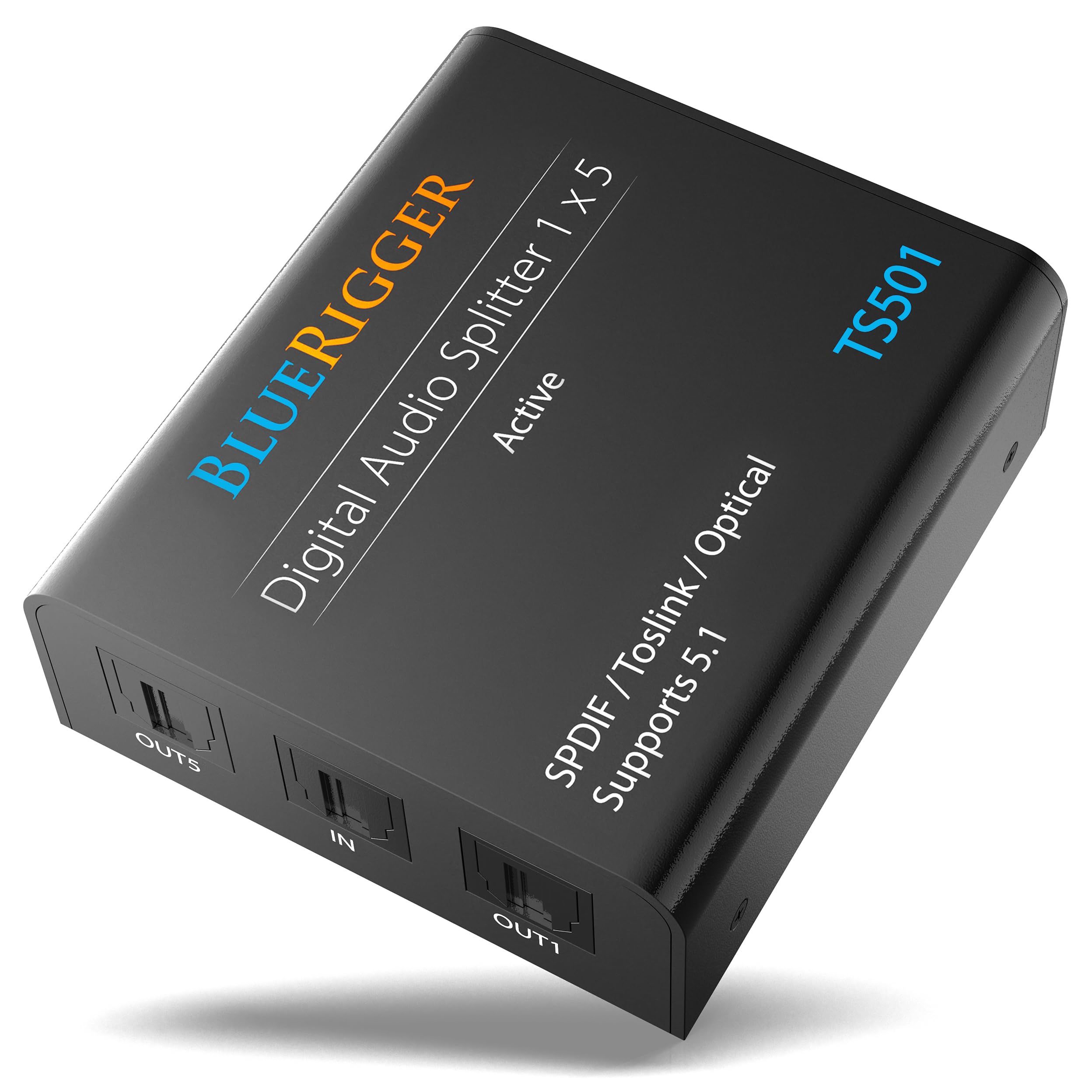
The BlueRigger Digital Optical Audio Splitter 1x5 is an essential device for any home theater setup. This active Toslink splitter allows you to connect a single optical audio source and distribute it to five different receiving devices, making it ideal for use with systems involving multiple audio outputs such as TVs, gaming consoles, and sound systems.
Constructed with a durable aluminum alloy shell, the BlueRigger optical audio splitter ensures long-lasting performance. The low-loss fiber optic core enhances audio quality by minimizing attenuation, while the robust design provides strong anti-interference capabilities. This splitter supports a variety of audio formats, making it versatile for different audio applications. It is particularly beneficial for users looking to connect devices like A/V receivers, Bluetooth transmitters, and soundbars seamlessly.
Key Features:
Active Optical Splitter: Connect one optical audio source and split it into five outputs for multiple devices.
Audio Format Support: Compatible with Digital 5.1CH Dolby-AC3, DTS, PCM, LPCM2.0, ADAT, and sample rates up to 96kHz.
Durable Construction: Features a sturdy aluminum alloy shell and high-quality low-loss fiber optic core for enhanced durability.
Wide Compatibility: Works with HDTVs, Xbox, PS4, CD/DVD players, and many other digital sources, connecting to audio receivers, speakers, and more.
Easy Setup: Simple plug-and-play design for quick installation and immediate use.
Lifetime Warranty: Backed by BlueRigger's lifetime warranty and dedicated US-based customer support.
The BlueRigger Digital Optical Audio Splitter 1x5 is a practical solution for anyone needing to connect multiple audio devices from a single source. Its robust design and wide compatibility make it perfect for home theater enthusiasts, gamers, and audio professionals seeking reliable sound distribution. Enhance your audio experience with this essential optical audio splitter that delivers quality and convenience.
⚠️ WARNING (California Proposition 65): This product may contain chemicals known to the State of California to cause cancer, birth defects, or other reproductive harm. For more information, please visit www.P65Warnings.ca.gov.
Frequently Asked Questions
Q: What is the BlueRigger Digital Optical Audio Splitter made of?A: The BlueRigger Digital Optical Audio Splitter is constructed with a durable aluminum alloy shell. This ensures longevity and resistance to wear and tear.
Q: What are the dimensions of the BlueRigger Digital Optical Audio Splitter?A: The splitter's item size is one by five. This means it can split one optical audio source into five outputs.
Q: What audio formats does the BlueRigger Digital Optical Audio Splitter support?A: The splitter supports multiple audio formats including Digital 5.1CH Dolby-AC3, DTS, and PCM. It ensures high-quality audio transmission.
Q: How do I connect the BlueRigger Digital Optical Audio Splitter?A: To connect it, plug the optical audio source into the input port and connect up to five devices to the output ports. Ensure all devices are powered on.
Q: Is the BlueRigger Digital Optical Audio Splitter suitable for my home theater?A: Yes, it is ideal for home theater setups. It connects devices like HDTVs, receivers, and soundbars seamlessly.
Q: Can I use the splitter with my Xbox or PS4?A: Yes, the splitter is compatible with gaming consoles like Xbox and PS4. It enhances your gaming audio experience.
Q: How do I maintain the BlueRigger Digital Optical Audio Splitter?A: To maintain it, keep it in a dry place and avoid physical damage. Regularly check connections for dust or debris.
Q: Is the BlueRigger Digital Optical Audio Splitter safe to use?A: Yes, it is safe to use with proper handling. It does not pose any electrical hazards when used as directed.
Q: What should I do if the splitter does not work?A: If the splitter does not work, check all connections and ensure the source device is active. If issues persist, contact customer support.
Q: Does the BlueRigger Digital Optical Audio Splitter come with a warranty?A: Yes, it comes with a lifetime warranty. This provides peace of mind for your purchase.
Q: Can I return the BlueRigger Digital Optical Audio Splitter if I’m not satisfied?A: Yes, you can return it if you're not satisfied, following the retailer's return policy. Be sure to keep the original packaging.
Q: How many devices can I connect to the BlueRigger Digital Optical Audio Splitter?A: You can connect up to five devices to the splitter. This allows for versatile audio setups.
Q: Does the splitter require external power?A: Yes, the splitter includes a power cable but does not come with an AC adapter. Make sure to provide power for optimal performance.
Q: Is the optical audio splitter compatible with older audio systems?A: Yes, it is compatible with older audio systems that have optical audio inputs. Always verify the input requirements of your equipment.
Q: What types of cables do I need for the BlueRigger Digital Optical Audio Splitter?A: You will need optical Toslink cables for both the input and output connections. Ensure these are of good quality for best performance.