

Cart
0


BlueFinger Wireless Gaming Keyboard and Mouse Combo with Power Display Backlit Rechargeable Full Size Silent Black
Vendor: Bluefinger
Type: Keyboards & Mice
Sku: WBEEAB0C5MK751Y
Availability: In Stock
Couldn't load pickup availability
Guarantee safe checkout

Sold by Electroeshop, an authorized reseller.
Returns accepted within 30 days | support@electroeshop.com
Shipping Information
- Free Standard Shipping — United States only
- Processing Time: 1–3 business days
- Estimated Delivery: 3–5 business days after dispatch
- Double-boxed, fully insured & discreetly packaged
- Tracking number sent via email once dispatched
- Orders over $250 require signature upon delivery. Taxes calculated at checkout.
Returns & Refund
Returns accepted within 30 days of delivery.
Damaged or Defective Item
Free return shipping + replacement or full refund
Wrong Item Received
Free return shipping + replacement or full refund
Change of Mind
Return shipping at customer's expense · 25% restocking fee applies
All returns require a Return Authorization (RA) number before sending.
View Full Return & Refund Policy
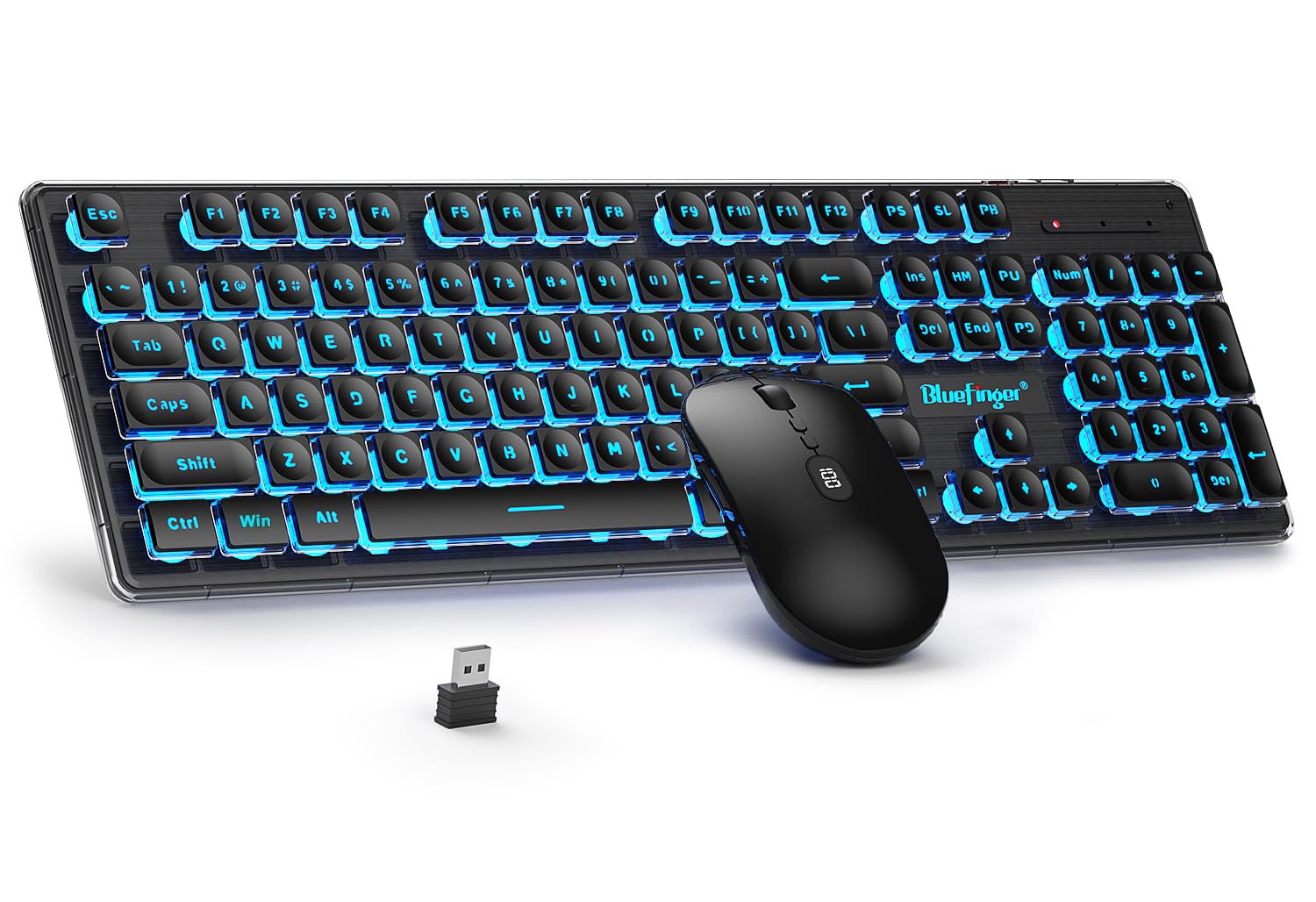
BlueFinger Wireless Gaming Keyboard and Mouse Combo with Power Display Backlit Rechargeable Full Size Silent Black
$38.26

Frequently Asked Questions
- Q: What materials are used in the BlueFinger Wireless Keyboard and Mouse? A: The BlueFinger Wireless Keyboard and Mouse are made from plastic, ensuring durability and a lightweight design for ease of use.
- Q: What are the dimensions of the BlueFinger Wireless Keyboard and Mouse? A: The product details do not specify the exact dimensions, but it is designed to be a full-sized keyboard and mouse combo for comfortable typing.
- Q: Is the keyboard rechargeable? A: Yes, the keyboard is rechargeable. It comes with a type-c charging cable and offers long battery life for extended use.
- Q: How do I connect the BlueFinger Wireless Keyboard and Mouse to my computer? A: To connect, simply plug the receiver into a USB port on your computer, and both devices will pair automatically for a seamless experience.
- Q: Can I use this wireless combo with a gaming console? A: Yes, the BlueFinger Wireless Keyboard and Mouse are compatible with gaming consoles like Xbox, PS4, and PS5, making it versatile for gaming.
- Q: What is the battery life of the keyboard and mouse? A: The keyboard and mouse can be used continuously for over fifty hours with the light on, or five hundred hours without the light.
- Q: How do I clean the BlueFinger Wireless Keyboard and Mouse? A: To clean, use a soft, damp cloth to wipe the surfaces. Avoid using harsh chemicals to maintain the integrity of the keyboard and mouse.
- Q: Is there a warranty for the BlueFinger Wireless Keyboard and Mouse? A: Yes, there is a warranty that typically covers manufacturing defects. Please check with the retailer for specific warranty terms.
- Q: What should I do if my keyboard or mouse is not responding? A: If unresponsive, check the battery level, ensure the USB receiver is securely connected, and try restarting your computer.
- Q: How loud is the keyboard while typing? A: The keyboard is designed to be quiet, reducing noise by more than ninety-five percent, making it ideal for quiet environments.
- Q: Can I adjust the brightness of the keyboard backlight? A: Yes, you can adjust the brightness of the RGB backlight or turn it off completely to save power as needed.
- Q: Is the BlueFinger Wireless Keyboard and Mouse suitable for all operating systems? A: Yes, it is compatible with Windows ten, eight, seven, XP, Vista, and Mac OS X, making it versatile for different systems.
- Q: Does the wireless mouse have a battery indicator? A: Yes, the wireless mouse features a power percentage display, allowing you to monitor the battery level accurately.
- Q: How do I activate the auto-sleep function? A: The auto-sleep function activates automatically when there is no activity for a period. Simply click any key to wake it up.
- Q: Can I use the keyboard and mouse while charging? A: Yes, you can use the keyboard and mouse while they are charging, allowing for uninterrupted use during the charging process.