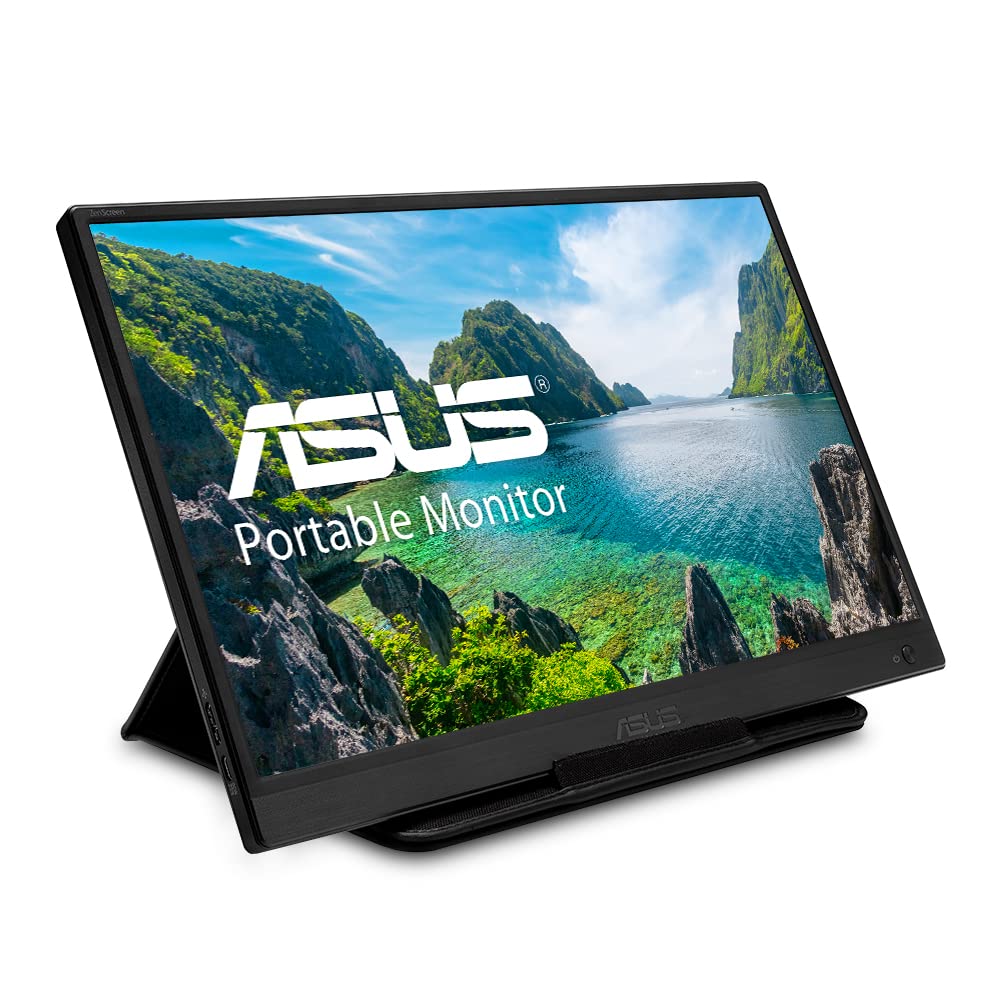
Stay Productive With The Asus Zenscreen Mb165B Laptop Portable Monitor, A 15.6-Inch Portable Usb-Powered Monitor With A Signal Usb 3.0 Cable For Power And Video Signal Transmission. You Can Work More Efficiently On The Go With An Extended Display, Or Simply Kick Back And Enjoy Your Favourite Movies And Videos Wherever You Are. An Ultralight, Super Slim Design And Rich Connectivity Make This Groundbreaking Usb-C Monitor The Ideal On-The-Go Companion. The Slim And Thin Profile Is Great For On-The-Go And The Embedded Tripod Socket On The Rear Plus The Foldable Sleeve Provide Maximum Versatility.
⚠️ WARNING (California Proposition 65): This product may contain chemicals known to the State of California to cause cancer, birth defects, or other reproductive harm. For more information, please visit www.P65Warnings.ca.gov.
Frequently Asked Questions
Q: What are the dimensions of the ASUS ZenScreen MB165B?A: The ASUS ZenScreen MB165B measures approximately eight point nine inches in height, fourteen point two inches in width, and zero point five inches in depth.
Q: What is the weight of the ASUS ZenScreen MB165B?A: The monitor weighs a lightweight seven hundred eighty grams, making it highly portable for travel.
Q: What resolution does the ASUS ZenScreen MB165B support?A: The ASUS ZenScreen MB165B has a resolution of one thousand three hundred sixty-six by seven hundred sixty-eight pixels for clear visuals.
Q: How do I connect the ASUS ZenScreen MB165B to my laptop?A: You simply need one USB cable to connect the ASUS ZenScreen MB165B to your laptop for both power and video signal.
Q: Can I use the ASUS ZenScreen MB165B with a MacBook?A: Yes, the ASUS ZenScreen MB165B is compatible with both laptops and MacBooks due to its USB connection.
Q: Is the ASUS ZenScreen MB165B suitable for gaming?A: Yes, the ASUS ZenScreen MB165B can be used for gaming, although it's primarily designed for productivity and casual viewing.
Q: Can I adjust the orientation of the ASUS ZenScreen MB165B?A: Yes, the ASUS ZenScreen MB165B automatically senses its orientation and can switch between portrait and landscape modes.
Q: Is there a stand included with the ASUS ZenScreen MB165B?A: Yes, the ASUS ZenScreen MB165B comes with a foldable smart case that can be transformed into a stand.
Q: What is the response time of the ASUS ZenScreen MB165B?A: The ASUS ZenScreen MB165B has a response time of ten milliseconds, suitable for smooth visuals.
Q: How do I clean the ASUS ZenScreen MB165B?A: To clean the ASUS ZenScreen MB165B, use a soft, lint-free cloth to wipe the screen gently, avoiding harsh chemicals.
Q: Does the ASUS ZenScreen MB165B have a warranty?A: Yes, the ASUS ZenScreen MB165B typically comes with a limited manufacturer warranty; check the retailer for specific terms.
Q: What type of cable is needed for the ASUS ZenScreen MB165B?A: You will need a USB three point zero cable to connect the ASUS ZenScreen MB165B to your device.
Q: Can I use the ASUS ZenScreen MB165B for presentations?A: Yes, the ASUS ZenScreen MB165B is ideal for presentations due to its lightweight and portable design.
Q: Does the ASUS ZenScreen MB165B come with any additional software?A: Yes, the ASUS ZenScreen MB165B includes DisplayWidget software for easy orientation adjustments and settings.
Q: What is the aspect ratio of the ASUS ZenScreen MB165B?A: The ASUS ZenScreen MB165B features a sixteen by nine aspect ratio for optimal viewing.