

Cart
0

Alitaver Usb Programming Cable For Kenwood Two Way Radio Tk 880 Tk 880G Tk 868 Tk 868G Tk 7150 Tk 7160 Tk 7180 Tkr 830 Tkr 850 T
Free Standard Shipping Across USA
Vendor: Alitaver
Type: USB & Lightning Cables
Sku: WBECCB08J7LXL52
Availability: Sold Out
Couldn't load pickup availability
Guarantee safe checkout

Sold by Electroeshop, an authorized reseller.
Returns accepted within 30 days | support@electroeshop.com
Shipping Information
- Free Standard Shipping — United States only
- Processing Time: 3–5 business days
- Estimated Delivery: 6–10 business days after dispatch
- Double-boxed, fully insured & discreetly packaged
- Tracking number sent via email once dispatched
Returns & Refund
Returns accepted within 30 days of delivery.
Damaged or Defective Item
Free return shipping + replacement or full refund
Wrong Item Received
Free return shipping + replacement or full refund
Change of Mind
Return shipping at customer's expense · 25% restocking fee applies
All returns require a Return Authorization (RA) number before sending.
View Full Return & Refund Policy
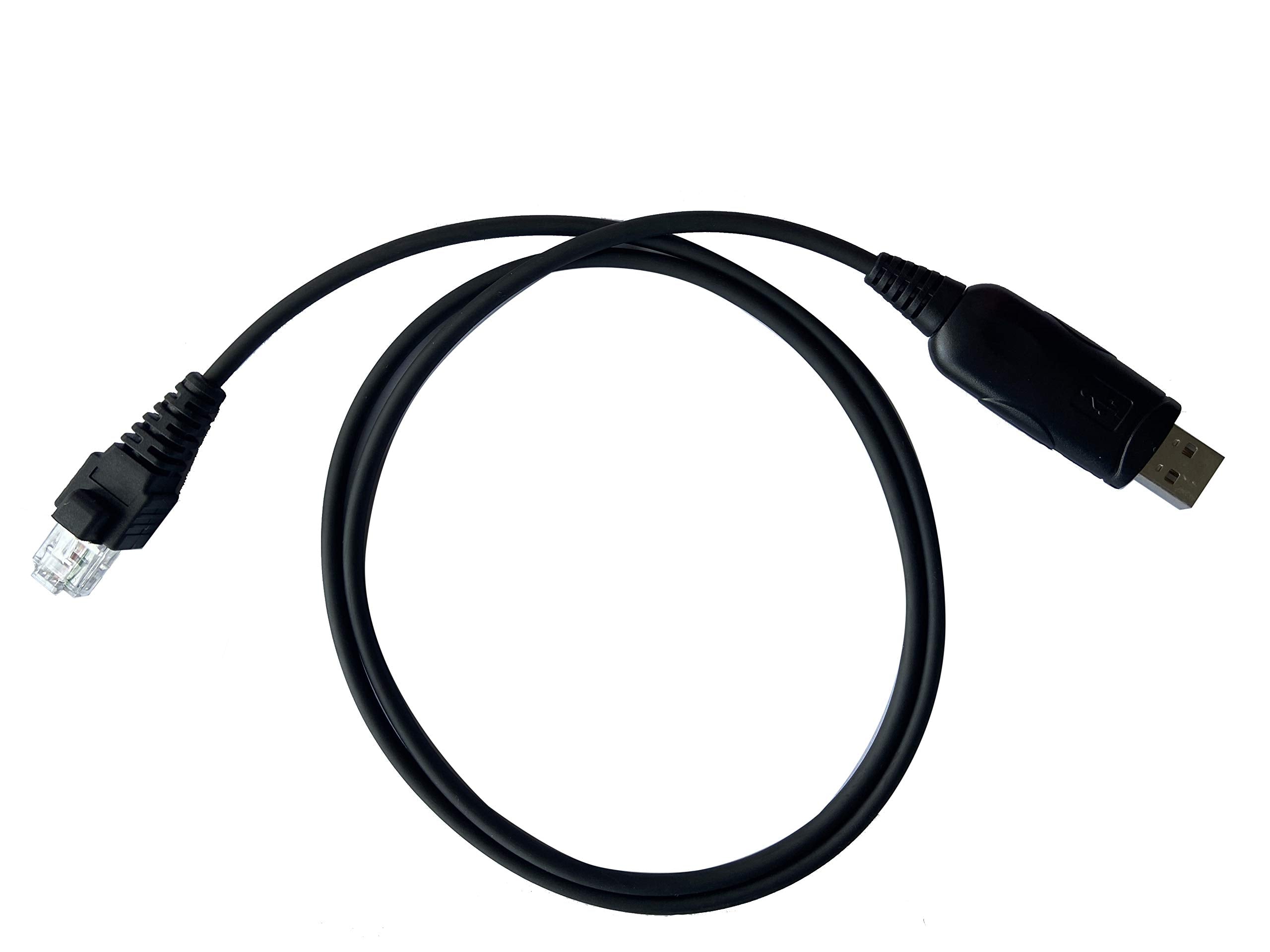
Alitaver Usb Programming Cable For Kenwood Two Way Radio Tk 880 Tk 880G Tk 868 Tk 868G Tk 7150 Tk 7160 Tk 7180 Tkr 830 Tkr 850 T
$27.58

Frequently Asked Questions
- Q: What is the connector type of the USB programming cable? A: The connector type is RJ45 / 8-Pin. This allows compatibility with various Kenwood two-way radios.
- Q: Is this USB programming cable compatible with both Windows and Mac? A: Yes, it is compatible with both thirty-two bit and sixty-four bit Windows and Mac operating systems. This versatility ensures ease of use across different platforms.
- Q: What is the material of the USB programming cable? A: The USB programming cable is made of copper. This material choice ensures efficient data transmission and durability.
- Q: How long is the USB programming cable? A: The exact length of the cable is not specified. However, it is designed to provide convenient connectivity for programming purposes.
- Q: What models of Kenwood radios are compatible with this cable? A: This cable is compatible with numerous models including TK-760, TK-880, and TM-261A, among others. A comprehensive list is available in the product details.
- Q: How do I use the USB programming cable? A: To use the cable, connect it to your Kenwood radio and your computer. Follow the software instructions for programming your device.
- Q: Can I use this USB cable with a Kenwood radio that is not listed? A: No, it is specifically designed for compatible Kenwood models. Check the list before purchasing to ensure it will work with your device.
- Q: Is any programming software included with the cable? A: No, the package does not include programming software. You will need to obtain compatible software separately.
- Q: How should I store the USB programming cable? A: Store the cable in a cool, dry place. Avoid bending or twisting the cable to maintain its integrity and functionality.
- Q: What should I do if the cable arrives damaged? A: If the cable arrives damaged, contact customer support for assistance. They can guide you through the return or exchange process.
- Q: Do I need any additional equipment to use the USB programming cable? A: No additional equipment is needed besides a compatible Kenwood radio and a computer. Just install the relevant programming software.
- Q: Is this USB programming cable suitable for beginners? A: Yes, it is user-friendly and suitable for beginners. Basic instructions are typically provided with the programming software.
- Q: What is the warranty period for the USB programming cable? A: The warranty period is not specified in the product details. Check with the seller for warranty information before purchasing.
- Q: Can I use this cable for purposes other than programming? A: No, this cable is specifically designed for programming Kenwood two-way radios. It is not intended for other uses.
- Q: How do I keep the USB programming cable in good condition? A: Keep the cable away from extreme temperatures and moisture. Regularly inspect for any signs of wear and avoid excessive bending.
- Q: What if I need technical support while using the USB programming cable? A: For technical support, refer to the manufacturer’s website or contact customer service for assistance with any issues.