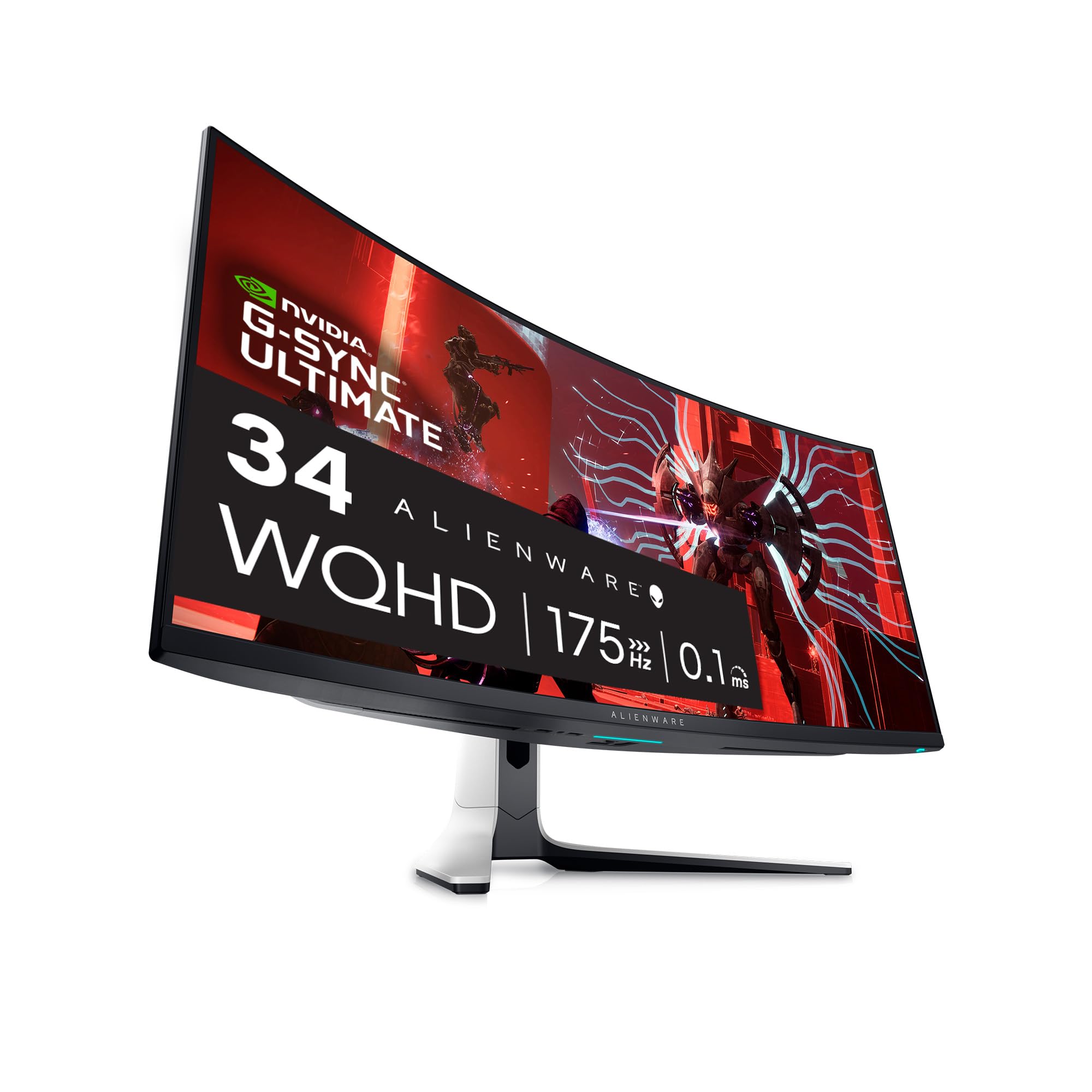
The Alienware AW3423DW is a 34.18-inch Quantum Dot-OLED Curved Gaming Monitor designed for gamers seeking an immersive and high-performance visual experience. This monitor excels in delivering stunning visuals, making it ideal for gaming, content creation, and multimedia consumption.
Featuring an impressive 3440x1440 pixel resolution and a rapid 175Hz refresh rate, the Alienware AW3423DW brings every detail to life with exceptional clarity. The 1800R curvature of the screen enhances immersion by wrapping around your field of view, drawing you deeper into the action. With its true 0.1ms gray-to-gray response time, motion blur is virtually eliminated, ensuring fluid and precise visuals during fast-paced gaming sessions. The monitor boasts a 1Million:1 contrast ratio, providing deep blacks and vibrant colors, supported by a palette of 1.07 billion colors. Its stylish Lunar Light design complements any gaming setup, while a peak brightness of 1000 cd/m2 ensures vibrant visuals even in well-lit environments. Designed for efficiency, the Alienware AW3423DW has a maximum power consumption of 200 watts, making it suitable for extended gaming hours.
Key Features:
High Resolution: 3440x1440 pixel display for sharp and detailed visuals.
Rapid Refresh Rate: 175Hz refresh rate for ultra-smooth gameplay.
Ultra-Fast Response Time: 0.1ms gray-to-gray response time eliminates motion blur.
Impressive Contrast Ratio: 1Million:1 contrast ratio for rich blacks and vivid colors.
Quantum Dot Technology: Delivers superior color performance and higher peak luminance.
Curved Screen Design: 1800R curvature enhances immersion and viewing comfort.
Customizable Lighting: Features customizable stadium loop OLED AlienFX lighting for a personalized touch.
The Alienware AW3423DW is perfect for gamers and content creators who demand superior visual performance and immersive experiences. With its advanced technology and design, this monitor enhances any gaming or creative setup, making it a valuable addition for those looking to elevate their viewing experience.
⚠️ WARNING (California Proposition 65): This product may contain chemicals known to the State of California to cause cancer, birth defects, or other reproductive harm. For more information, please visit www.P65Warnings.ca.gov.
Frequently Asked Questions
Q: What is the resolution of the Alienware AW3423DW gaming monitor?A: The resolution is three thousand four hundred forty by one thousand four hundred forty pixels. This high resolution ensures stunning clarity and detail in games and media.
Q: How big is the Alienware AW3423DW gaming monitor?A: The monitor measures thirty-four point eighteen inches diagonally. Its large size provides an immersive gaming experience.
Q: What is the refresh rate of the Alienware AW3423DW?A: The refresh rate is one hundred seventy-five hertz. This allows for ultra-smooth gameplay and responsiveness during intense gaming sessions.
Q: What is the response time of the Alienware AW3423DW monitor?A: The response time is true zero point one milliseconds gray-to-gray. This minimal latency reduces motion blur for a clearer, smoother visual experience.
Q: What type of display does the Alienware AW3423DW use?A: It uses Quantum Dot-OLED technology. This technology enhances color accuracy and provides deeper blacks compared to traditional displays.
Q: What is the contrast ratio of the Alienware AW3423DW?A: The contrast ratio is one million to one. This impressive ratio delivers vibrant colors and rich blacks, improving overall image quality.
Q: Is the Alienware AW3423DW suitable for professional content creation?A: Yes, it is suitable for professional content creation. The Creator Mode allows for precise color adjustments essential for graphic design and video editing.
Q: How do I adjust the height of the Alienware AW3423DW monitor?A: You can adjust the height using the built-in height adjustment feature. This allows for a comfortable viewing experience tailored to your setup.
Q: Does the Alienware AW3423DW support NVIDIA G-SYNC?A: Yes, it supports NVIDIA G-SYNC Ultimate. This ensures smoother gameplay by synchronizing the monitor's refresh rate with the graphics card.
Q: What are the optimal operating conditions for the Alienware AW3423DW?A: The optimal operating temperature is between zero and forty degrees Celsius. This ensures the monitor functions properly without overheating.
Q: How should I clean the Alienware AW3423DW monitor?A: You should clean it with a soft, lint-free cloth. Avoid using harsh chemicals that could damage the screen.
Q: What is the maximum power consumption of the Alienware AW3423DW?A: The maximum power consumption is two hundred watts. This efficient design helps reduce energy usage during extended gaming sessions.
Q: Is the Alienware AW3423DW monitor compatible with mounting systems?A: Yes, it is VESA compatible for mounting. This allows you to mount it on a wall or adjustable arm for greater flexibility.
Q: What kind of warranty does the Alienware AW3423DW come with?A: It typically comes with a limited warranty covering defects in materials and workmanship. Check with the retailer for specific warranty details.
Q: What should I do if the Alienware AW3423DW monitor arrives damaged?A: You should contact customer support immediately. They will guide you through the process of returning or exchanging the monitor.