

Cart
0


Adata Premier 32Gb Single Ddr4 3200Mhz Cl22 Pc4-25600 260-Pin Sodimm Memory Ram Single (Ad4S320032G22-Sgn)
Vendor: ADATA
Type: Memory (RAM)
Sku: WBEEAB092XTSPC1
Availability: In Stock
Couldn't load pickup availability
Guarantee safe checkout

Sold by Electroeshop, an authorized reseller.
Returns accepted within 30 days | support@electroeshop.com
Shipping Information
- Free Standard Shipping — United States only
- Processing Time: 1–3 business days
- Estimated Delivery: 3–5 business days after dispatch
- Double-boxed, fully insured & discreetly packaged
- Tracking number sent via email once dispatched
- Orders over $250 require signature upon delivery. Taxes calculated at checkout.
Returns & Refund
Returns accepted within 30 days of delivery.
Damaged or Defective Item
Free return shipping + replacement or full refund
Wrong Item Received
Free return shipping + replacement or full refund
Change of Mind
Return shipping at customer's expense · 25% restocking fee applies
All returns require a Return Authorization (RA) number before sending.
View Full Return & Refund Policy
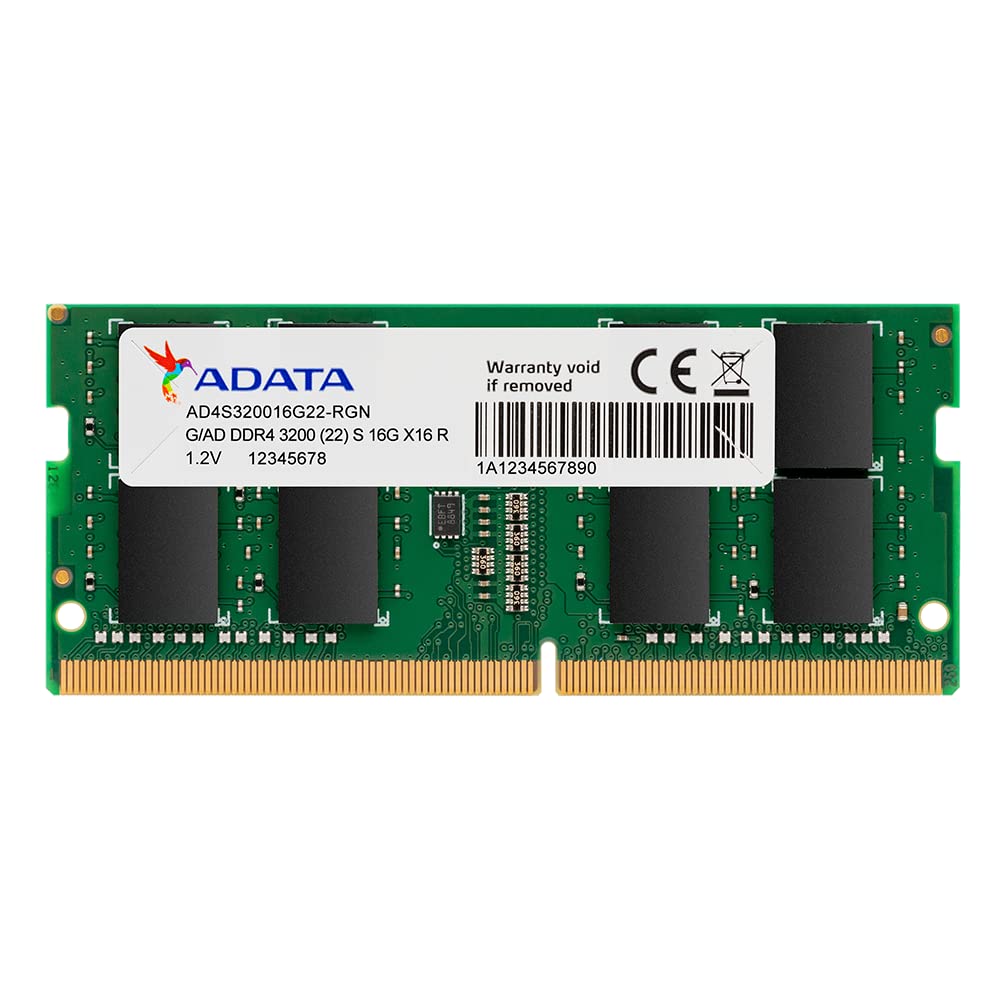
Adata Premier 32Gb Single Ddr4 3200Mhz Cl22 Pc4-25600 260-Pin Sodimm Memory Ram Single (Ad4S320032G22-Sgn)
$248.14

Frequently Asked Questions
- Q: What is the capacity of the ADATA Premier memory module? A: The capacity is thirty-two gigabytes. This allows for significant memory upgrades in compatible notebooks.
- Q: What is the frequency of the ADATA Premier RAM? A: The frequency is three thousand two hundred megahertz. This speed enhances data transfer rates compared to older RAM versions.
- Q: What type of memory is the ADATA Premier? A: It is DDR4 SODIMM memory. This type is designed specifically for laptops and compact devices.
- Q: What are the dimensions of the ADATA Premier memory module? A: The dimensions are nine point eighty-four inches long, one point ninety-seven inches wide, and three point ninety-four inches high. These measurements allow for easy installation in most laptops.
- Q: What is the pinout of the ADATA Premier RAM? A: The pinout is two hundred sixty pins. This standard ensures compatibility with a wide range of laptops.
- Q: What is the operating temperature range for the ADATA Premier memory? A: The operating temperature range is from zero degrees Celsius to eighty-five degrees Celsius. This range ensures reliable performance under various conditions.
- Q: How do I install the ADATA Premier memory module? A: To install, power off your laptop, remove the back cover, and insert the RAM into the SODIMM slot securely. Ensure the module clicks into place.
- Q: Is the ADATA Premier RAM suitable for gaming? A: Yes, it is suitable for gaming. Its high speed and capacity allow for smooth gaming experiences in compatible systems.
- Q: Can I use ADATA Premier RAM for video editing? A: Yes, it is great for video editing. The thirty-two gigabytes of memory provides ample space for handling large files and multitasking.
- Q: How do I keep the ADATA Premier RAM in good condition? A: To maintain it, avoid exposing the module to extreme temperatures and handle it by the edges. Ensure your laptop is properly ventilated.
- Q: What is the warranty on the ADATA Premier memory module? A: The warranty is limited, typically covering defects in materials or workmanship. Always check the manufacturer's policy for specifics.
- Q: Can I mix different brands of RAM in my laptop? A: Yes, but it's not recommended. For best performance, use matched pairs of RAM with similar specifications.
- Q: What do I do if my ADATA Premier RAM is not recognized? A: First, ensure the module is seated correctly. If the issue persists, check your laptop's compatibility or try it in another device.
- Q: Is the ADATA Premier memory energy efficient? A: Yes, it offers lower energy consumption compared to DDR3. This efficiency reduces heat and extends battery life in laptops.
- Q: What devices are compatible with ADATA Premier RAM? A: It is compatible with any laptop that supports DDR4 SODIMM memory. Always verify your laptop's specifications before purchasing.