

Cart
0


Acer Nitro 27" Curved Full HD Gaming Monitor | 240Hz, 1ms, FreeSync, HDR10 | Model UM.HX0AA.201 | Black
Free Standard Shipping Across USA
Vendor: Acer
Type: Monitors & Displays
Sku: WBEEAB0CZ23DN8N
Availability: Sold Out
Couldn't load pickup availability
Guarantee safe checkout

Sold by Electroeshop, an authorized reseller.
Returns accepted within 30 days | support@electroeshop.com
Shipping Information
- Free Standard Shipping — United States only
- Processing Time: 3–5 business days
- Estimated Delivery: 6–10 business days after dispatch
- Double-boxed, fully insured & discreetly packaged
- Tracking number sent via email once dispatched
Returns & Refund
Returns accepted within 30 days of delivery.
Damaged or Defective Item
Free return shipping + replacement or full refund
Wrong Item Received
Free return shipping + replacement or full refund
Change of Mind
Return shipping at customer's expense · 25% restocking fee applies
All returns require a Return Authorization (RA) number before sending.
View Full Return & Refund Policy
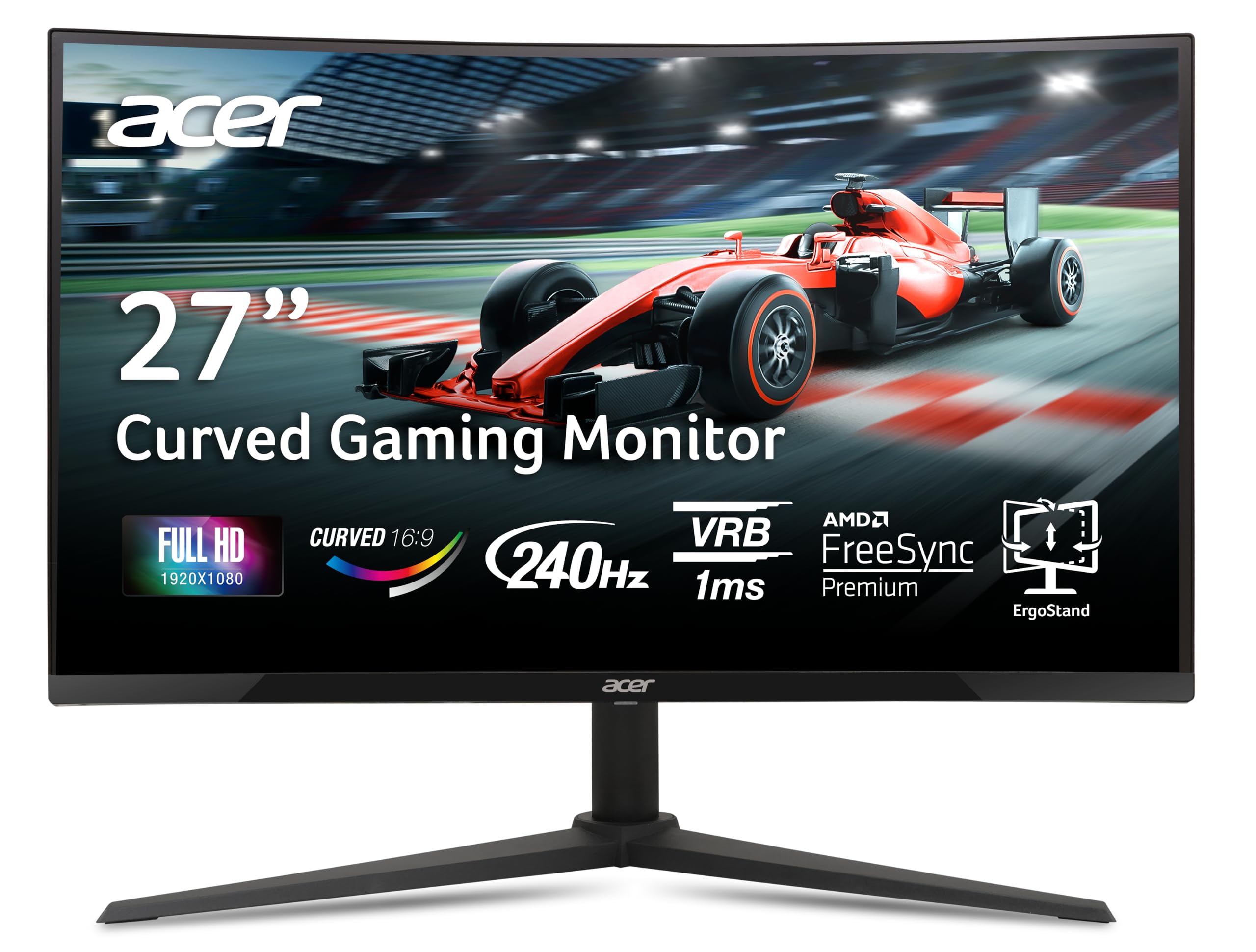
Acer Nitro 27" Curved Full HD Gaming Monitor | 240Hz, 1ms, FreeSync, HDR10 | Model UM.HX0AA.201 | Black
$305.26

Frequently Asked Questions
- Q: What is the screen size of the Acer Nitro monitor? A: The screen size is twenty-seven inches. This curved display enhances immersion for gaming and entertainment.
- Q: What is the resolution of the Acer Nitro 27" monitor? A: The resolution is one thousand nine hundred twenty by one thousand eighty pixels. This Full HD resolution ensures sharp and clear visuals.
- Q: What is the refresh rate of the Acer Nitro monitor? A: The refresh rate is two hundred forty hertz. This high refresh rate provides ultra-smooth motion for fast-paced gaming.
- Q: What is the response time of the Acer Nitro monitor? A: The response time is one millisecond. This fast response time minimizes motion blur during gaming.
- Q: What ports are available on the Acer Nitro monitor? A: There are one DisplayPort 1.4 and two HDMI 2.0 ports. These versatile connectivity options allow for multiple devices.
- Q: What are the dimensions of the Acer Nitro 27" monitor? A: The dimensions are approximately ten point thirty-seven inches in length, twenty-four point zero six inches in width, and eighteen point fifteen inches in height. This size is suitable for various setups.
- Q: How do I adjust the height of the Acer Nitro monitor? A: You can adjust the height by three point ninety-three inches. The ErgoStand allows for a customizable viewing position.
- Q: Is the Acer Nitro monitor VESA mount compatible? A: Yes, it is VESA mounting compliant. This compatibility allows for flexible mounting options on walls or stands.
- Q: How do I install the Acer Nitro monitor? A: Installation involves connecting the monitor to your computer using the provided cables. Follow the quick-start guide for detailed steps.
- Q: Is the Acer Nitro monitor suitable for console gaming? A: Yes, it is suitable for console gaming. The monitor's high refresh rate and low response time enhance the gaming experience.
- Q: How do I clean the Acer Nitro monitor? A: Use a soft, dry cloth to gently wipe the screen. Avoid using harsh chemicals that can damage the display.
- Q: Does the Acer Nitro monitor have built-in speakers? A: Yes, it has two built-in speakers. Each speaker has a power of two watts, providing basic audio output.
- Q: What safety features does the Acer Nitro monitor have? A: The monitor features a zero-frame design which minimizes bezel distraction, ensuring a safer and more immersive viewing experience.
- Q: What do I do if my Acer Nitro monitor arrives damaged? A: Contact customer support immediately to report the issue. They will guide you through the return or replacement process.
- Q: Does the Acer Nitro monitor come with a warranty? A: Yes, it comes with a manufacturer's warranty. Check the warranty details for specific coverage terms.
- Q: How do I setup AMD FreeSync on the Acer Nitro monitor? A: Enable AMD FreeSync through the monitor settings menu. Ensure your graphics card supports FreeSync for optimal performance.