

Cart
0


9.1.5 ch 810W Soundbar
Free Standard Shipping Across USA
Vendor: Lg Consumer
Type: Surround Sound Systems
Sku: WBEEAB09RZ691X1
Availability: Sold Out
Couldn't load pickup availability
Guarantee safe checkout

Sold by Electroeshop, an authorized reseller.
Returns accepted within 30 days | support@electroeshop.com
Shipping Information
- Free Standard Shipping — United States only
- Estimated Delivery Time: Dec 3 – Dec 9
- Double-boxed, fully insured & discreetly packaged
- Tracking number sent via email once dispatched
Returns & Refund
Returns accepted within 30 days of delivery.
Damaged or Defective Item
Free return shipping + replacement or full refund
Wrong Item Received
Free return shipping + replacement or full refund
Change of Mind
Return shipping at customer's expense · 25% restocking fee applies
All returns require a Return Authorization (RA) number before sending.
View Full Return & Refund Policy
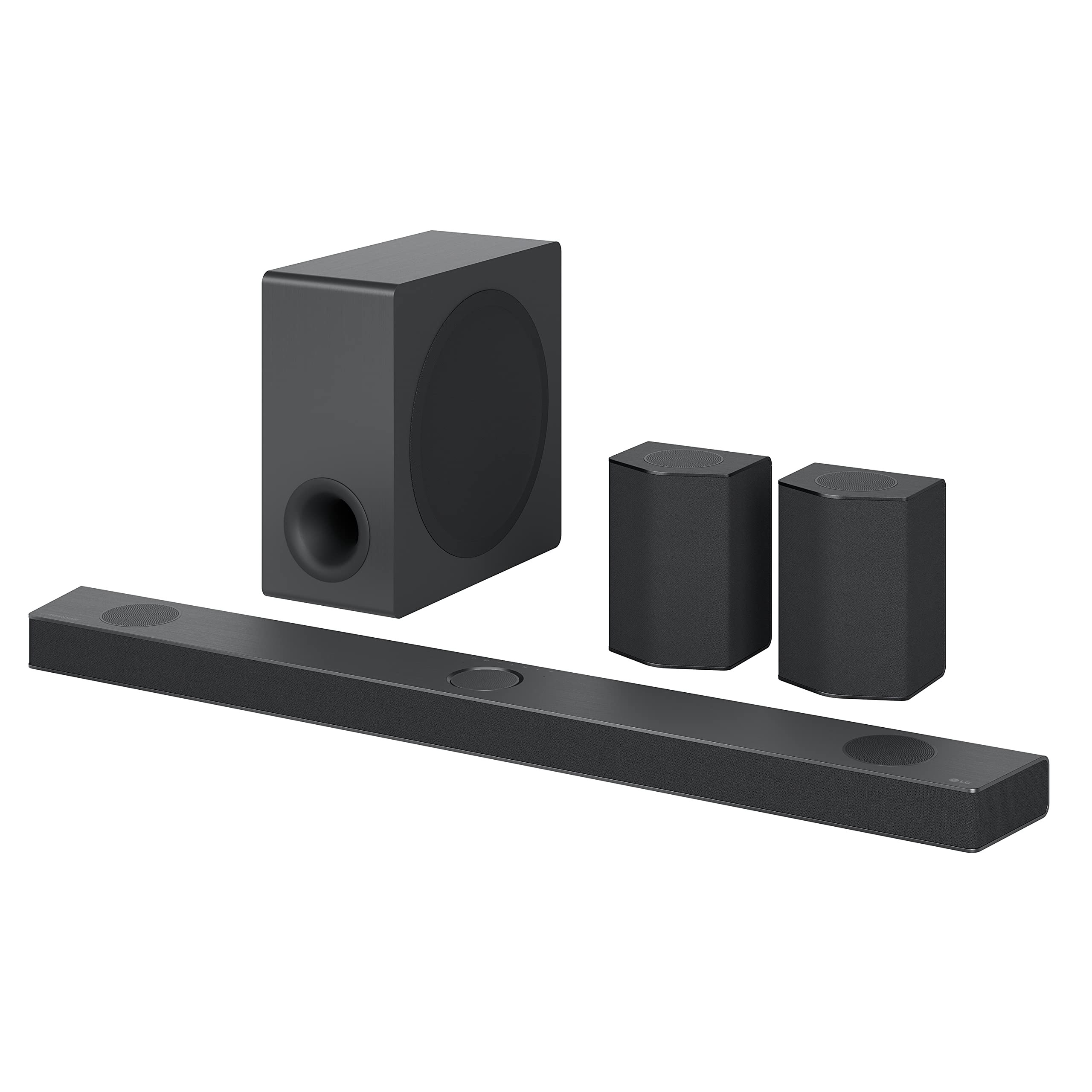
9.1.5 ch 810W Soundbar
$922.36

Frequently Asked Questions
- Q: What are the dimensions of the LG Sound Bar S95QR? A: The LG Sound Bar S95QR measures five point three inches in height, forty-seven point two inches in width, and two point five inches in depth.
- Q: What is the audio channel configuration of the S95QR? A: The S95QR features a nine point one point five channel audio configuration, providing immersive surround sound.
- Q: What materials are used in the LG Sound Bar? A: The specific materials of the LG Sound Bar S95QR are not listed, but it is designed with high-quality audio components for enhanced sound.
- Q: How do I set up the LG Sound Bar with my TV? A: To set up the LG Sound Bar, connect it to your TV using an HDMI cable and ensure the HDMI eARC or ARC ports are used for optimal performance.
- Q: Is the LG Sound Bar compatible with gaming consoles? A: Yes, the LG Sound Bar S95QR is compatible with gaming consoles and supports Variable Refresh Rate for a smoother gaming experience.
- Q: How do I optimize the sound settings for my room? A: Utilize the AI Room Calibration Pro feature on the S95QR, which automatically adjusts the sound settings based on your room's environment.
- Q: What is the best way to clean the LG Sound Bar? A: To clean the LG Sound Bar, use a soft, dry cloth to gently wipe down the exterior and avoid using any abrasive materials or cleaners.
- Q: How do I connect my smartphone to the LG Sound Bar? A: You can connect your smartphone to the LG Sound Bar via Bluetooth or through Wi-Fi using Chromecast or Airplay2 for wireless audio streaming.
- Q: Does the S95QR have a warranty? A: Yes, the LG Sound Bar S95QR typically comes with a limited warranty; please check the manufacturer's guidelines for specific details.
- Q: What should I do if the sound bar arrives damaged? A: If the LG Sound Bar arrives damaged, contact the retailer or manufacturer immediately to initiate a return or exchange process.
- Q: Is the LG Sound Bar suitable for small rooms? A: Yes, the LG Sound Bar S95QR can be optimized for smaller spaces using AI Room Calibration, enhancing sound based on room size.
- Q: Can I control the LG Sound Bar with voice commands? A: Yes, the S95QR can be controlled using voice commands through Google Assistant or Amazon Alexa for hands-free operation.
- Q: How does the S95QR enhance movie audio? A: The LG Sound Bar S95QR enhances movie audio by utilizing Dolby Atmos and DTS:X technology, creating a multidimensional sound experience.
- Q: Is there an app for controlling the S95QR? A: Yes, LG offers a compatible app that allows you to control settings and features of the Sound Bar from your smartphone.
- Q: What is the recommended way to install the rear speakers? A: For the best performance, position the six-channel wireless rear speakers at least two to three feet above ear level for optimal surround effects.