

Cart
0

49'' Touch|Multisync M491 Pt 49 Led Lcd Public Display Monitor With Anti Glare 40 Point Edge To Edge Pcap Touch Installed, 38
Free Standard Shipping Across USA
Vendor: Nec
Type: Monitors & Displays
Sku: WBEEAB09NYDSYCM
Availability: Sold Out
Couldn't load pickup availability
Guarantee safe checkout

Sold by Electroeshop, an authorized reseller.
Returns accepted within 30 days | support@electroeshop.com
Shipping Information
- Free Standard Shipping — United States only
- Processing Time: 3–5 business days
- Estimated Delivery: 6–10 business days after dispatch
- Double-boxed, fully insured & discreetly packaged
- Tracking number sent via email once dispatched
Returns & Refund
Returns accepted within 30 days of delivery.
Damaged or Defective Item
Free return shipping + replacement or full refund
Wrong Item Received
Free return shipping + replacement or full refund
Change of Mind
Return shipping at customer's expense · 25% restocking fee applies
All returns require a Return Authorization (RA) number before sending.
View Full Return & Refund Policy
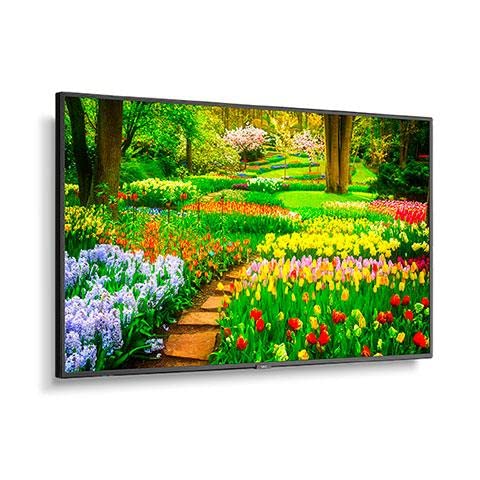
49'' Touch|Multisync M491 Pt 49 Led Lcd Public Display Monitor With Anti Glare 40 Point Edge To Edge Pcap Touch Installed, 38
$3,356.51

Frequently Asked Questions
- Q: What is the screen size of the NEC M491-PT Multisync M491? A: The NEC M491-PT Multisync M491 features a screen size of approximately forty-nine inches. This large display is ideal for various applications, including presentations and interactive installations.
- Q: What type of touchscreen technology does the NEC M491-PT use? A: The NEC M491-PT uses Projected Capacitive (PCAP) touchscreen technology. This allows for multi-touch capabilities and a highly responsive user experience.
- Q: What are the resolution specifications of the NEC M491-PT? A: The NEC M491-PT has a resolution of one thousand four hundred forty by eight hundred fifty pixels. This resolution ensures clear and vibrant images.
- Q: How do I install the NEC M491-PT Multisync M491? A: You can install the NEC M491-PT by mounting it to a compatible VESA mount or placing it on a stand. Ensure that it is securely connected to your device for optimal performance.
- Q: Is the NEC M491-PT suitable for interactive displays? A: Yes, the NEC M491-PT is suitable for interactive displays. Its PCAP touchscreen technology makes it perfect for engaging presentations and collaborative environments.
- Q: Can I use the NEC M491-PT as a regular monitor? A: Yes, the NEC M491-PT can be used as a regular monitor. It functions well for standard computer tasks in addition to its interactive features.
- Q: How do I clean the screen of the NEC M491-PT? A: You can clean the screen of the NEC M491-PT with a microfiber cloth and a mild glass cleaner. Avoid using abrasive materials to prevent scratching.
- Q: What precautions should I take to maintain the NEC M491-PT? A: To maintain the NEC M491-PT, avoid exposing it to extreme temperatures and direct sunlight. Regularly clean the screen to ensure optimal visibility and functionality.
- Q: What is the warranty period for the NEC M491-PT? A: The NEC M491-PT typically comes with a three-year warranty. This covers manufacturing defects and ensures peace of mind for the buyer.
- Q: What should I do if the NEC M491-PT arrives damaged? A: If the NEC M491-PT arrives damaged, you should contact the retailer immediately for assistance. They will guide you through the return or replacement process.
- Q: Is the NEC M491-PT compatible with all devices? A: The NEC M491-PT is compatible with most devices that support HDMI or VGA connections. Always check your device specifications for compatibility.
- Q: Does the NEC M491-PT have built-in speakers? A: No, the NEC M491-PT does not have built-in speakers. You will need external speakers for audio output when using the monitor.
- Q: How does the NEC M491-PT compare to other interactive monitors? A: The NEC M491-PT stands out for its large screen size and responsive PCAP technology. It is ideal for environments that require frequent interaction, such as classrooms or businesses.
- Q: Is the NEC M491-PT suitable for outdoor use? A: No, the NEC M491-PT is not designed for outdoor use. It is meant for indoor environments where lighting conditions can be controlled.
- Q: What is the best way to connect the NEC M491-PT to my computer? A: The best way to connect the NEC M491-PT to your computer is via an HDMI cable. This will provide the highest quality video and touch functionality.