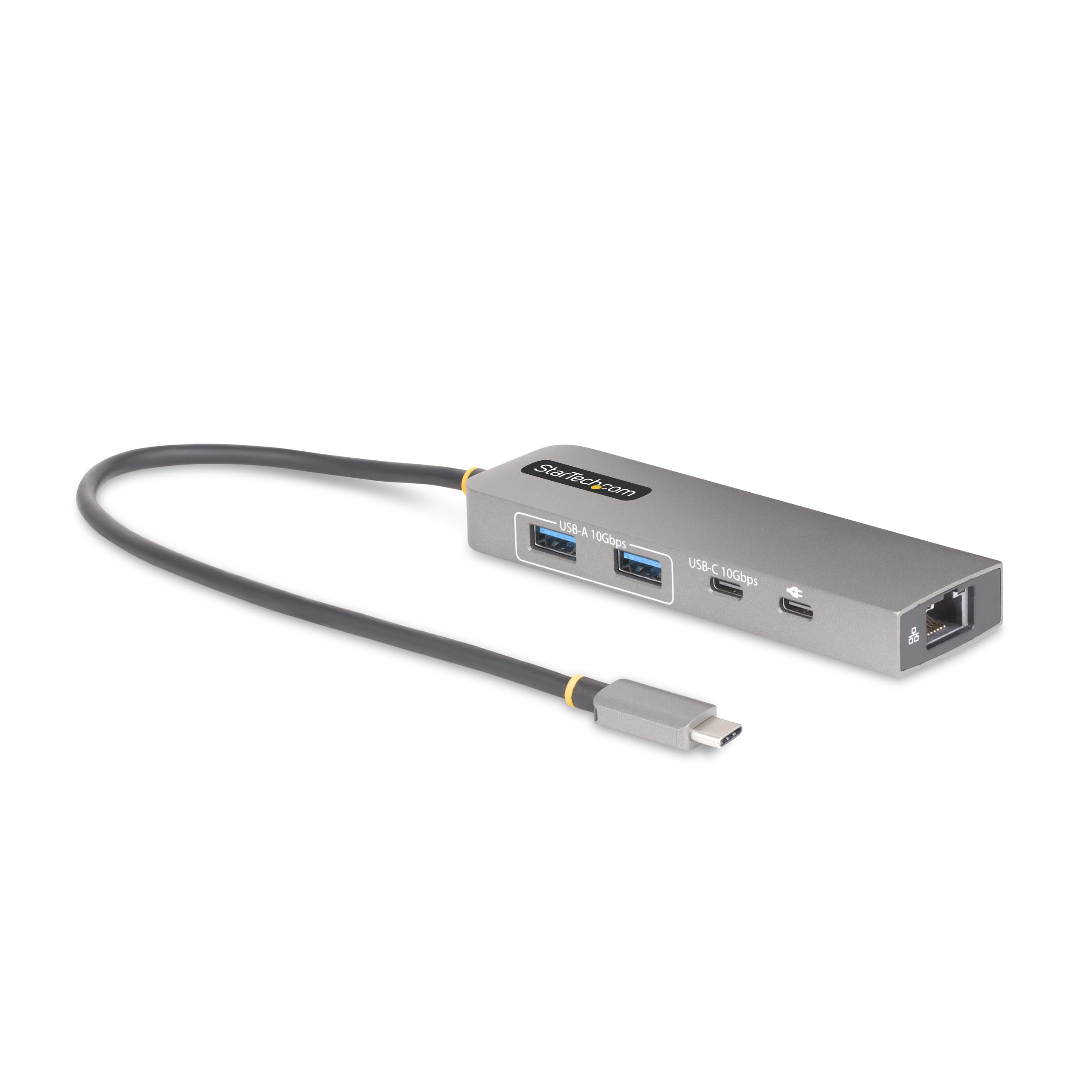
3 Port Usb-C Hub (Usb 3.2 Gen 2 10Gbps) With 2X Usb-A And 1X Usb-C - Usb Type-C Adapter Hub With 2.5 Gigabit Ethernet Rj45 Port (Jumbo 9K Frames/Wake-On-Lan And 10/100/1000/2500Mbps) - 100W Power Delivery (Pd 3.0) Pass-Through For Laptop Charging With Your Usb-C Power Adapter (15W Reserved For Hub) - Compact Housing - 1Ft Usb-C Cable With Tpe Jacket - Connectivity Tools Software With Usb Event Monitoring/Mac Address Cloner/Wifi Auto Switch Utilities
⚠️ WARNING (California Proposition 65): This product may contain chemicals known to the State of California to cause cancer, birth defects, or other reproductive harm. For more information, please visit www.P65Warnings.ca.gov.
Frequently Asked Questions
Q: What are the dimensions of the StarTech.com USB-C Hub?A: The dimensions are one point three inches in height, six point four inches in width, and zero point six inches in depth. This compact size makes it portable and easy to fit in bags.
Q: What materials is the USB-C Hub made of?A: The USB-C Hub is made of plastic. This material is lightweight yet durable, ensuring reliability for everyday use.
Q: How many ports does the USB-C Hub have?A: The hub features three ports: two USB-A and one USB-C. This allows for versatile connectivity options for various devices.
Q: How do I connect the USB-C Hub to my laptop?A: Simply plug the built-in one foot USB-C cable into the USB-C port of your laptop. The connection is driverless, making setup quick and easy.
Q: Can I charge my laptop while using the USB-C Hub?A: Yes, you can charge your laptop while using the hub. It supports one hundred watts of USB Power Delivery pass-through.
Q: Is the USB-C Hub compatible with my operating system?A: Yes, it is compatible with all major operating systems, including Windows, macOS, ChromeOS, iPadOS, and Android. This ensures broad usability across devices.
Q: How do I clean the USB-C Hub?A: To clean the USB-C Hub, use a soft, damp cloth and mild detergent. Avoid using abrasive cleaners to prevent damage to the plastic surface.
Q: Is there any special care needed for the USB-C Hub?A: No special care is needed, but avoid exposing it to extreme temperatures or moisture to ensure longevity. Store it in a cool, dry place.
Q: Can I use this USB-C Hub with older USB devices?A: Yes, it is backward compatible with USB two point zero devices, ensuring support for a wide range of modern and legacy peripherals.
Q: What if the USB-C Hub arrives damaged?A: If the hub arrives damaged, contact customer support immediately for assistance with returns or exchanges. Most products come with a warranty.
Q: How does the Ethernet feature work on the USB-C Hub?A: The hub features a two point five Gigabit Ethernet RJ45 port, allowing for wired LAN connectivity. This enables stable internet access without relying on Wi-Fi.
Q: Does the USB-C Hub support Wake-on-LAN?A: Yes, the USB-C Hub supports Wake-on-LAN functionality. This allows remote waking of your connected device for convenience.
Q: Is the USB-C Hub suitable for gaming?A: Yes, it is suitable for gaming due to its high-speed data transfer capabilities and stable Ethernet connection, enhancing your online gaming experience.
Q: What is the maximum data transfer speed of the USB ports?A: The USB ports support up to ten gigabits per second data transfer speed. This is ideal for fast file transfers and efficient connectivity.
Q: Can I use the USB-C Hub with multiple devices at once?A: Yes, you can connect multiple devices simultaneously using the hub’s three USB ports. This allows for efficient multitasking.