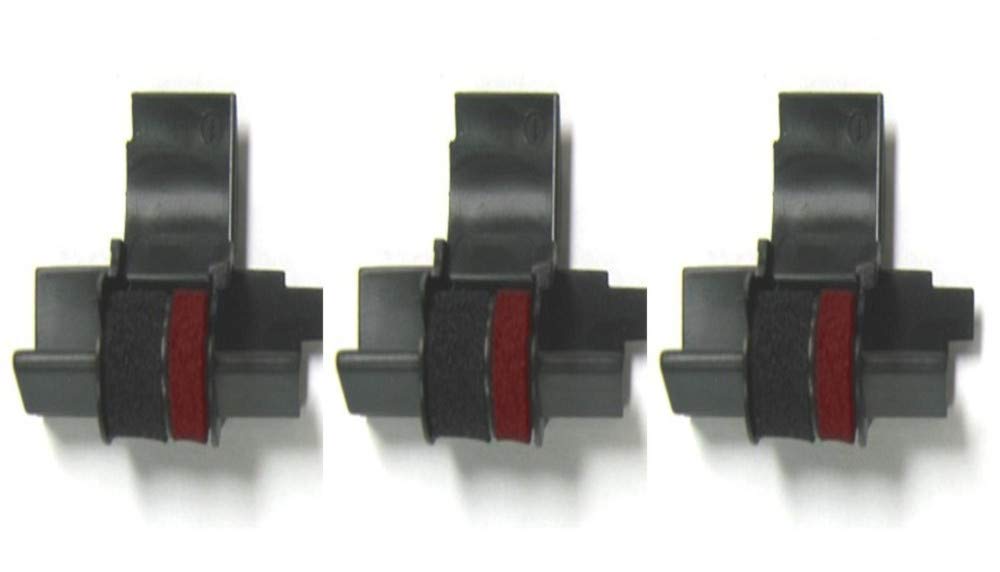
Black/Red Replacement Ink Roller Replaces Sharp Part Number Ea772R And Works With The Sharp El-1611V And Sharp El-1750V And Sharp El-1801V Calculator. Also Compatible With Many Other Popular Sharp Calculator Models Including The Following: El 1614, El 1620, El 1620 S, El 1626, El 1626 H, El 1701 V, El 1750 P, El 1750 P Ii, El 1750 P Iii, El 1750 V, El 1801 P, El 1801 P Iii, El 1801 V, El 2192, El 2620, El 2620 S, El 2626, El 2626 H, El 2628, Vx-1614
⚠️ WARNING (California Proposition 65): This product may contain chemicals known to the State of California to cause cancer, birth defects, or other reproductive harm. For more information, please visit www.P65Warnings.ca.gov.
Frequently Asked Questions
Q: What are the dimensions of the ink roller cartridges?A: The cartridges measure seven inches in length, two and a half inches in width, and half an inch in height.
Q: What material is used in the ink roller?A: The ink roller is made of plastic, ensuring durability and compatibility with various calculators.
Q: How many cartridges are included in the pack?A: This product includes three cartridges, each individually sealed for long shelf life.
Q: How do I install the ink roller in my calculator?A: To install, open the calculator, remove the old cartridge, and insert the new ink roller until it clicks into place.
Q: Is this ink roller compatible with my calculator model?A: Yes, it is compatible with many models including Sharp EL-1801V, Casio HR-200RC, and Canon P23-DHV-3.
Q: Can I use this ink roller for different brands of calculators?A: Yes, this ink roller is designed to work with various brands such as Sharp, Casio, and Canon.
Q: How should I store the ink roller cartridges?A: Store the cartridges in a cool, dry place and keep them sealed until ready for use to maintain ink quality.
Q: What is the shelf life of the ink roller cartridges?A: The ink rollers have a long shelf life when stored properly, ensuring they remain usable for an extended period.
Q: What precautions should I take when replacing the cartridge?A: Ensure the calculator is turned off during replacement and avoid touching the ink roller with your fingers to maintain cleanliness.
Q: What if the cartridge does not fit my calculator correctly?A: If the cartridge does not fit, check compatibility with your calculator model or contact customer support for assistance.
Q: Are these cartridges refillable?A: No, these ink roller cartridges are not designed to be refillable and should be replaced once the ink is depleted.
Q: How do I clean my calculator after replacing the ink roller?A: Gently wipe the calculator's exterior with a soft cloth and ensure the type wheels are clean for optimal performance.
Q: What should I do if the ink does not print properly?A: If printing issues occur, check if the cartridge is installed correctly or if the type wheels need cleaning for better ink transfer.
Q: Is there a warranty for these ink roller cartridges?A: Yes, there is a warranty that covers defects in materials and workmanship; refer to the packaging for specific details.
Q: Can I return the ink roller if it's defective?A: Yes, you can return the ink roller within the specified return period if it is found to be defective.
Q: How can I ensure the best printing results with these cartridges?A: For the best results, ensure your calculator's type wheels are clean and perform several test prints after installation.