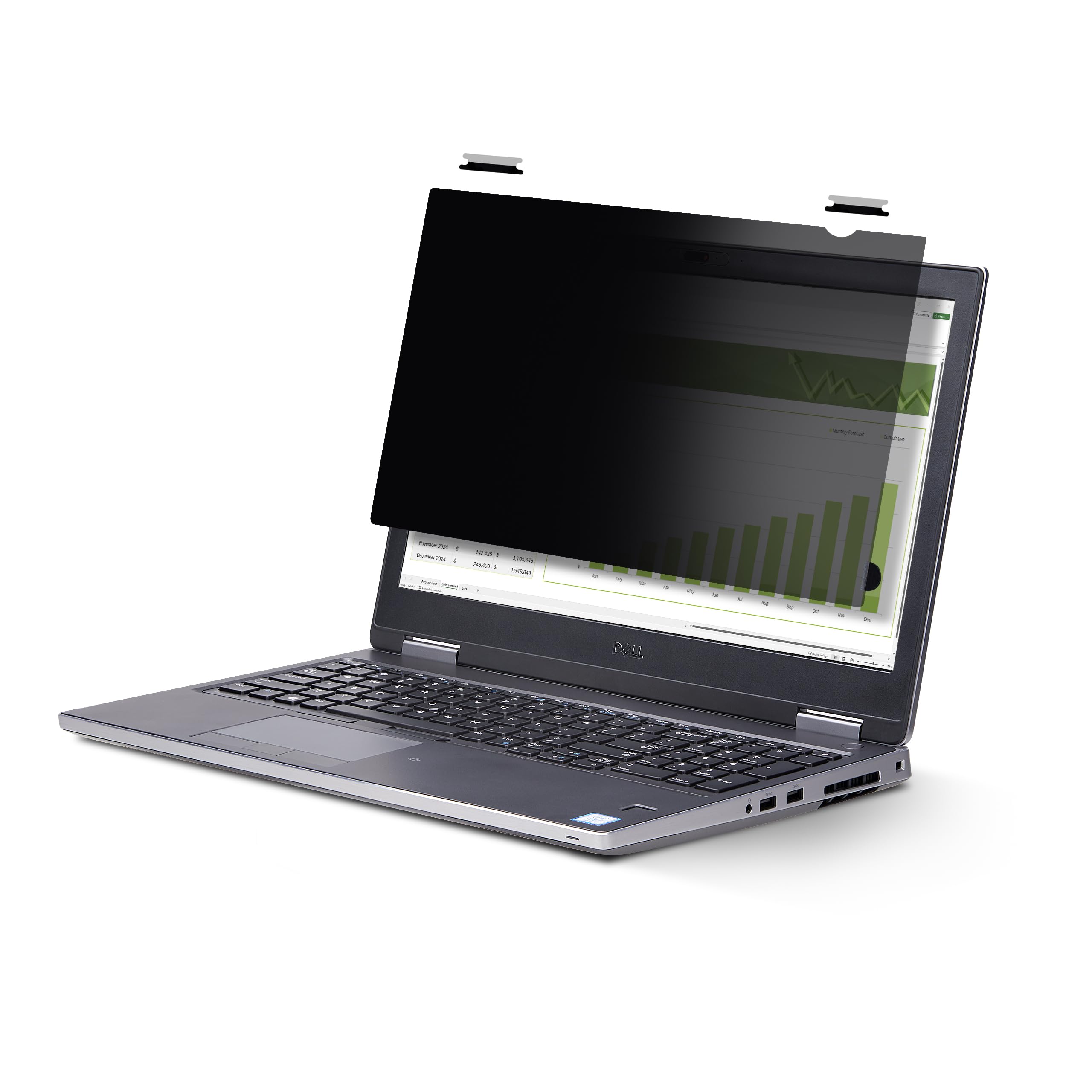
Privacy Screen Uses A Microlouver Technology That Darkens The Screen View From The Sides (+/- 30 Degrees From Center) - Designed To Fit Laptops With 16'' Displays And 16:10 Aspect Ratio; Does Not Interfere When Closing The Lid - Flip-Over Mounting Feature Enables Quickly Flip-Over The Privacy Filter To Share Contents Without Uninstalling The Filter - This Laptop Privacy Screen Blocks Up To 51% Of Blue Light - Use The Included Adhesive Strips Or Flip-Over Tabs To Install The Screen Protector
⚠️ WARNING (California Proposition 65): This product may contain chemicals known to the State of California to cause cancer, birth defects, or other reproductive harm. For more information, please visit www.P65Warnings.ca.gov.
Frequently Asked Questions
Q: What are the dimensions of the StarTech.com privacy screen?A: The privacy screen measures thirteen and a half inches by eight and four-tenths inches. It is designed specifically for sixteen-inch laptops with a sixteen to ten aspect ratio.
Q: What material is the StarTech.com privacy screen made from?A: The privacy screen is made from an ultrathin yet robust security shield material. This design preserves touch responsiveness while ensuring privacy.
Q: What is the light transmittance percentage of the privacy screen?A: The privacy screen has a light transmittance of sixty percent. This allows for optimal screen brightness while maintaining privacy.
Q: How do I install the StarTech.com privacy screen?A: You can install the privacy screen using included adhesive strips or flip-up tabs. It is designed for displays that have raised bezels.
Q: Is the privacy screen compatible with all sixteen-inch laptops?A: No, the privacy screen is specifically designed for laptops with a sixteen-inch display and a sixteen to ten aspect ratio. Verify compatibility before ordering.
Q: Can I easily remove the privacy screen when I need to share my screen?A: Yes, the privacy screen features a flip-up mounting option. You can quickly lift the privacy filter to share contents without uninstalling it.
Q: Does the privacy screen help reduce eye strain?A: Yes, the privacy screen blocks up to fifty-one percent of blue light. This helps reduce digital eye strain and improves visual comfort.
Q: How should I clean the StarTech.com privacy screen?A: To clean the privacy screen, use a soft, lint-free cloth. Avoid using harsh chemicals that could damage the filter.
Q: Is the privacy screen suitable for public spaces?A: Yes, the privacy screen is designed to protect sensitive visual data from unwanted viewers in public spaces. It darkens the screen from the sides.
Q: What if my privacy screen arrives damaged?A: If your privacy screen arrives damaged, you should contact the seller for a return or exchange. Most products come with a warranty or satisfaction guarantee.
Q: Can I use the privacy screen while closing my laptop?A: Yes, the privacy screen does not interfere with closing the laptop lid or with top-mounted webcams. It is designed for seamless use.
Q: Will the privacy screen affect my touchscreen functionality?A: No, the privacy screen preserves touch responsiveness. You can use your touchscreen device normally without any hindrance.
Q: What color is the StarTech.com privacy screen?A: The privacy screen is black. This color helps enhance privacy by darkening the screen from the side.
Q: What features does the StarTech.com privacy screen offer?A: The privacy screen uses microlouver technology to prevent visual eavesdropping while allowing a clear viewing angle for the user. It is easy to install and provides protection from blue light.
Q: How does the privacy screen protect my confidential data?A: The privacy screen darkens the view from angles outside of sixty degrees. This prevents unwanted viewers from seeing your screen while maintaining clarity for the user.