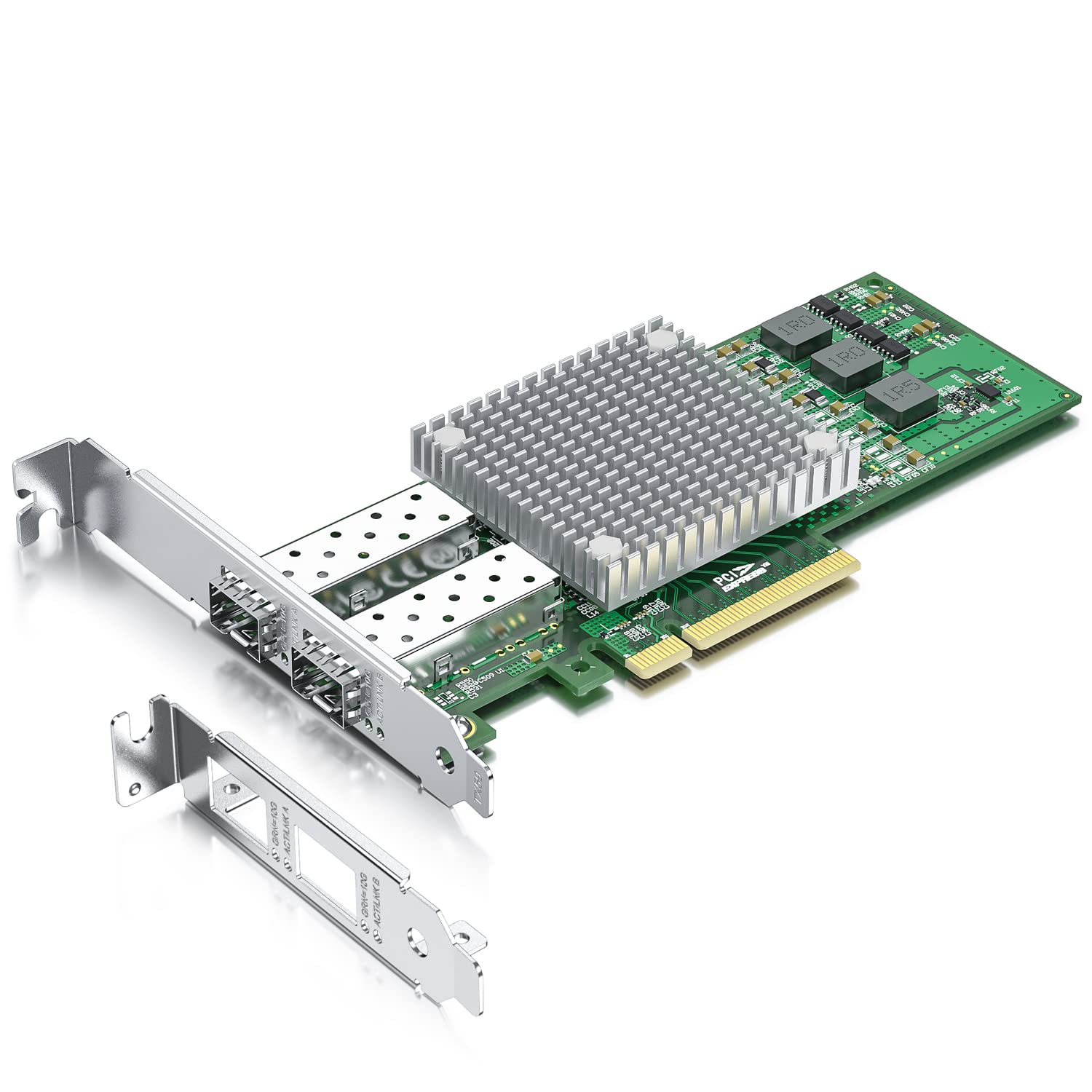
10Gteks 57810S-10G-2S-X8 Based On Broadcom Bcm57810S, Is The Solution Of Choice For Workload Intensive Computing Environments, Providing A Reliable, High-Performance 10Gbe Connectivity Solution. Features: ?Dual-Port 10Gbe Connectivity For Rack And Tower Servers ?X8 Pci Express (Pcie) V2.0 (5 Gt/S) Support ?Full Line-Rate Performance Across All Ports ?Broad Os And Hypervisor Support ?Full Iscsi And Fcoe Hardware Offload ?Full Tcp/Ip Hardware Offload -Microsoft Chimney-Compliant ?Network Boot Support: -Iscsi Remote Boot -Fcoe Boot From San -Preboot Execution Environment (Pxe) 2.0
⚠️ WARNING (California Proposition 65): This product may contain chemicals known to the State of California to cause cancer, birth defects, or other reproductive harm. For more information, please visit www.P65Warnings.ca.gov.
Frequently Asked Questions
Q: What type of chipset does the network card use?A: The network card uses the Broadcom BCM57810S chipset. This chipset provides reliable, high-performance connectivity for intensive computing environments.
Q: How many ports does the 10Gtek network card have?A: It has two SFP+ ports. This dual-port design allows for high-speed connections to ten-gigabit SFP+ modules or cables.
Q: What is the maximum data transfer speed of this network card?A: The maximum data transfer speed is ten gigabits per second. This high speed is ideal for data-intensive applications in data centers.
Q: Is this network card compatible with Windows and Linux?A: Yes, it is compatible with multiple operating systems, including Windows Server and various Linux distributions. It also supports VMware.
Q: What are the installation requirements for the network card?A: The network card requires a PCI Express x8 or x16 slot. It can be installed in both standard and low-profile computer cases.
Q: Can I use this network card for network booting?A: Yes, it supports network booting via iSCSI and FCoE. This feature is useful for remote booting scenarios in server environments.
Q: How should I clean the network card to maintain it?A: To clean the network card, use a soft, dry cloth to gently wipe the surface. Avoid using liquids or abrasive materials that could damage the components.
Q: Does this network card come with a warranty?A: Yes, it comes with a one-year warranty. Additionally, there is a thirty-day free return policy for customer satisfaction.
Q: Is the network card suitable for gaming?A: Yes, it is suitable for gaming as it provides high-speed connectivity. However, it is primarily designed for server and data center applications.
Q: What is the weight and size of the network card?A: The network card is lightweight and designed to fit in standard slots. Its dimensions are suitable for both full-size and low-profile installations.
Q: Can I install this network card in a low-profile computer?A: Yes, it includes a low-profile bracket for easy installation in compact cases. This feature ensures compatibility with various form factors.
Q: Does this network card support hot swapping?A: No, it does not support hot swapping. The network card must be installed or removed when the computer is powered down.
Q: What additional support is provided with the network card?A: Along with the card, you receive lifetime technology support. This ensures assistance for installation and troubleshooting whenever needed.
Q: Is this network card compatible with older operating systems?A: Yes, it is compatible with older versions like Windows Server 2008 and Red Hat Enterprise Linux. This broad compatibility enhances its usability.
Q: What type of performance can I expect from this network card?A: You can expect full line-rate performance across all ports. This ensures optimal data transfer without bottlenecks in high-demand environments.