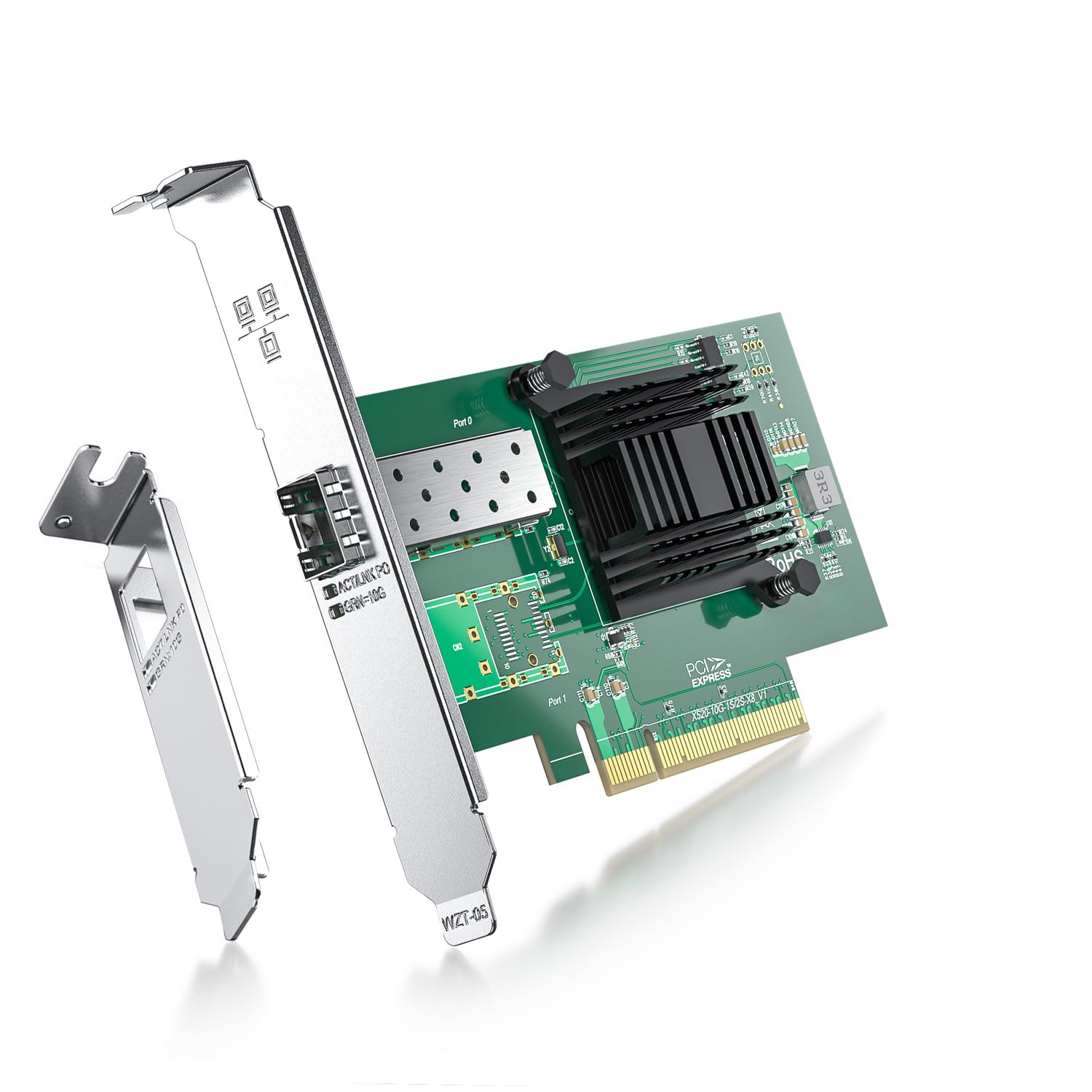
Ipolex'S 10G Network Card, Single Sfp+ Port, X8 Lane, Intel X520-Da1 (Intel E10G42Btda) Equivalent Ethernet Controller(S): Intel 82599En Connector & Cable Medium: Sfp+ Direct Attach Copper/Sfp+ Transceivers Cabling Type: Sfp+ Direct Attached/Lc Fiber Cable Twin Axial Cabling Up To 10 M Slot Type Maximum Bus Speed A Slot Width: Pci Express* 2.0. 5.0 G T/S X 8 Lane Ports: Single Port Supported Slot Height(S): Low Profile And Full Height Ligent Offloads: Yes Vt For Connectivity: On-Chip Qos And Traffic. Management, Flexible Port. Partitioning, Virtual Machine. Device Queues (Vmdq), Pci-Sig* Sr-Iov Capable. Storage Over Ethernet: Iscsi Nfs Iwarp/Rdma: Na Ethernet Converged Network And Server Adapters Connectivity You Can Count On Reliable Performancebroad Os Support Optimized For Intel Architecture Low Latency Ethernet Best Choice For Virtualization Leadership In Virtual System Scalability With Flexible, Port Partitioning (Fpp) And Intelligent Offload Broad Vm Support (Vmware Esxi*, Microsoft Hyper-V*,Kvm* And Xen*) Unified Networking Full Line Of 10Gbe Converged Network Adapters (Cna) Fibre Channel Over Ethernet Iscsi With Trusted, Native Os Support Support For Data Center Bridging With Lossless Ethernet Platform Optimization Integrated Pci Express* Direct Data I/O Technology Techincal Parameters: Vertical Segment: Server # Of Ports: Single Speed & Slot Width: 5.0 Gt/S, X8 Lane System Interface Type: Pcie V2.0 (5.0Gt/S) Cable Medium: Copper Cabling Type: Sfp+ Direct Attached Twin Axial Cabling Up To 10M Bracket Height: Low Profile And Full Height Ethernet Controller: Intel Ethernet Controller 82599 Intelligent Offloads: Yes On-Chip Qos And Traffic Management: Yes Flexible Port Partitioning: Yes Virtual Machine Device Queues (Vmdq): Yes Pci-Sig* Sr-Iov Capable: Yes
⚠️ WARNING (California Proposition 65): This product may contain chemicals known to the State of California to cause cancer, birth defects, or other reproductive harm. For more information, please visit www.P65Warnings.ca.gov.
Frequently Asked Questions
Q: What is the model of this network card?A: The model of this network card is X520-DA1-Intel. It is an Intel X520 Ethernet Card designed for high-speed networking.
Q: What are the dimensions of the ipolex Ethernet card?A: The dimensions of the ipolex Ethernet card are approximately zero point zero one meters in length, width, and height. This compact size allows for easy installation in various systems.
Q: What type of controller does this network card use?A: This network card uses the Intel 82599EN controller. This advanced controller supports high-performance networking and efficient data handling.
Q: How do I install the ipolex Ethernet card?A: To install the ipolex Ethernet card, insert it into a compatible PCI Express slot on your motherboard. Ensure that the power is off before installation.
Q: Is this network card suitable for a Windows server?A: Yes, this network card is suitable for Windows Server operating systems. It supports versions two thousand twelve, two thousand sixteen, and two thousand nineteen.
Q: Can I use this card with Linux?A: Yes, this network card is compatible with various Linux distributions. It supports Ubuntu, Red Hat, and other popular Linux operating systems.
Q: How should I maintain the ipolex Ethernet card?A: To maintain the ipolex Ethernet card, ensure your computer is clean and dust-free. Regularly check for driver updates to ensure optimal performance.
Q: Is this network card safe for hot swapping?A: No, this network card does not support hot swapping. Always power down your system before removing or installing the card.
Q: What is the maximum cable length for this network card?A: The maximum cable length for this network card is up to ten meters. This allows for flexible installation options without signal loss.
Q: Does this network card support virtualization?A: Yes, this network card supports virtualization technologies. It is equipped with single-root I/O virtualization (SR-IOV) capabilities.
Q: What if the network card arrives damaged?A: If the network card arrives damaged, contact customer support immediately. They will assist you with the return process or provide a replacement.
Q: What operating systems does this card support?A: This card supports multiple operating systems, including Windows, Linux, and VMware. It is designed for broad compatibility across platforms.
Q: Can I use this card with a Dell server?A: Compatibility with Dell servers may vary. It's essential to check MCU information to ensure it matches your host operating system before purchasing.
Q: How do I set up the network card for Windows 11?A: To set up the network card for Windows 11, install the appropriate driver and follow the instructions provided for configuration. This ensures optimal performance.
Q: Is there a warranty for this network card?A: Yes, this network card generally comes with a warranty. Check the product details or contact the manufacturer for specific warranty information.