

Cart
0


Brightsign Ls425 H.265, Full Hd And 4K Video, Html5, Graphics & Digital Audio, Hdmi Out, Ideal For Looping Video, Simple Html5 W
Vendor: Brightsign
Type: Streaming Devices
Sku: WBEEAB0C5JZ769S
Availability: In Stock
Couldn't load pickup availability
Guarantee safe checkout

Sold by Electroeshop, an authorized reseller.
Returns accepted within 30 days | support@electroeshop.com
Shipping Information
- Free Standard Shipping — United States only
- Processing Time: 1–3 business days
- Estimated Delivery: 3–5 business days after dispatch
- Double-boxed, fully insured & discreetly packaged
- Tracking number sent via email once dispatched
- Orders over $250 require signature upon delivery. Taxes calculated at checkout.
Returns & Refund
Returns accepted within 30 days of delivery.
Damaged or Defective Item
Free return shipping + replacement or full refund
Wrong Item Received
Free return shipping + replacement or full refund
Change of Mind
Return shipping at customer's expense · 25% restocking fee applies
All returns require a Return Authorization (RA) number before sending.
View Full Return & Refund Policy
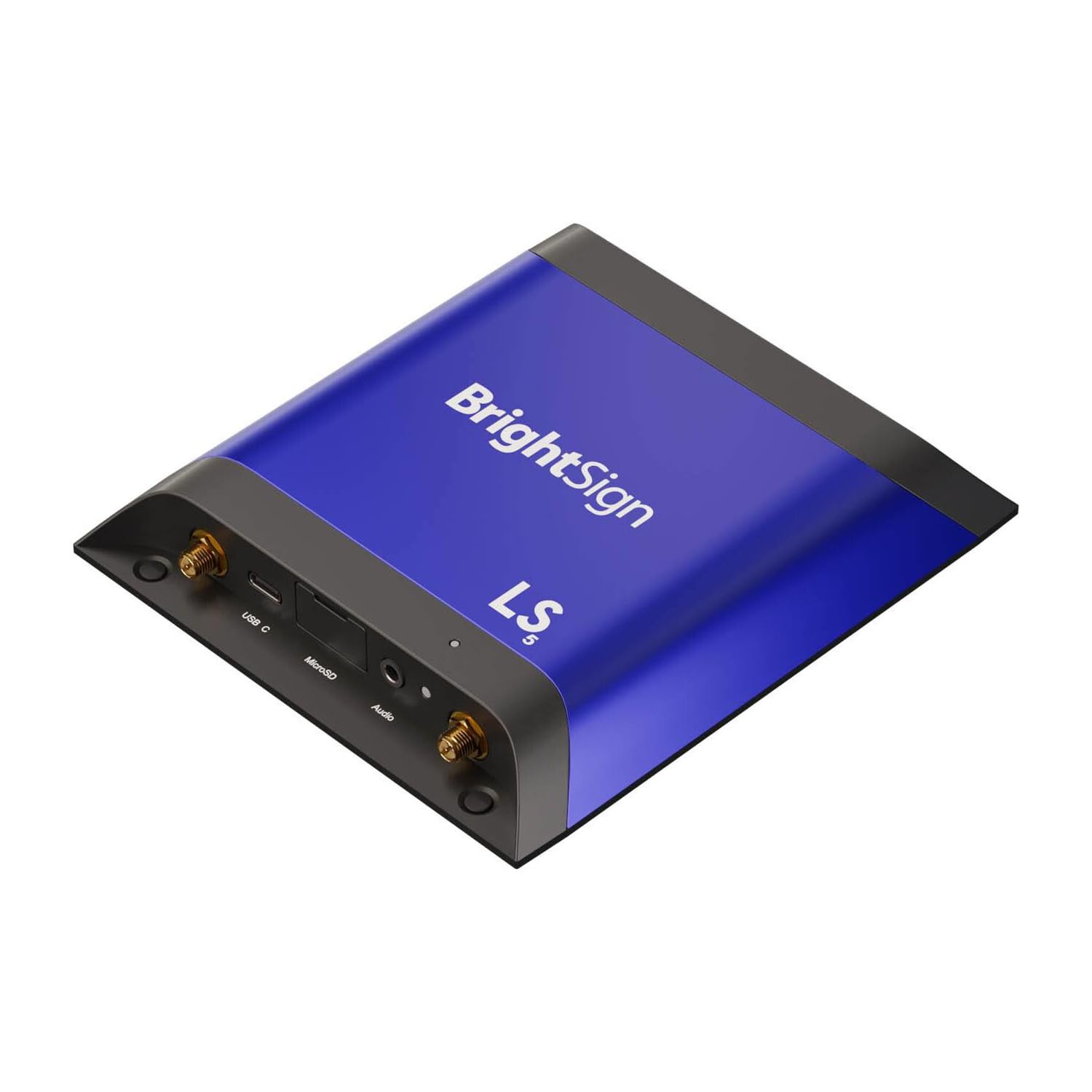
Brightsign Ls425 H.265, Full Hd And 4K Video, Html5, Graphics & Digital Audio, Hdmi Out, Ideal For Looping Video, Simple Html5 W
$339.31

Frequently Asked Questions
- Q: What are the dimensions of the Brightsign LS425? A: The Brightsign LS425 measures four inches in length, two inches in width, and eight inches in height. This compact size allows for easy placement in various settings.
- Q: What type of video formats does the Brightsign LS425 support? A: The Brightsign LS425 supports H.265, Full HD, and 4K video formats. This versatility makes it ideal for high-quality video playback and streaming.
- Q: Does the Brightsign LS425 have a warranty? A: Yes, the Brightsign LS425 comes with a five-year standard warranty. This warranty applies to all newly purchased and registered Series 5 media players worldwide.
- Q: How do I set up the Brightsign LS425? A: To set up the Brightsign LS425, connect it to a power source and your display via HDMI. Follow the on-screen instructions to configure your network and content.
- Q: Can I use the Brightsign LS425 for touchscreen applications? A: Yes, the Brightsign LS425 is designed for touchscreen engagement. It supports essential touchscreen functions and interactive content.
- Q: Is the Brightsign LS425 suitable for outdoor use? A: No, the Brightsign LS425 is not specifically designed for outdoor usage. It is best suited for indoor environments where it can be secured.
- Q: How should I clean the Brightsign LS425? A: To clean the Brightsign LS425, use a soft, dry cloth to wipe the exterior. Avoid using harsh chemicals or abrasive materials that could damage the surface.
- Q: What is the maximum video resolution supported by the Brightsign LS425? A: The Brightsign LS425 supports a maximum video resolution of four thousand pixels. This ensures high-quality playback for your digital signage.
- Q: Can I connect USB devices to the Brightsign LS425? A: Yes, the Brightsign LS425 supports USB-C interactive peripherals. You can connect devices for enhanced interactivity and content engagement.
- Q: Is the Brightsign LS425 easy to integrate with other systems? A: Yes, the Brightsign LS425 integrates seamlessly with various content management systems and point-of-sale systems. This allows for streamlined operations.
- Q: What should I do if my Brightsign LS425 doesn't turn on? A: If your Brightsign LS425 doesn't turn on, check the power connection and ensure the device is plugged in correctly. If the issue persists, consult the user manual or contact support.
- Q: Does the Brightsign LS425 support live content feeds? A: Yes, the Brightsign LS425 can stream live content. This feature helps keep your displays fresh and engaging with real-time updates.
- Q: What type of connectivity options does the Brightsign LS425 offer? A: The Brightsign LS425 offers Ethernet connectivity and an optional dual antenna Wi-Fi module for reliable network access. This ensures consistent performance.
- Q: Can I use the Brightsign LS425 for looping video playback? A: Yes, the Brightsign LS425 is capable of looping video playback. This feature is ideal for environments requiring continuous video display.
- Q: What is the power source for the Brightsign LS425? A: The Brightsign LS425 requires a standard power outlet for operation. It comes with a locking power cord to ensure a secure connection.
- Q: Is the Brightsign LS425 compatible with HTML5 content? A: Yes, the Brightsign LS425 supports HTML5 content. This allows for the use of dynamic web-based applications and graphics.