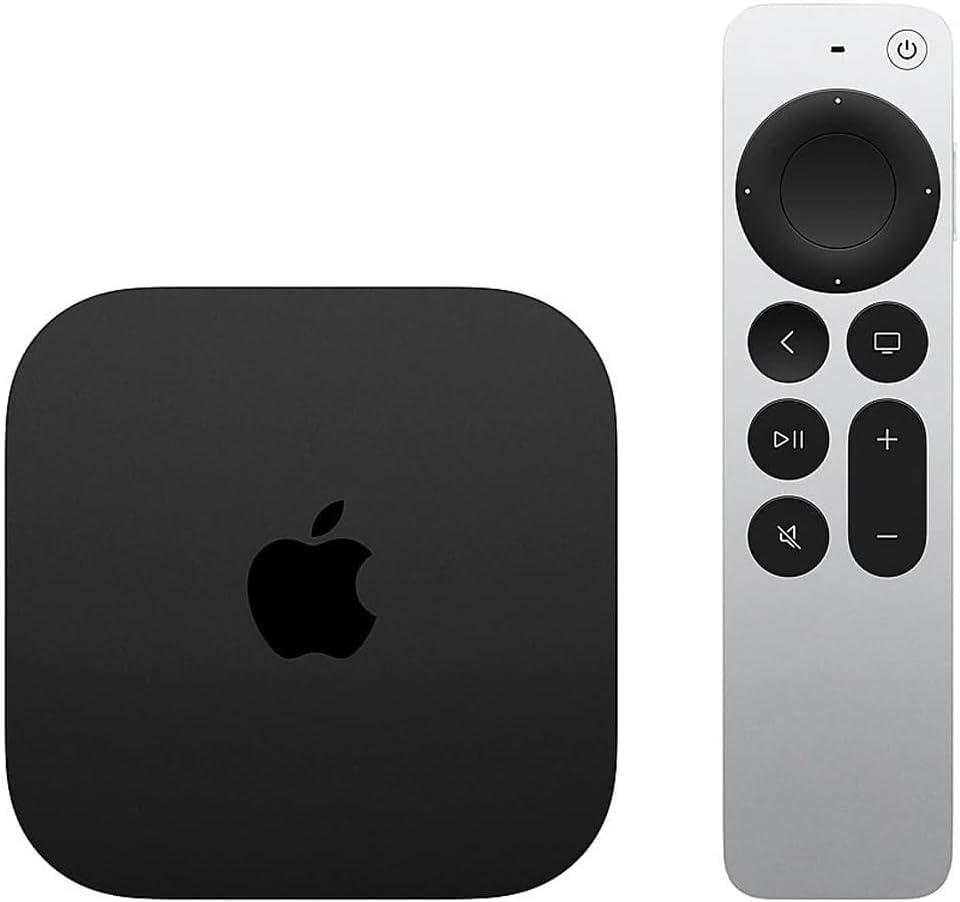
The Apple TV 4K (3rd generation, 2022 model) is a state-of-the-art streaming device that enhances your home entertainment experience. Designed for seamless integration with Apple devices, it serves as a central hub for watching your favorite movies, shows, and music.
This advanced streaming device features 4K Dolby Vision and HDR10+, delivering stunning visuals and immersive audio powered by Dolby Atmos. The Apple TV 4K is not just for Apple’s services; it also supports popular streaming platforms like Prime Video, Netflix, and Disney+. Additionally, the device acts as a smart home hub, allowing you to control compatible smart accessories, making it a versatile addition to any modern home.
Key Features:
Stream TV and movies over Wi-Fi or Ethernet with a choice of 128GB or 64GB built-in storage.
Powered by the A15 Bionic chip for optimal performance and efficiency.
Supports up to 4K resolution with Dolby Vision and HDR10+, providing breathtaking picture quality.
Access to Apple TV+, Apple Music, Apple Arcade, and Apple Fitness+, as well as live TV options.
Compatible with Thread mesh networks for enhanced smart home connectivity.
Included voice-enabled Siri Remote simplifies navigation with a touch-enabled clickpad.
Functions as a HomeKit hub through the Home app, enabling easy control of smart home devices.
The Apple TV 4K (3rd generation, 2022 model) is ideal for anyone seeking a comprehensive entertainment solution. It offers a rich array of features for streaming enthusiasts, families, and smart home users alike. With its high-quality streaming capabilities and smart home integration, this device is designed to meet the diverse needs of modern households.
⚠️ WARNING (California Proposition 65): This product may contain chemicals known to the State of California to cause cancer, birth defects, or other reproductive harm. For more information, please visit www.P65Warnings.ca.gov.
Frequently Asked Questions
Q: What are the dimensions of the Apple TV 4K?A: The Apple TV 4K measures three point seven inches in length, three point seven inches in width, and one point two inches in height. Its compact size allows it to fit seamlessly into any entertainment setup.
Q: How much storage does the Apple TV 4K have?A: The Apple TV 4K is available in two storage options: sixty-four gigabytes and one hundred twenty-eight gigabytes. This ample storage capacity is designed to handle a variety of apps and streaming services.
Q: What video formats does the Apple TV 4K support?A: The Apple TV 4K supports up to four k resolution with Dolby Vision and HDR ten plus. This ensures stunning visuals for your favorite movies and shows.
Q: How do I set up the Apple TV 4K?A: To set up the Apple TV 4K, connect it to your television using an HDMI cable and plug it into a power outlet. Follow the on-screen prompts to complete the setup process.
Q: Can I use the Apple TV 4K with my existing smart home devices?A: Yes, the Apple TV 4K functions as a smart home hub, allowing you to connect and control various smart home devices. This feature enhances convenience in managing your home.
Q: Is the Apple TV 4K compatible with non-Apple devices?A: Yes, the Apple TV 4K is compatible with a variety of streaming services including Netflix, Prime Video, and Disney+. This versatility makes it an excellent choice for all viewers.
Q: How do I clean my Apple TV 4K?A: To clean your Apple TV 4K, unplug it and use a soft, slightly damp cloth to wipe the exterior. Avoid using any harsh chemicals that could damage the surface.
Q: What should I do if my Apple TV 4K won't connect to Wi-Fi?A: If your Apple TV 4K won't connect to Wi-Fi, check your network settings and ensure your Wi-Fi is functioning. Restarting the device may also help resolve connectivity issues.
Q: Does the Apple TV 4K come with a warranty?A: Yes, the Apple TV 4K includes a one-year limited warranty from Apple. This warranty covers manufacturing defects and provides support for any issues that may arise.
Q: Is the Apple TV 4K suitable for gaming?A: Yes, the Apple TV 4K supports Apple Arcade, making it suitable for gaming enthusiasts. You can enjoy a variety of games with high-quality graphics.
Q: How do I update my Apple TV 4K?A: To update your Apple TV 4K, go to Settings, select System, then Software Updates. Choose 'Update Software' to check for and install any available updates.
Q: Can I use voice commands with the Apple TV 4K?A: Yes, the Apple TV 4K includes a Siri Remote that allows you to use voice commands for navigation and searching content. This feature enhances the user experience.
Q: What types of connections does the Apple TV 4K support?A: The Apple TV 4K supports both Wi-Fi and Ethernet connections, providing flexibility for internet access. This ensures a stable streaming experience.
Q: Is the Apple TV 4K good for streaming live TV?A: Yes, the Apple TV 4K supports various live TV streaming services such as Hulu and YouTube TV. This functionality allows you to access live broadcasts easily.
Q: What kind of remote comes with the Apple TV 4K?A: The Apple TV 4K comes with a Siri Remote (3rd generation) featuring a touch-enabled clickpad for easy navigation. This enhances your control over the device.
Q: Can I return my Apple TV 4K if I’m not satisfied?A: Yes, you can return your Apple TV 4K within the return policy period if you are not satisfied. Ensure that it is in original condition for a successful return.