

Cart
0


Canon Cameras Us Point And Shoot Digital Camera With 3.0'' Lcd, Black (2955C001)
Vendor: Canon
Type: Point & Shoot Cameras
Sku: WBCAMB07FXXVC74
Availability: Sold Out
Couldn't load pickup availability
Guarantee safe checkout

Sold by Electroeshop, an authorized reseller.
Returns accepted within 30 days | support@electroeshop.com
Shipping Information
- Free Standard Shipping — United States only
- Processing Time: 1–3 business days
- Estimated Delivery: 3–5 business days after dispatch
- Double-boxed, fully insured & discreetly packaged
- Tracking number sent via email once dispatched
- Orders over $250 require signature upon delivery. Taxes calculated at checkout.
Returns & Refund
Returns accepted within 30 days of delivery.
Damaged or Defective Item
Free return shipping + replacement or full refund
Wrong Item Received
Free return shipping + replacement or full refund
Change of Mind
Return shipping at customer's expense · 25% restocking fee applies
All returns require a Return Authorization (RA) number before sending.
View Full Return & Refund Policy
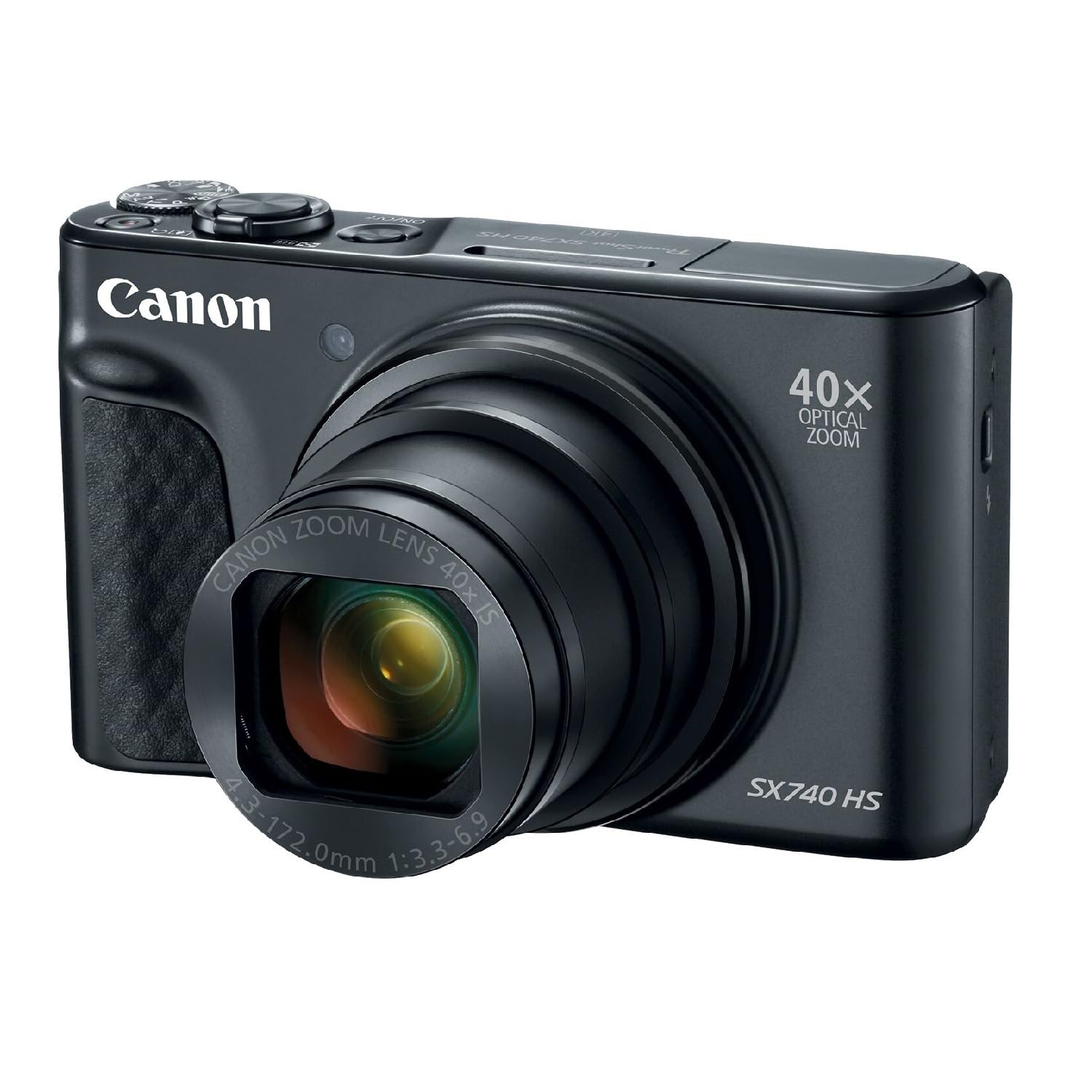
Canon Cameras Us Point And Shoot Digital Camera With 3.0'' Lcd, Black (2955C001)
$476.65

Frequently Asked Questions
- Q: What is the model number of this camera? A: The model number is two thousand nine hundred fifty-five C zero zero one. This identifier helps to distinguish it from other Canon cameras.
- Q: What are the dimensions of the Canon SX740 HS camera? A: The camera measures one point six inches in height, four point three inches in width, and two point five inches in depth. These dimensions make it compact and easy to carry.
- Q: What color is the Canon Point and Shoot camera? A: The camera is available in black. This classic color complements its sleek design.
- Q: What type of sensor does the Canon SX740 HS use? A: It features a twenty point three megapixel CMOS sensor. This sensor type enhances image quality and detail.
- Q: What is the optical zoom capability of this camera? A: The camera has a forty times optical zoom. This allows for capturing distant subjects with clarity.
- Q: Does the Canon SX740 HS support 4K video recording? A: Yes, it supports four K video recording. This feature enables high-resolution video capture for special moments.
- Q: How do I use the Canon SX740 HS for photography? A: To use it for photography, simply power on the camera, select your desired mode, and press the shutter button. The camera's user-friendly interface makes it easy for anyone.
- Q: Is this camera suitable for beginners? A: Yes, it is suitable for beginners. The automatic features help users select the best composition for their photos.
- Q: How do I connect the camera to my smartphone? A: You can connect the camera via built-in Bluetooth, Wi-Fi, or NFC technology. This allows for easy sharing of photos and videos.
- Q: What is the recommended way to care for the camera? A: To care for the camera, keep it in a protective case and clean the lens with a soft cloth. This helps maintain performance and longevity.
- Q: Is the Canon SX740 HS safe for travel? A: Yes, it is safe for travel. However, be mindful of its lithium-ion batteries, which should be packed according to airline regulations.
- Q: How do I store the camera when not in use? A: Store the camera in a cool, dry place, preferably in a protective case. This helps prevent damage and dust accumulation.
- Q: What is the warranty period for the Canon SX740 HS? A: The warranty period typically lasts for one year from the date of purchase. Check with the retailer for specific terms.
- Q: What should I do if the camera arrives damaged? A: If it arrives damaged, contact the retailer immediately for a return or exchange. Most retailers have policies in place for damaged goods.
- Q: Can I use the camera for low-light photography? A: Yes, the camera performs well in low-light conditions. Its optical image stabilizer enhances clarity during such shoots.
- Q: How can I reset the camera settings? A: To reset the camera settings, navigate to the settings menu and select the reset option. This restores the camera to factory defaults.