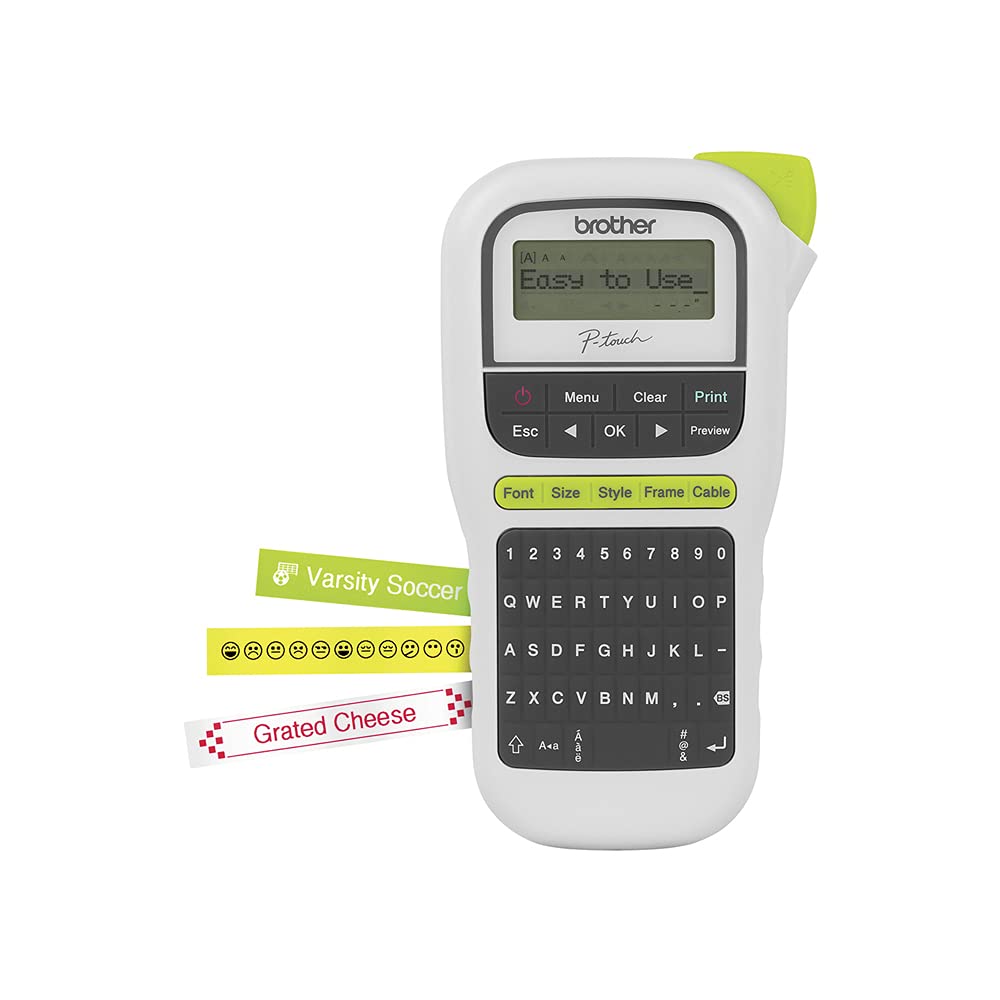
If Simplicity In Designing And Printing Labels For Office Or Personal Use Is Important To You, This Easy To Use Portable Label Maker Is An Exceptional Choice. The Brother P Touch Pt H110 Is Portable And Lightweight And Was Designed To Make Printing Labels Simple. The Pt H110 Features A Qwerty Keyboard That Makes Typing Simple And Reduces Text Errors. Before Submitting The Print Job, Users Can Review The Content Of Each Label Thanks To An Easy To Read Graphical Display. There Are Several Features Built Into This Portable Label Maker That Help Users Create Labels For Personal Or Business Applications. The Useful Cable Labeling Feature Is Intended To Help You Easily Organize Your Wires And Cables. The Pt H110 Also Has A Memory Feature That Allows You To Save Up To 15 Labels For Quick Reprinting Tasks. It Prints One Or Two Lines Of Text On Labels Up To 12Mm Or Approximately Wide. Users Can Select From 3 Fonts, 14 Frames, And More Than 250 Symbols To Create Professional Looking Labels. For Use With Brother Genuine P Touch Tze Tapes: Tze S631, Tze S621, Tze S231, Tze S221, Tze S211, Tze S135, Tze S131, Tze S121, Tze N201, Tze Mqp35, Tze Mqg35, Tze Mqf31, Tze Mqe31, Tze Mq934, Tze Mq835, Tze Mq531, Tze Fx631, Tze Fx231, Tze Fa3, Tze Af231, Tze 631, Tze 421, Tze 335, Tze 334, Tze 325, Tze 315, Tze 232, Tze 2312Pk, Tze 231, Tze 221, Tze 211, Tze 135, Tze 1312Pk, Tze 131, Tze 121, Tze 111. The Pt H110 Uses Brother Tze Tapes In A Variety Of Sizes, Colors, And Types, Including Standard, Acid Free, Extra Strength Adhesive, Cable And Wire, And Fabric Iron On, Among Others. Its Powered By 6 Aaa Batteries (Not Included) Or An Optional Ac Adapter That Can Be Purchased Separately. This P Touch Label Maker Is Great For Home, Home Office, And On The Go Use.Maximum Number Of Print Copies: 9; Number Of Font Styles: 14; Number Of Text Frame Types: 14.
⚠️ WARNING (California Proposition 65): This product may contain chemicals known to the State of California to cause cancer, birth defects, or other reproductive harm. For more information, please visit www.P65Warnings.ca.gov.
Frequently Asked Questions
Q: What materials is the PTH110 Portable Electronic Labeller made of?A: The PTH110 Portable Electronic Labeller is made of plastic. This lightweight material is durable and suitable for indoor labeling applications.
Q: What are the dimensions of the PTH110 labeller?A: The dimensions of the PTH110 labeller are eight point zero three inches in length, four point three seven inches in width, and two point two inches in height. These compact dimensions make it easy to store and use.
Q: How long is the label tape for the PTH110?A: The label tape for the PTH110 measures twenty-six point two five feet in length. This provides ample tape for various labeling projects.
Q: How do I create labels with the PTH110?A: To create labels with the PTH110, simply load the label tape, type your desired text using the keypad, and press the print button. It’s designed for easy and quick label creation.
Q: Is the PTH110 suitable for outdoor labeling?A: No, the PTH110 is best for indoor use. It is specifically designed for flat, dry surfaces, making it ideal for home, office, and school environments.
Q: Can I use the PTH110 for labeling curved surfaces?A: No, the PTH110 is not recommended for curved surfaces. It performs best on flat, dry surfaces for optimal adhesion and visibility.
Q: How should I clean the PTH110 labeller?A: To clean the PTH110 labeller, use a soft, dry cloth to wipe its exterior. Avoid using abrasive materials that could scratch the plastic surface.
Q: What is the shelf life of the label tape?A: The shelf life of the label tape can vary, but it typically lasts for several years when stored properly. Keep it in a cool, dry place to maintain its quality.
Q: What should I do if my labels are not sticking?A: If your labels are not sticking, ensure the surface is clean and dry before application. Additionally, check that the label tape is compatible with the PTH110.
Q: How does the PTH110 compare to other Brother label makers?A: The PTH110 is designed for portability and ease of use, making it ideal for casual labeling needs. Other Brother models may offer advanced features for more professional applications.
Q: Is the PTH110 suitable for beginners?A: Yes, the PTH110 is suitable for beginners. Its user-friendly interface allows anyone to create labels quickly and efficiently without prior experience.
Q: Can I use the PTH110 for organizing school supplies?A: Yes, the PTH110 is perfect for organizing school supplies. You can create custom labels for notebooks, folders, and other items to help keep everything in order.
Q: What is the warranty period for the PTH110?A: The warranty period for the PTH110 may vary by retailer, but it typically comes with a standard manufacturer's warranty. Check with your retailer for specific details.
Q: What if the PTH110 arrives damaged?A: If the PTH110 arrives damaged, contact the retailer immediately to initiate a return or exchange. Most retailers offer a hassle-free return policy for damaged items.
Q: How can I get support for the PTH110 labeller?A: You can get support for the PTH110 labeller through Brother's customer service or by visiting their official website for troubleshooting guides and resources.