

Cart
0


Cisco Ws C3560Cx 8Tc S Catalyst 3560 Cx 8 Port Data Ip Base Switch
Vendor: Cisco
Type: Network Switches
Sku: WBEEAB00UHGJ5JO
Availability: Sold Out
Couldn't load pickup availability
Guarantee safe checkout

Sold by Electroeshop, an authorized reseller.
Returns accepted within 30 days | support@electroeshop.com
Shipping Information
- Free Standard Shipping — United States only
- Processing Time: 1–3 business days
- Estimated Delivery: 3–5 business days after dispatch
- Double-boxed, fully insured & discreetly packaged
- Tracking number sent via email once dispatched
- Orders over $250 require signature upon delivery. Taxes calculated at checkout.
Returns & Refund
Returns accepted within 30 days of delivery.
Damaged or Defective Item
Free return shipping + replacement or full refund
Wrong Item Received
Free return shipping + replacement or full refund
Change of Mind
Return shipping at customer's expense · 25% restocking fee applies
All returns require a Return Authorization (RA) number before sending.
View Full Return & Refund Policy
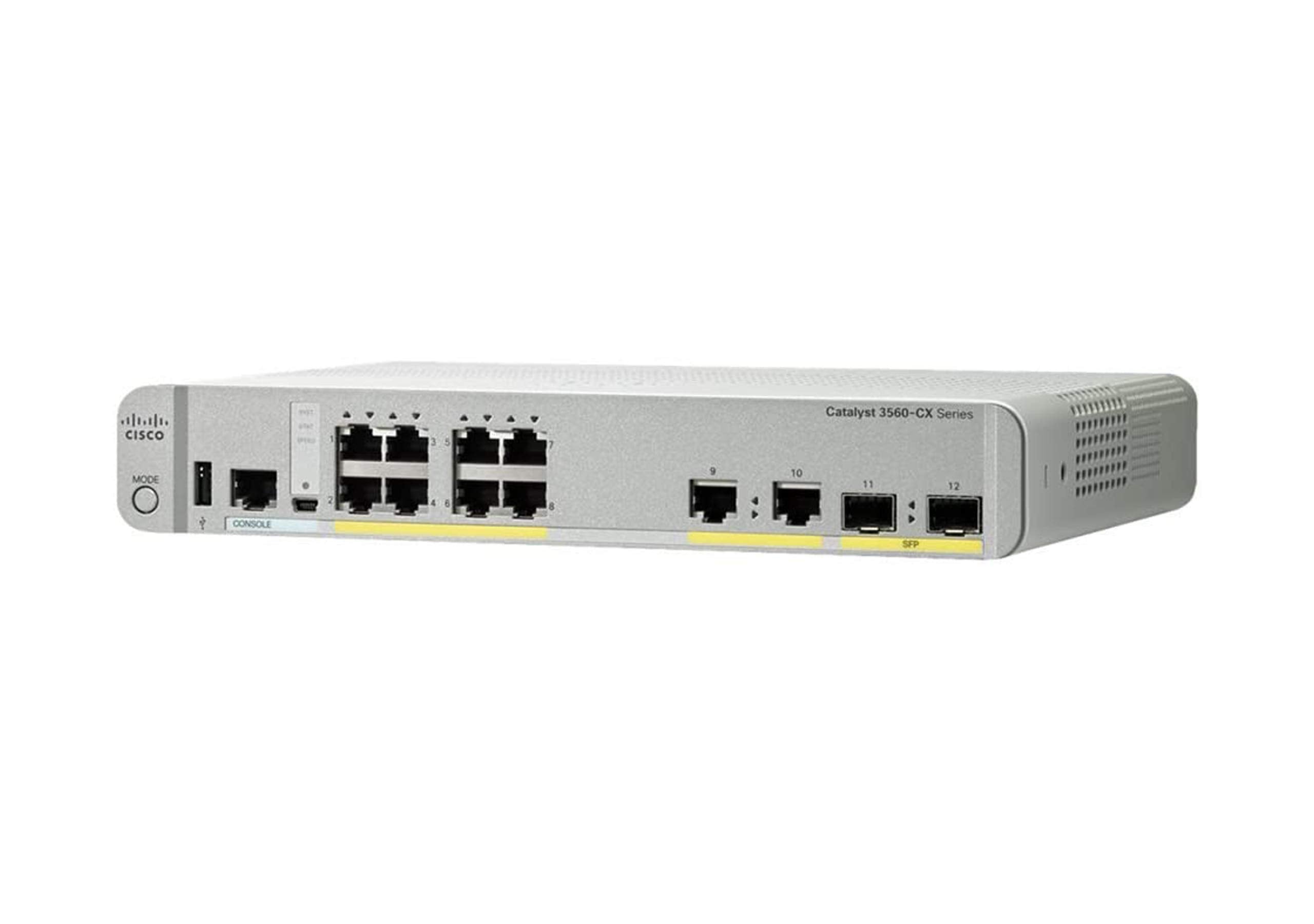
Cisco Ws C3560Cx 8Tc S Catalyst 3560 Cx 8 Port Data Ip Base Switch
$1,645.75

Frequently Asked Questions
- Q: What is the size of the Cisco WS-C3560CX-8TC-S switch? A: The Cisco WS-C3560CX-8TC-S switch measures eighteen centimeters in length, thirty-two point six centimeters in width, and thirty-six point two centimeters in height.
- Q: What is the weight of the Cisco WS-C3560CX-8TC-S switch? A: The weight of the Cisco WS-C3560CX-8TC-S switch is not specified, but it is designed to be compact and lightweight for easy installation.
- Q: What type of material is the Cisco WS-C3560CX-8TC-S made from? A: The material composition of the Cisco WS-C3560CX-8TC-S switch is not explicitly stated, but it is an electronic device designed for durability and performance.
- Q: How do I set up the Cisco WS-C3560CX-8TC-S switch? A: To set up the Cisco WS-C3560CX-8TC-S switch, connect it to your power source and network, and follow the configuration instructions provided in the user manual.
- Q: Can I use the Cisco WS-C3560CX-8TC-S for Wi-Fi backhaul? A: Yes, the Cisco WS-C3560CX-8TC-S is suitable for Wi-Fi backhaul, providing high-speed data connectivity for wireless access points.
- Q: Is the Cisco WS-C3560CX-8TC-S switch suitable for small spaces? A: Yes, this switch is designed for deployment in compact spaces, making it ideal for environments where space is limited.
- Q: How do I clean the Cisco WS-C3560CX-8TC-S switch? A: To clean the Cisco WS-C3560CX-8TC-S switch, use a soft, dry cloth to wipe the exterior and avoid using any harsh chemicals that could damage the device.
- Q: Is the Cisco WS-C3560CX-8TC-S switch safe for outdoor use? A: No, the Cisco WS-C3560CX-8TC-S switch is designed for indoor use only and should be kept in a controlled environment.
- Q: How should I store the Cisco WS-C3560CX-8TC-S switch? A: Store the Cisco WS-C3560CX-8TC-S switch in a dry, dust-free environment, preferably in its original packaging to avoid physical damage.
- Q: How does the Cisco WS-C3560CX-8TC-S compare to other switches? A: The Cisco WS-C3560CX-8TC-S is optimized for high-speed connectivity and compact design, making it a superior choice for small to medium-sized network environments.
- Q: Is the Cisco WS-C3560CX-8TC-S suitable for beginners? A: Yes, the Cisco WS-C3560CX-8TC-S is user-friendly and suitable for beginners, with ample documentation to assist with setup and management.
- Q: What is the warranty on the Cisco WS-C3560CX-8TC-S switch? A: The Cisco WS-C3560CX-8TC-S switch typically comes with a limited warranty, but specific terms can vary, so checking with the manufacturer is advisable.
- Q: What should I do if my Cisco WS-C3560CX-8TC-S switch arrives damaged? A: If your Cisco WS-C3560CX-8TC-S switch arrives damaged, contact the retailer or manufacturer's customer support immediately to initiate a return or exchange.
- Q: Can I expand the ports on the Cisco WS-C3560CX-8TC-S switch? A: No, the Cisco WS-C3560CX-8TC-S switch has a fixed number of eight ports and cannot be expanded.
- Q: What is the power requirement for the Cisco WS-C3560CX-8TC-S switch? A: The Cisco WS-C3560CX-8TC-S switch typically requires standard electrical power, but specific voltage requirements can be found in the product documentation.